


S3 Poller
Overview
You can use this Snap to check the list of files in a given directory (including subdirectories as an option) periodically and produce output documents if the file names match a given filter.
- This is a Read-type Snap.
 Does not support Ultra Tasks
Prerequisites
-
A valid account with the required permissions.
Snap views
| Type | Description | Examples of upstream and downstream Snaps |
|---|---|---|
| Input | An optional document to evaluate expressions in the Directory and/or File filter properties. Note that each input document will trigger the execution of the Snap. | |
| Output | A full path in each document as a value for a key "path". If multiple files
match the filter, the same number of documents will be provided in the output view
after each interval. |
|
| Learn more about Error handling. | ||
Snap settings
- Expression icon (
 ): Allows using
pipeline parameters to set field values dynamically (if enabled). SnapLogic Expressions
are not supported. If disabled, you can provide a static value.
): Allows using
pipeline parameters to set field values dynamically (if enabled). SnapLogic Expressions
are not supported. If disabled, you can provide a static value. - SnapGPT (
 ): Generates SnapLogic Expressions
based on natural language using SnapGPT. Learn
more.
): Generates SnapLogic Expressions
based on natural language using SnapGPT. Learn
more. - Suggestion icon (
 ): Populates a
list of values dynamically based on your Snap configuration. You can select only one
attribute at a time using the icon. Type into the field if it supports a comma-separated
list of values.
): Populates a
list of values dynamically based on your Snap configuration. You can select only one
attribute at a time using the icon. Type into the field if it supports a comma-separated
list of values. - Upload
 : Uploads files. Learn more.
| Field/Field set | Type | Description |
|---|---|---|
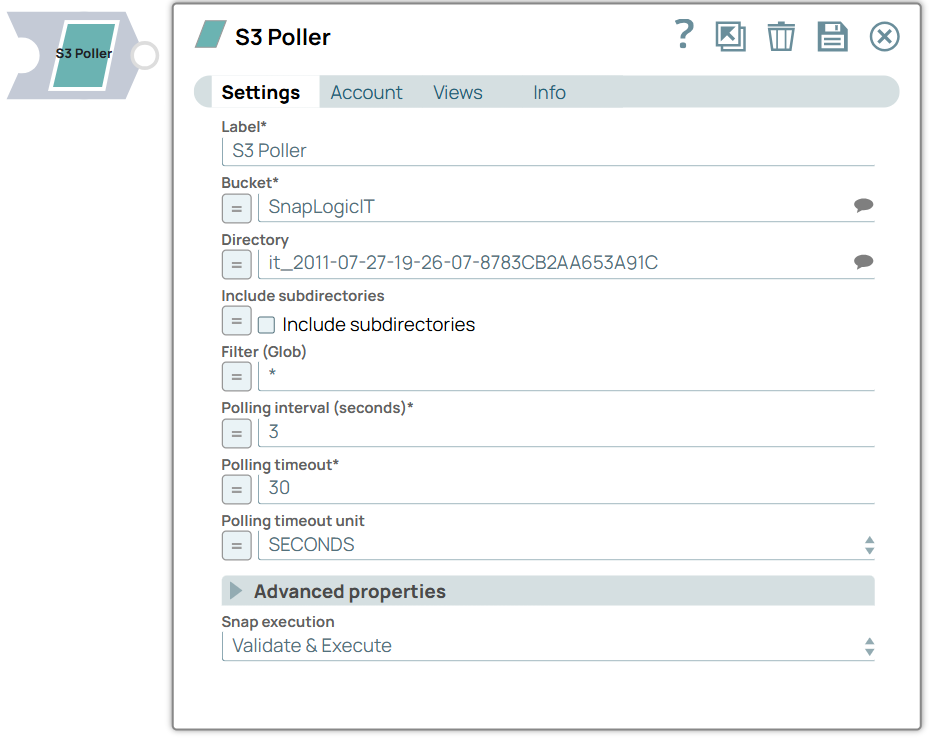
| Label*
|
String | Specify a unique name for the Snap. Modify this to be more appropriate, especially if more than one of the same Snaps is in the pipeline. Default value: S3 Poller Example: S3 Poller |
| Bucket | String/Expression/ Suggestion | Required. Specify or select an S3 bucket. Default value: N/A Examples: test-bucket |
| Directory | String/Expression/ Suggestion | Enter a directory as a prefix of an S3 object key ending with ‘/'. It should not start with '/’. Leave it empty if you are polling the bucket root. Note:
Default value: N/A Examples: faculty/department/ |
| Include subdirectories | Checkbox/Expression | Select this checkbox to list all matching files in the specified directory and
all subdirectories. Default status: Deselected |
| Filter (glob) | String/Expression |
Specify a GLOB pattern filter to match the file names in the directory. The Snap applies this filter to file names only, without including the directory path. Default value: N/A Example:
|
| Polling interval (seconds)* | Integer/Expression |
Required. Specify the time gap between each poll request (in seconds). Default value: 30 Example: 10 |
| Polling timeout | Integer/Expression |
Required. Specify the maximum time for which the Snap continues to poll. If the Polling timeout is set to:
Default value: 30 Example: 20 |
| Polling-timout unit | Dropdown list/Expression | Specify a time unit for polling timeout. Default value: MINUTES Example: SECONDS |
| Advanced properties | ||
| Maximum retries | Integer/Expression | Enter the maximum number of retries the Snap performs when it fails to list a
directory. Default value: 3 Example: 5 |
| Only output on change | Checkbox/Expression | Select this checkbox, to output documents for matching files only when it
starts up or when the file changes. Deselect this checkbox to output documents for
matching files in every interval. Default status: Selected |
| Exit on first matches | Checkbox/Expression | Select this checkbox to enable the Snap to exit after the interval when one or
more matches are found for the first time. Default status: Deselected |
| Snap execution
|
Dropdown list |
Choose one of the three modes in
which the Snap executes. Available options are:
Default value: Execute only Example: Validate & Execute |