


NetSuite REST Create
Overview
You can use this Snap to create records using the NetSuite REST API.
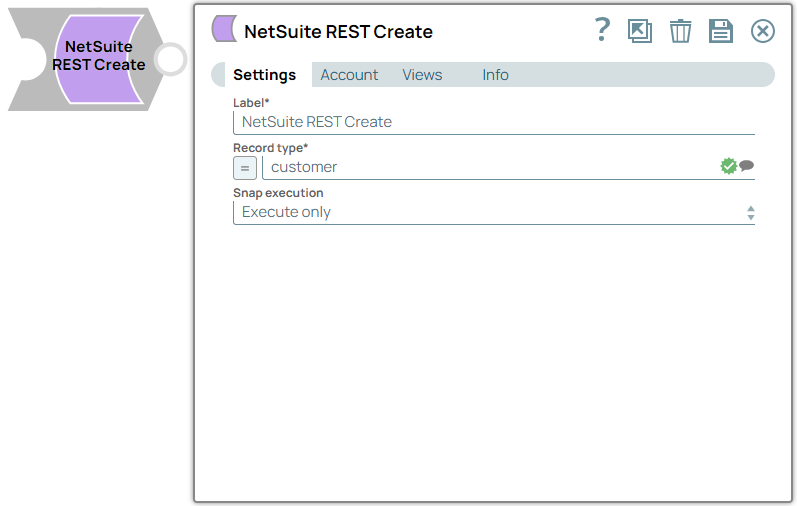
- This is a Write-type Snap.
 Works in Ultra Tasks
Prerequisites
None.
Limitations
- The Snap takes 70-100 seconds to fetch Record type suggestions for the first call. Subsequent calls are faster as it fetches data from the cache, which refreshes every 60 minutes. Any updates to the metadata might take up to 60 minutes to reflect the data.
Snap views
| Type | Description | Examples of upstream and downstream Snaps |
|---|---|---|
| Input | This Snap has at the most one document input view. The Snap provides schema its input view for the selected object that can then be used in a Mapper Snap to map the required fields. | Mapper |
| Output | This Snap has at the most one document output view. The Snap provides the result of the create operation for each record on the output view. | Mapper |
| Learn more about Error handling. | ||
Snap settings
| Field/Field set | Description |
|---|---|
Label* String |
Specify a unique name for the Snap. Modify this to be more appropriate, especially if more than one of the same Snaps is in the pipeline. Default value: NetSuite REST Create Example: Create company names list |
Record type*
String/Expression/ Suggestion |
Specify the data entity or object to interact with using the NetSuite REST API. Default value: N/A Example: account |
Enable asynchronous request processing
Checkbox |
Select this checkbox to enable asynchronous batch processing. When enabled, the Snap accumulates multiple input documents and processes them in batches to improve performance and reduce API calls. Default status: Deselected |
Poll async job results
Checkbox |
Select this checkbox to poll the async job and write the actual results to the output. When disabled, the Snap writes the async request response immediately without waiting for job completion. This field is available only when Enable asynchronous request processing is selected. To check the status of a job and retrieve its results later, map the Default status: Deselected |
|
Snap execution Dropdown list
|
Choose one of the three modes in
which the Snap executes. Available options are:
Default value: Execute only Example: Validate & Execute |