


Mapping to XML Generator via XSD
Let us use a JSON Generator to provide the input order data, such as defined below:
[
    {
        "items" : [{
            "title": "iphone6",
            "quantity": 1,
            "price": 598.00
        },
        {
            "title": "note 4",
            "quantity": 1,
            "price": 599.00
        }
        ],
         "address":"some address",
        "city": "San Mateo",
        "orderId": "1234",
        "name": "Mr. Undecided"
    },
    {
        "items" : [{
            "title": "iphone6",
            "quantity": 1,
            "price": 598.00
        },
        {
            "title": "note 4",
            "quantity": 1,
            "price": 599.00
        },
        {
            "title": "lumina",
            "quantity": 1,
            "price": 0.99
        }
        ],
         "address":"some address",
        "city": "San Mateo",
        "orderId": "1234",
        "name": "Mr. Even more Undecided"
    }
]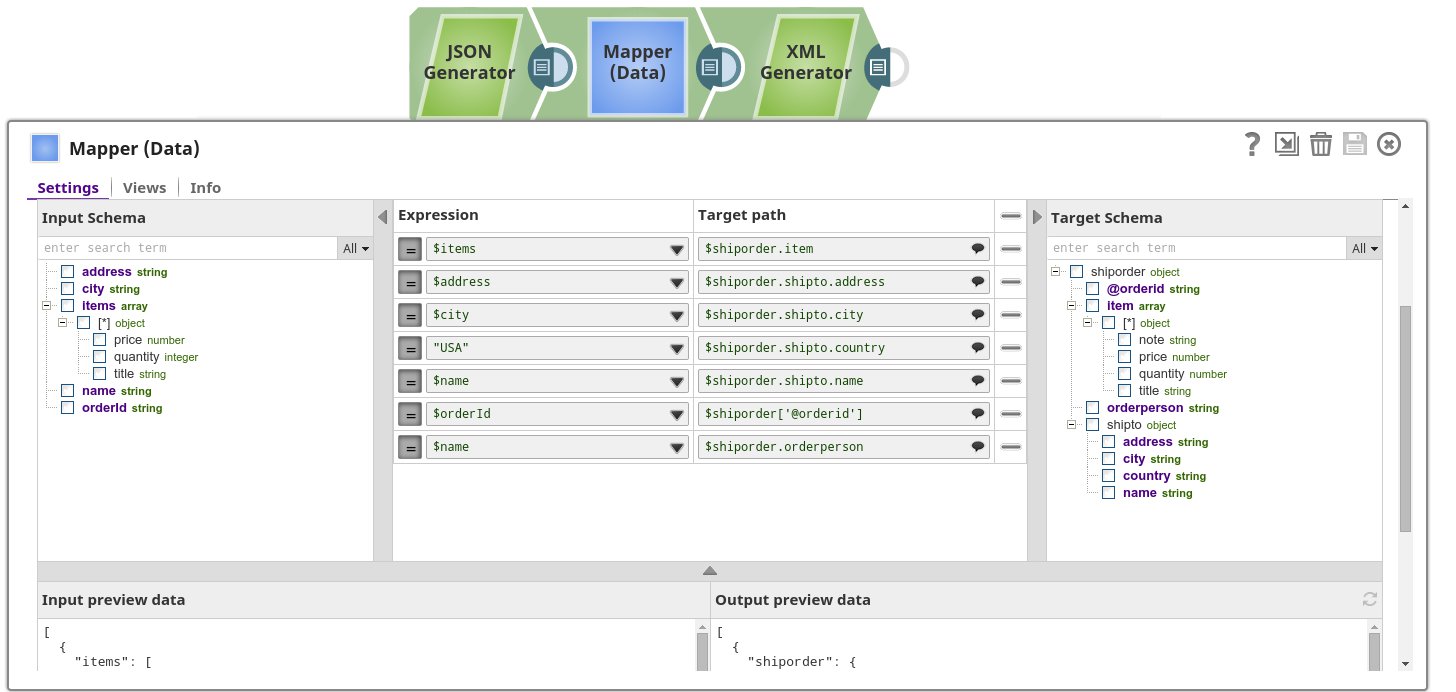
Here we map the items to the item list on the target. Further we map the city, address, country and name to the shipTo object on the target and then finally we map the name against orderperson and orderId against @orderId on the target. The @ indicates we map against an XML attribute.
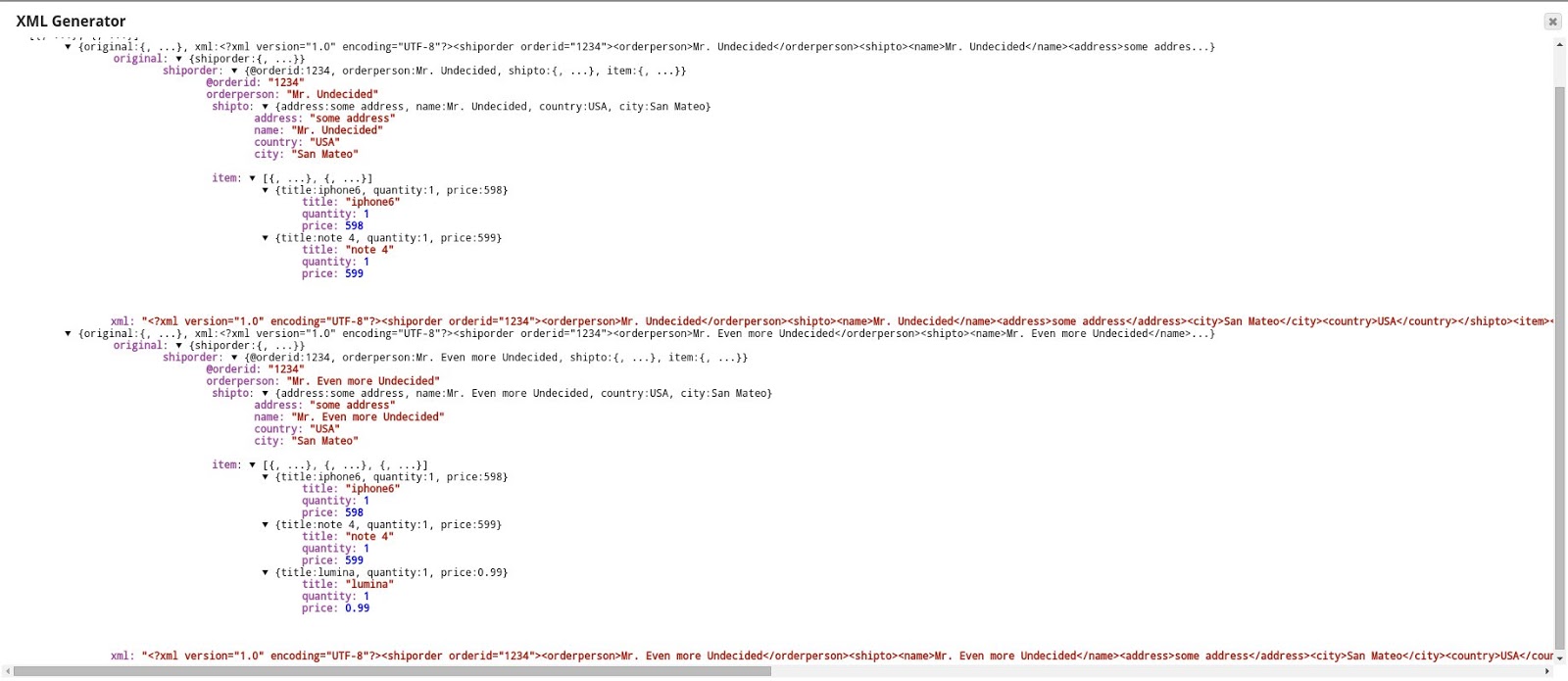
Here we see that each incoming order document was translated into an xml string. We include the original data from the input view, in case it is further needed downstream. The XML Generator Snap can validate the generated content if needed using the “Validate XML” property.
- Download and import the SLP file into your Environment.
- Configure Snap accounts.
- Provide Pipeline parameters, if any.