


Read a table from Snowflake
This example pipeline demonstrates how to use the
Snowflake - Select Snap to read data from a Snowflake
table. The Snap queries the test@test table, orders the results
by the C1 column, and limits the output to 10 rows.
Configure the Snowflake - Select Snap to:
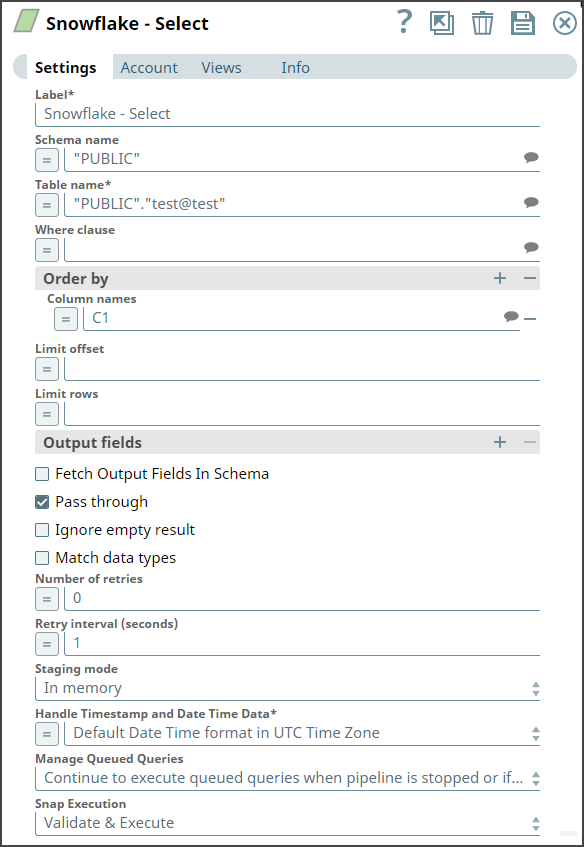
- Select data from the
test@testtable. - Order the results by the
C1column. - Limit the output to 10 rows.
On execution, the Snap outputs the first 10 rows of the
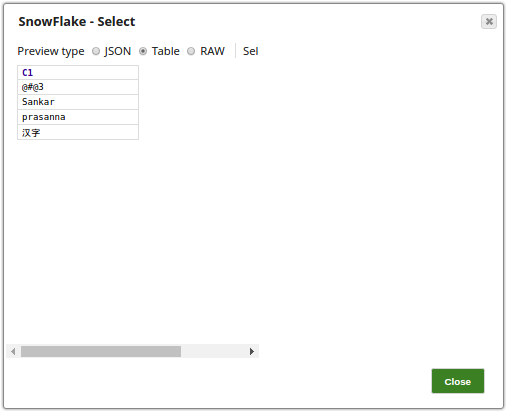
test@test table ordered by C1. The result appears in the Snap's preview: