


Delete a user
DELETE https://{controlplane_path}/api/1/rest/public/users/{email} Deletes the user record associated with the specified email address. Environment admins can delete one or more users from the Environment simultaneously in Admin Manager. The results of the API and Admin Manager differ as follows:
- The API performs a hard delete and removes the user from all Environments in the SnapLogic system.
- Admin Manager and Project Manager perform a soft delete that removes the user from the current environment.
Prerequisites
- Environment (Org) admin permissions for all Orgs that the user belongs to
Path parameters
| Key | Description |
|---|---|
email |
Required. The email address of the user. |
Query parameters
None.
Request header
Basic authentication
To use basic authentication, specify Basic for authorization in the request
header, add your credentials (email and password for your SnapLogic user or service account), and
specify application/json for content type. For example:
Authorization: Basic {base64_encoded <email>:<password>}
Content-Type: application/json
Example of basic authentication using Postman:
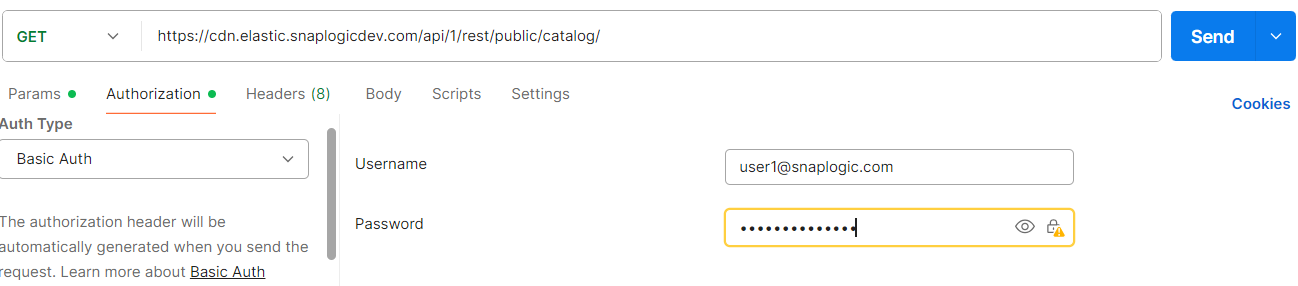
Learn more about the basic authentication header in REST API requests.
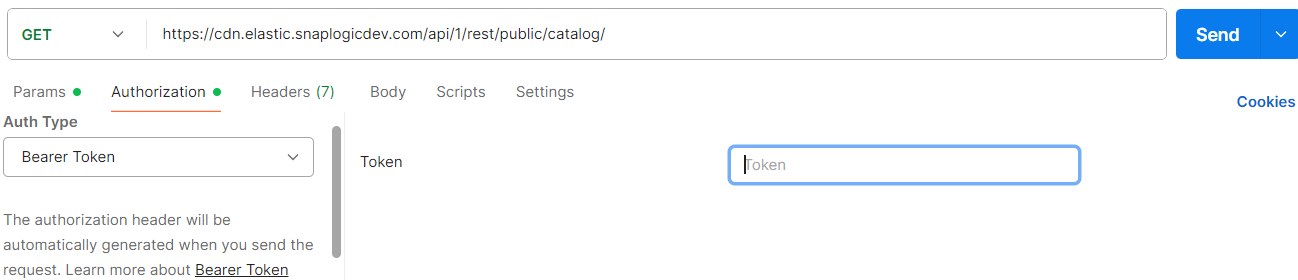
JWT authentication
When using JWT authentication, the API request includes specific headers. In the request header,
specify Bearer Token for authorization, add the token, and specify
application/json for content type. These headers are automatically added when
you configure bearer token authentication in your API client. The authorization header contains
the word Bearer followed by a space and your JWT.
Authorization: Bearer Token {token}
Content-Type: application/json
Example of JWT authentication using Postman:
Request body
None.
Response
{
    "response_map": {},
    "http_status_code": 200
}