


Azure OpenAI List Files
Overview
You can use this Snap to retrieve and lists all files associated with the your Azure OpenAI account storage.
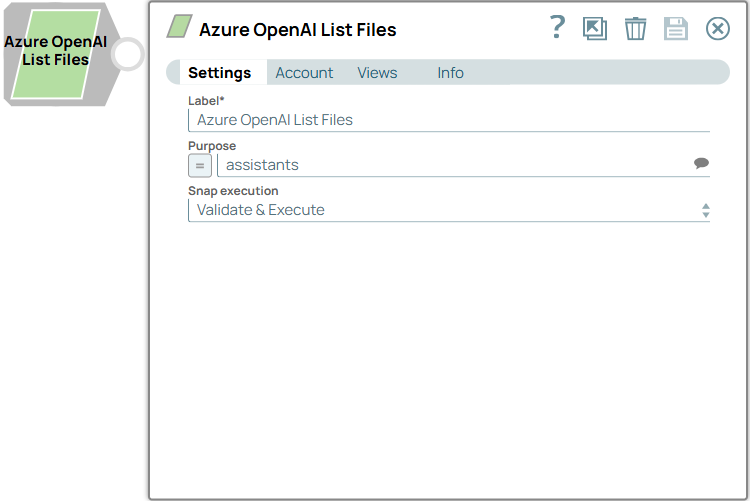
- This is a Read-type Snap.
 Works in Ultra Tasks
Prerequisites
None.
Limitations and known issues
None.
Snap views
| Type | Description | Examples of upstream and downstream Snaps |
|---|---|---|
| Input | This Snap has at the most one document input view. The entity from which you want to read the objects. | Mapper |
| Output | This Snap has exactly one document output view. The Snap displays records from the specified purpose and if not specified it lists out all the files of all purposes. It outputs at most 10,000 files. Learn more. | Mapper |
| Learn more about Error handling. | ||
Snap settings
- Expression icon (
 ): Allows using
JavaScript syntax to access SnapLogic Expressions to set field values dynamically (if
enabled). If disabled, you can provide a static value. Learn more.
): Allows using
JavaScript syntax to access SnapLogic Expressions to set field values dynamically (if
enabled). If disabled, you can provide a static value. Learn more. - SnapGPT (
 ): Generates SnapLogic Expressions
based on natural language using SnapGPT. Learn
more.
): Generates SnapLogic Expressions
based on natural language using SnapGPT. Learn
more. - Suggestion icon (
 ): Populates a
list of values dynamically based on your Snap configuration. You can select only one
attribute at a time using the icon. Type into the field if it supports a comma-separated
list of values.
): Populates a
list of values dynamically based on your Snap configuration. You can select only one
attribute at a time using the icon. Type into the field if it supports a comma-separated
list of values. - Upload
 : Uploads files. Learn more.
| Field/Field set | Type | Description |
|---|---|---|
Label
|
String |
Required. Specify a unique name for the Snap. Modify this to be more appropriate, especially if more than one of the same Snaps is in the pipeline. Default value: Azure OpenAI List Files Example: Company names list |
| Purpose | String/Expression/ Suggestion | Specify the intended purpose of the file you want to retrieve. If left blank, the Snap retrieves all files associated with your account. It outputs at most 10,000 files. Learn more. Valid options include:
Default value: N/A Example: assistants |
| Snap execution
|
Dropdown list |
Choose one of the three modes in
which the Snap executes. Available options are:
Default value: Validate & Execute Example: Execute only |
Troubleshooting
Request encountered an error while connecting to OpenAI, status code 400
Invalid Purpose specfied. Expected file Purpose to be one of - assistants, assistants_output, batch, batch_output, fine-tune, fine-tune-results, and vision.
Use one of the supported file purposes.