


Advanced Use Case
The following describes a Pipeline, with a broader business logic involving multiple ETL transformations, that shows how typically in an enterprise environment, Azure SQL Bulk Load functionality is used. The Pipeline download is available below.
Download this Pipeline
-
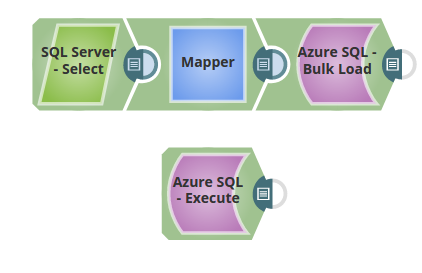
In the below Pipeline, the records from a table on the SQL Server are loaded into a table on the Azure SQL. The Azure SQL Execute Snap reads the records the loaded records on the Azure SQL table.
-
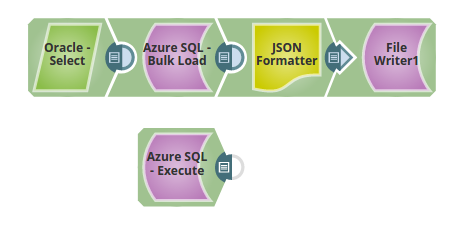
A similar enterprise scenario where the records from the Oracle server are loaded into the Azure SQL Server. The loaded records are transformed to JSON and written to a file. The Azure SQL Execute Snap reads the records from the table on the Azure SQL.The pipeline download is available below.
- Download and import the SLP file into your Environment.
- Configure Snap accounts.
- Provide Pipeline parameters, if any.