


Teradata Multi Execute
Overview
The Teradata Multi Execute Snap executes multiple write statements as a single transaction for every input document.
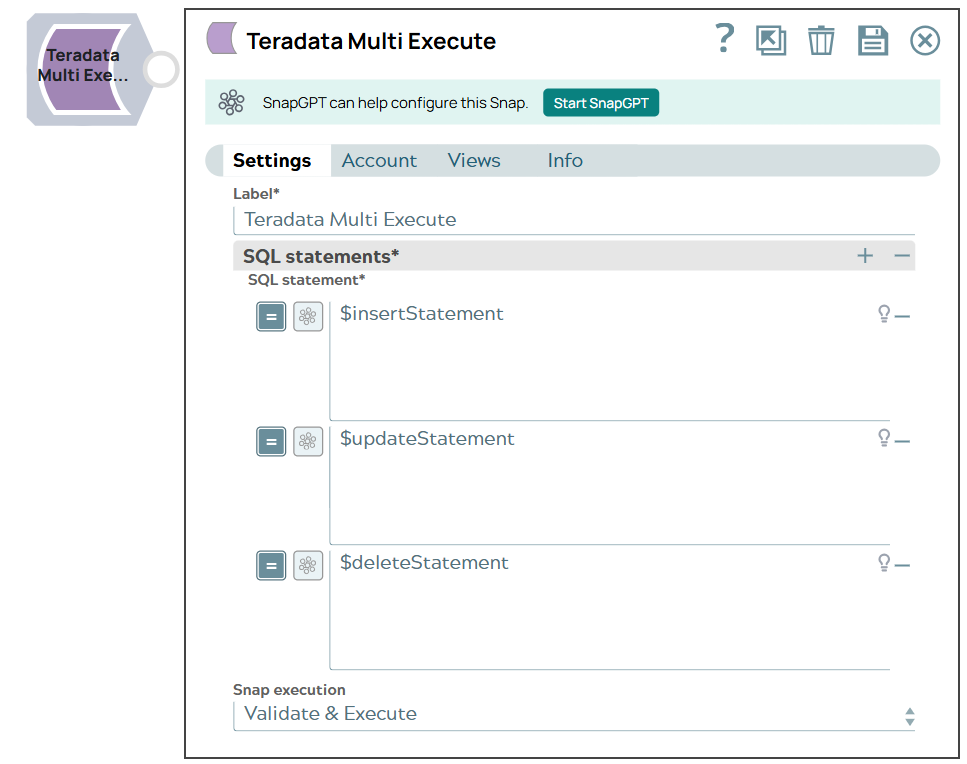
- This is a Write-type Snap.
 Works in Ultra Tasks
Prerequisites
- A valid account with the required permissions.
Known issues
Stored procedures are not supported with Multi Execute Snap.
Snap views
| Type | Description | Examples of upstream and downstream Snaps |
|---|---|---|
| Input |
This Snap has at most one document input view. Each input document can contain data that will be used in your SQL statements. Optional input: The Snap can also run without any input if your SQL queries are static. |
|
| Output |
This Snap has at most one document output view. Returns actual data rows as documents or execution status information. Each row is one output document. Results from different statements are combined in the output stream. |
|
| Learn more about Error handling. | ||
Snap settings
- Expression icon (
 ): Allows using
pipeline parameters to set field values dynamically (if enabled). SnapLogic Expressions
are not supported. If disabled, you can provide a static value.
): Allows using
pipeline parameters to set field values dynamically (if enabled). SnapLogic Expressions
are not supported. If disabled, you can provide a static value. - SnapGPT (
 ): Generates SnapLogic Expressions
based on natural language using SnapGPT. Learn
more.
): Generates SnapLogic Expressions
based on natural language using SnapGPT. Learn
more. - Suggestion icon (
 ): Populates a
list of values dynamically based on your Snap configuration. You can select only one
attribute at a time using the icon. Type into the field if it supports a comma-separated
list of values.
): Populates a
list of values dynamically based on your Snap configuration. You can select only one
attribute at a time using the icon. Type into the field if it supports a comma-separated
list of values. - Upload
 : Uploads files. Learn more.
| Field/Field set | Description |
|---|---|
Label
String |
Required. Specify a unique name for the Snap. Modify this to be more appropriate, especially if more than one of the same Snaps is in the pipeline. Default value: Teradata Multi Execute Example: Teradata Multi Execute |
| SQL statements | List of SQL statements to be executed as a single transaction. |
SQL statement*
String/Expression |
Required. The SQL statement to be executed. Each SQL statement execution produces output documents containing the result set.
Default value: N/A Example: |
Query band
String/Expression |
Specify the name-value pairs to use in the session's generated query band statement. The query band is passed to the Teradata database as a list of name-value pairs separated by semi-colons.
The Snap sets the query band at the session level. Therefore, all the SQL statements that the Snap runs in the transaction also carry this information. Default value: N/A Example: ProjectName=dstage1;user=test; |
Snap execution
Dropdown list |
Choose one of the three modes in
which the Snap executes. Available options are:
|