Transfer multi level Teamcenter BOM based on data from Excel sheet using the Tc BOM Structure Synchronize Snap
This example pipeline demonstrates how to transfer a multi-level BOM from an Excel sheet into Teamcenter.
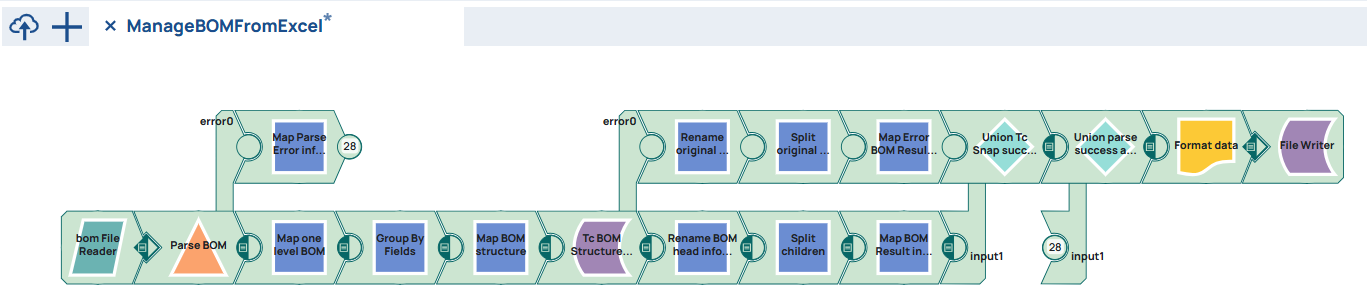
It is possible to use the pipeline build in former chapter Create Teamcenter Parts and BOM based on data from Excel sheet using the Tc BOM Structure Create Snap to transer multi level BOMs. Therefore it is a prerequisite to build this pipeline first.
Pipeline version to transfer BOM level by level
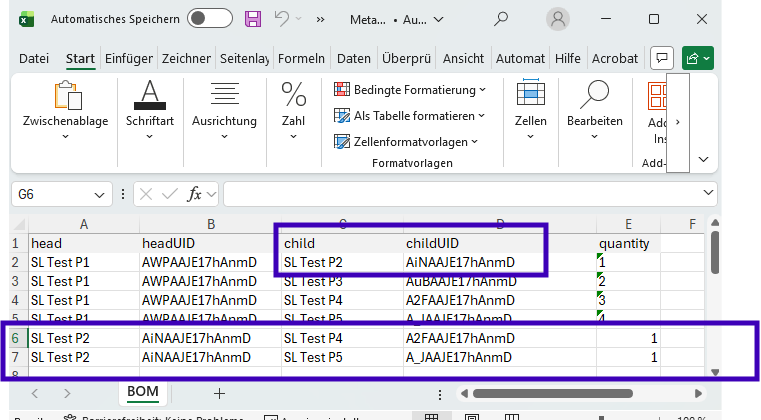
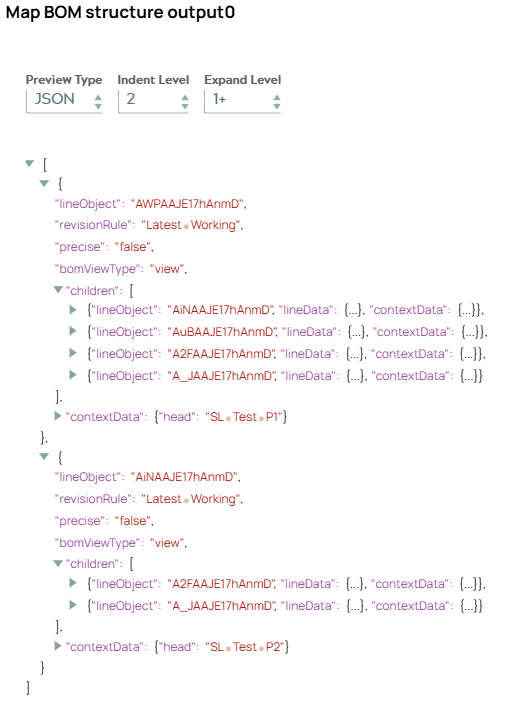
Snaps will create a BOM for each level and Tc BOM Structure Synchronize Snap will process each level. Some selected points of pipeline validation show the difference. First Excel file containing four BOM line rows for head “P1” is extended with two rows for child part “P2” as head.
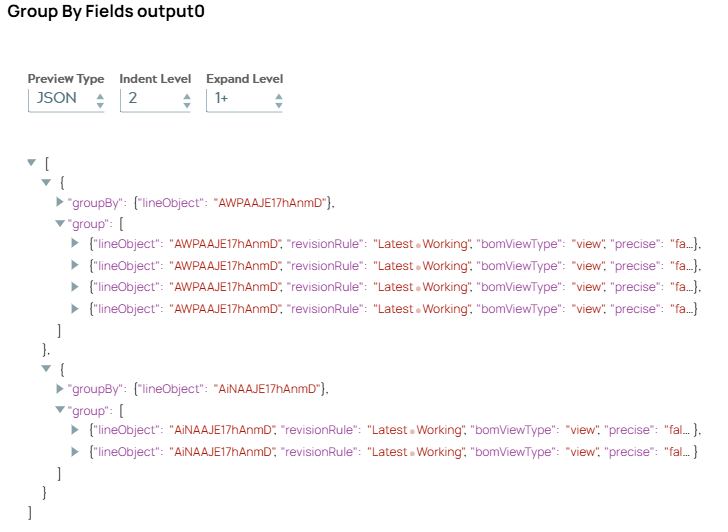
The output of the GroupByField Snap contains now two objects: one for head “P1” and one for head “P2”.
So next Snap creates two BOM structures objects as input for Tc BOM Structure Synchronize Snap representing the two BOM structures.
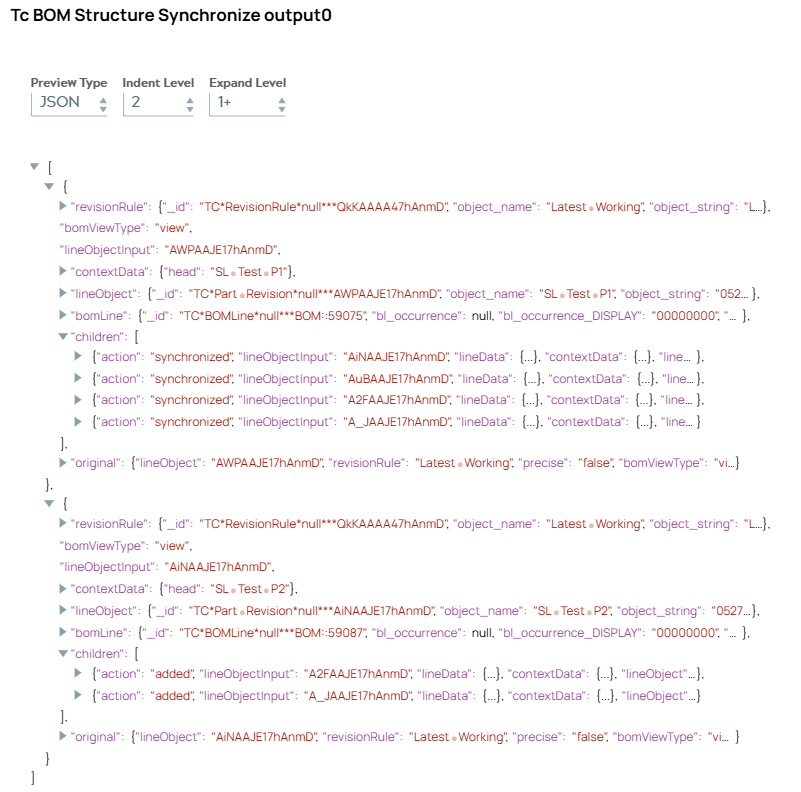
The Tc BOM Snap shows two results.
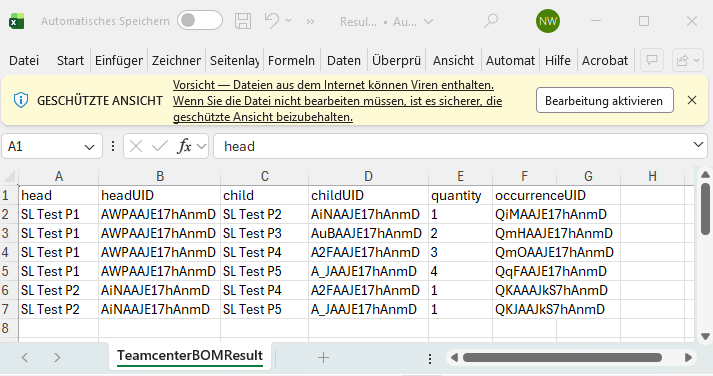
Resulting excel file contains now all information.
Now it can happen that one BOM fails and another succeeds. Since the first row send to Excel Formatter determines column head values error and success branch output has to be brought together. This is done with an additional Mapper Snap.
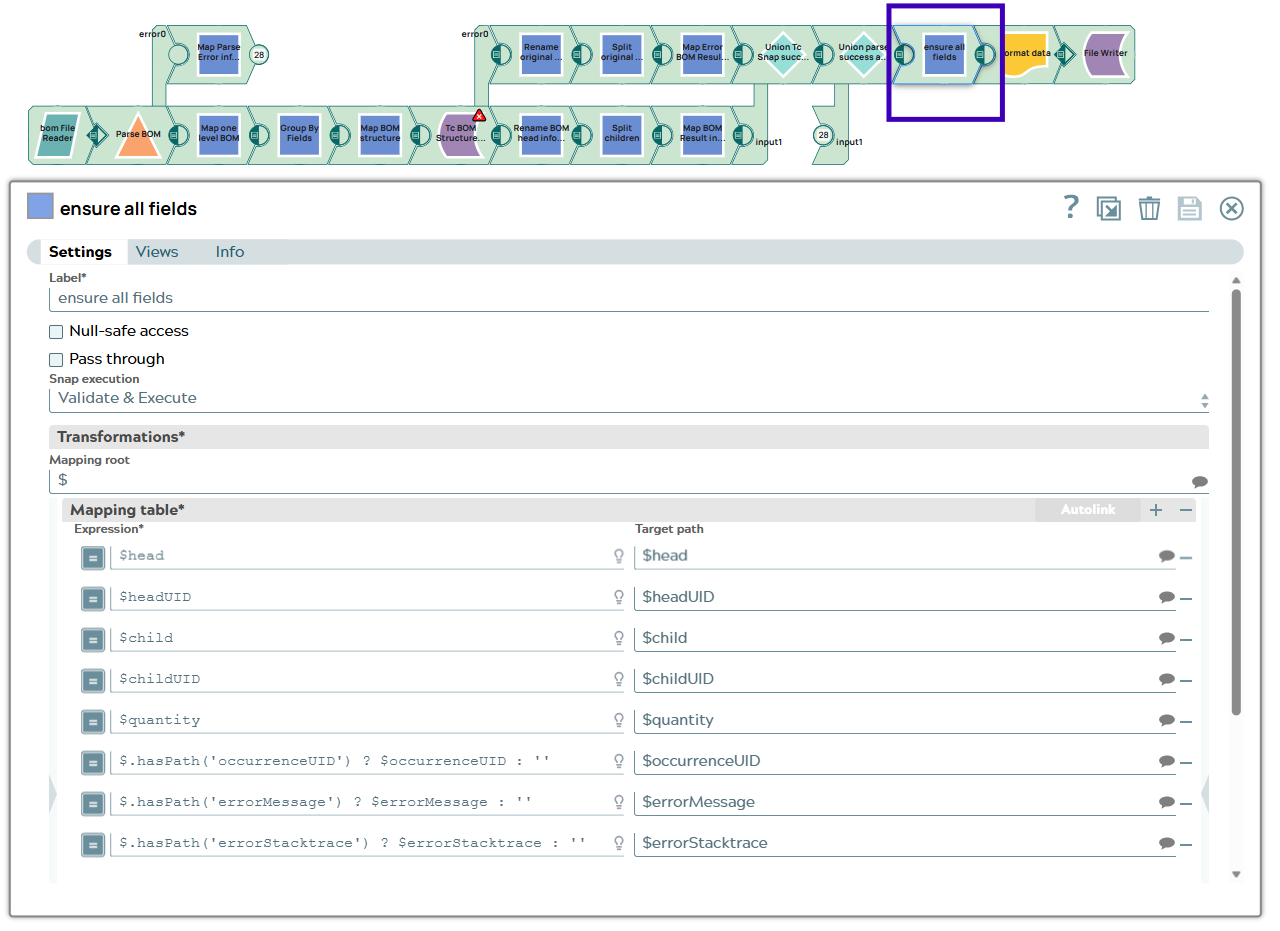
Excel file now contains all columns.

Pipeline version to transfer whole BOM structure at once
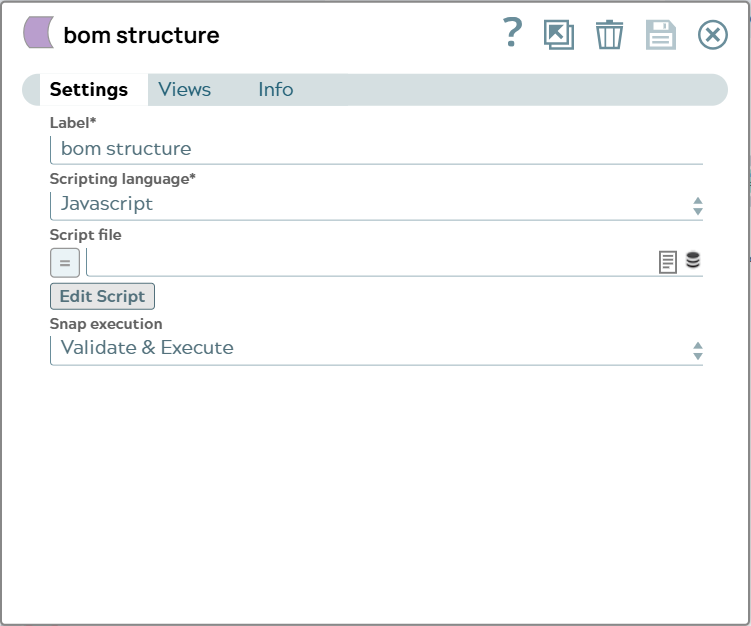
To empower the pipeline to transfer the whole BOM structure with one call to Teamcenter the pipeline has to be extended with a Script Snap.

Example input excel file will be filled with newly created Part Revision UIDs to have a fresh start.
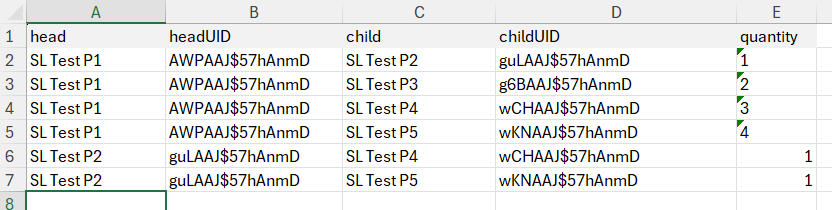
Processing of first snaps is described in Create Teamcenter Parts and BOM based on data from Excel sheet using the Tc BOM Structure Create Snap. The output document of the already known Mapper Snap “Map BOM structure” is now the input for the new Script Snap.
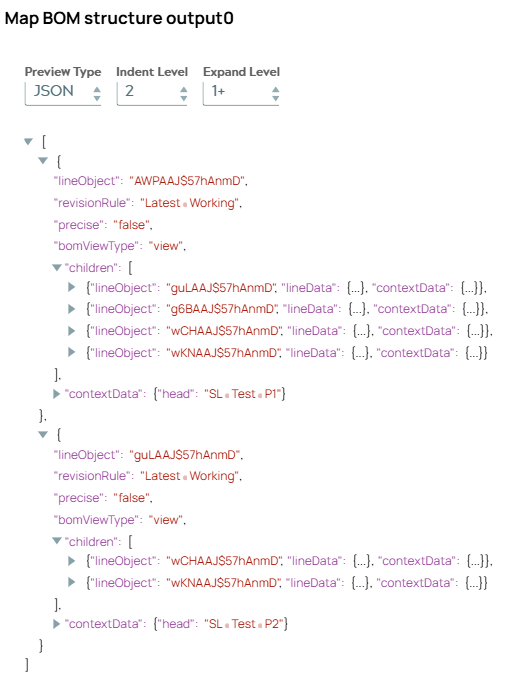
The script gets multiple one level BOM structures and has the task to move children BOM structures into parent BOM.
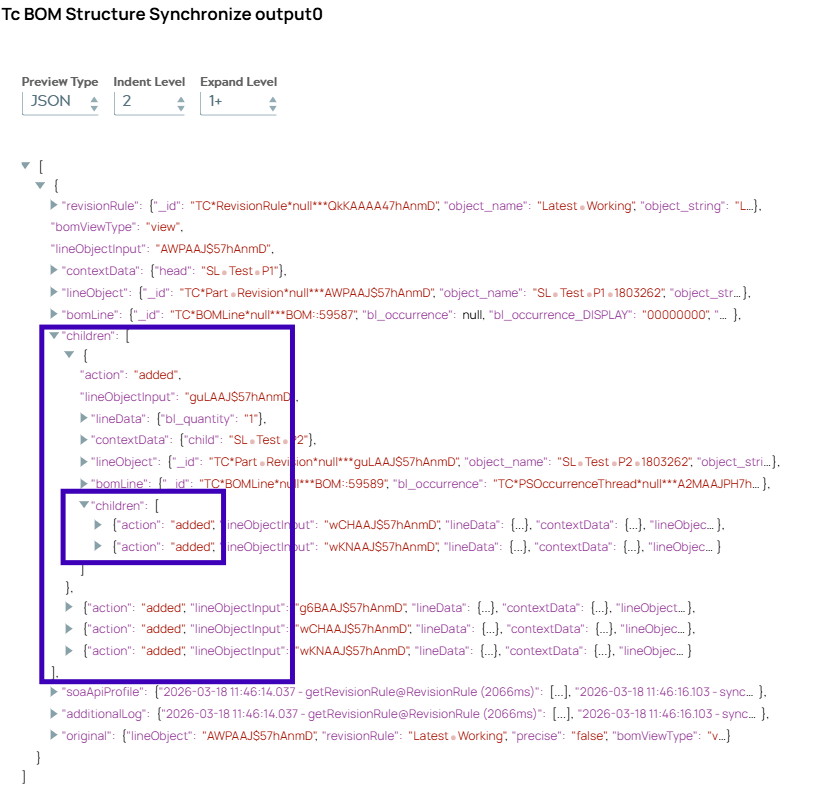
The script result is written into JSON object “result”. Children “P2” in “children” list object has now own list object “children” containing two objects.
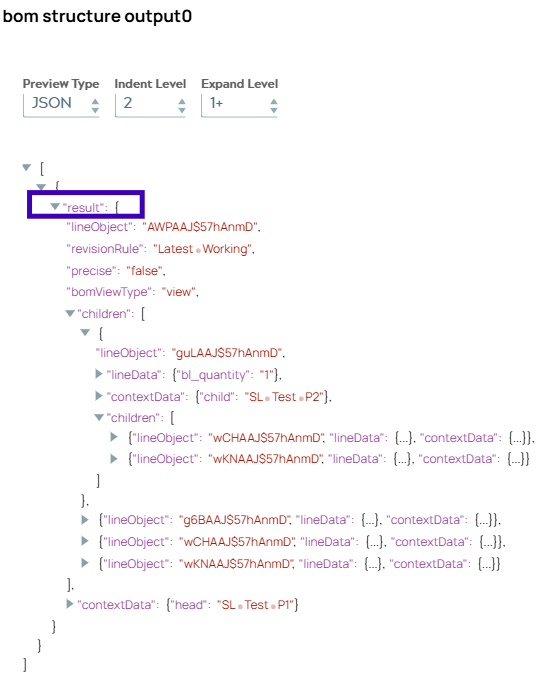
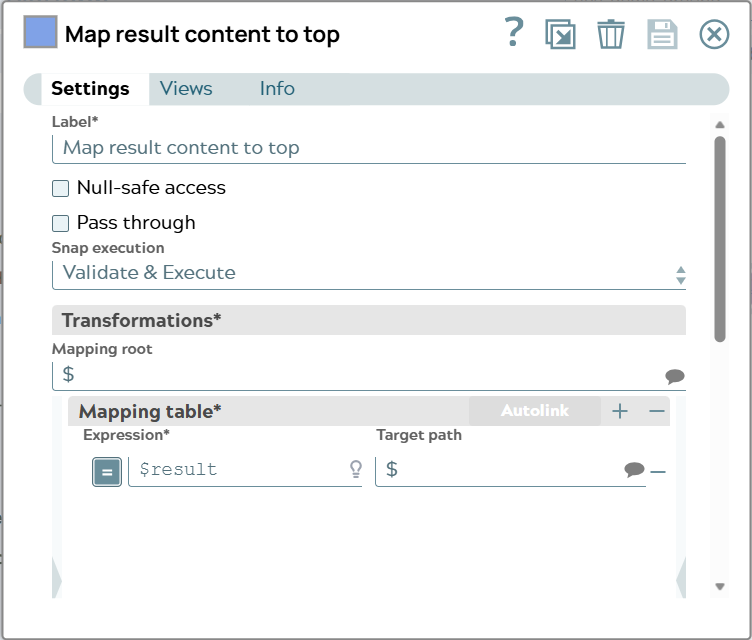
The following Mapper Snap “Map result content to top“ moves the content of “result” to the top of the document to be the input for the Tc BOM Structure Synchronize Snap.
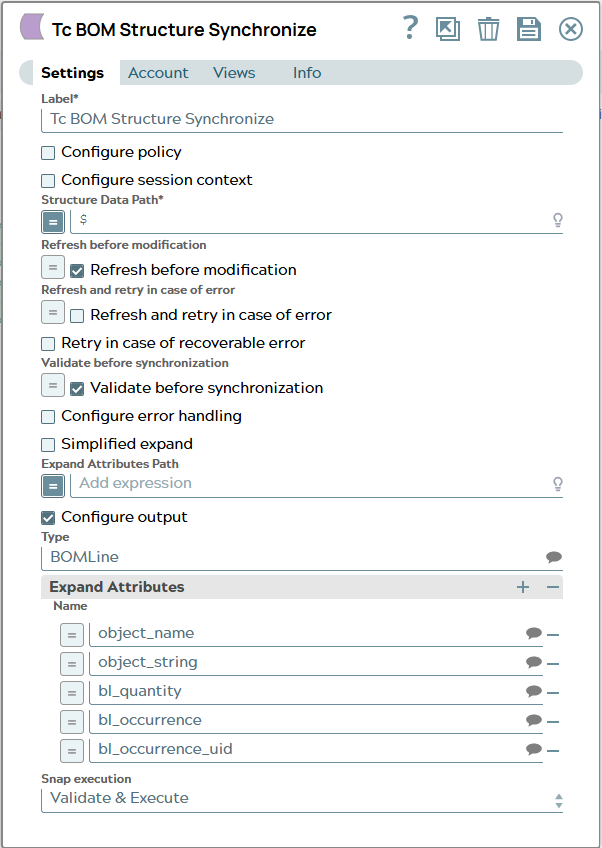
The Tc BOM Synch Snap processes the whole JSON document and has some attributes configured to be in output document.
Output document of Tc BOM Structure Synchronize Snap shows BOM Synchronization result including the information about added child elements.