


Create Event
Overview
The Create Event Snap creates a calendar event.
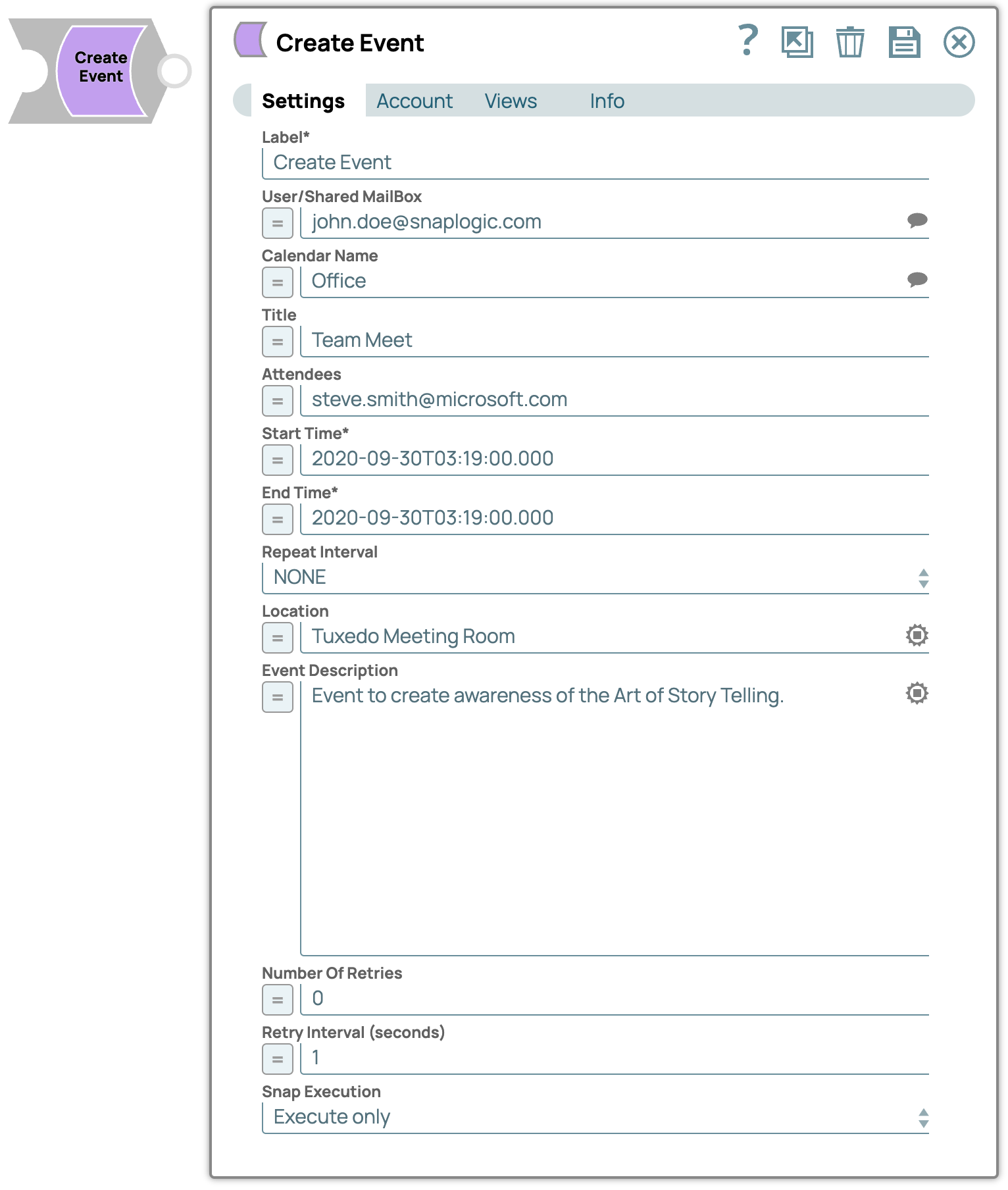
- This is a Write-type Snap.
 Works in Ultra Tasks when the Batch size is set to 1.
Supported Accounts
Prerequisites
- Valid Exchange Online tenant.
- Valid OAuth2 application in Azure Active Directory with all the required API permissions.
- A valid account with the required permissions.
Snap views
| Type | Description | Examples of upstream and downstream Snaps |
|---|---|---|
| Input |
This Snap has at most one document input view. A document containing the event’s details such as start time and end time. |
|
| Output |
This Snap has at most one document output view. A document containing the event’s details. |
|
| Learn more about Error handling. | ||
Snap settings
| Field/Field set | Description |
|---|---|
Label*
String |
Specify a unique name for the Snap. Modify this to be more appropriate, especially if more than one of the same Snaps is in the pipeline. Default value: Create Event Example: Event organizers |
User/Shared MailBox
String/Expression |
Specify the mailbox from which you want to configure auto reply for emails received. If not provided, then the mailbox specified in the account settings is used. Example: [email protected] |
Calendar Name
String/Expression |
Specify the name of the calendar. Default value: N/A Example: Office |
Title
String/Expression |
Specify a title for the event that you are creating. Example: Team Meet |
Attendees
String/Expression |
Specify the attendees to send an invite for the event. Default value: N/A Example: [email protected] |
Start Time
String/Expression |
Specify the start time of the event. You can also specify the time zone by using Default value: N/A Example: 2020-09-30T03:19:00.000 |
End Time
String/Expression |
Specify the end time of the event. You can specify the time zone using Default value: N/A Example: 2020-09-30T03:19:00.000 |
Repeat Interval
Dropdown list |
Specify the frequency of the event. Available options are:
Default value: NONE |
Location
String/Expression |
Specify the location of the event. Default value: N/A Example: Tuxedo Meeting Room |
Event Description
String/Expression |
Specify a detailed description briefing about the event. Default value: N/A Example: Event to create awareness of the Art of Story Telling. |
Number Of Retries
Integer/Expression |
Specify the maximum number of attempts to be made to receive a response. The request is terminated if the attempts do not result in a response. Default value: 0 |
Retry Intervals (seconds)
Integer/Expression |
Specify the time interval between retry requests. A retry happens only when the previous attempt results in an exception. Default value: 1 |
Snap execution
Dropdown list |
Choose one of the three modes in
which the Snap executes. Available options are:
|
Troubleshooting
| Error | Cause | Resolution |
|---|---|---|
| Start Time Field is Missing | The Start Time field is blank. | Ensure that you provide event start time. |
| End Time Field is Missing | The End Time field does not have a value. | Ensure that you provide event end time. |