


Subscribing and Unsubscribing to a Google Spreadsheet
This example Pipeline demonstrates how to subscribe to and unsubscribe from a spreadsheet using Google Sheets Subscribe and Google Sheets Unsubscribe Snaps.
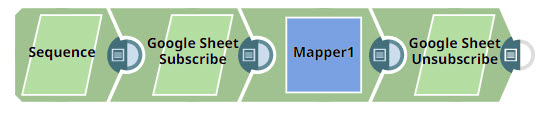
Download this Pipeline
-
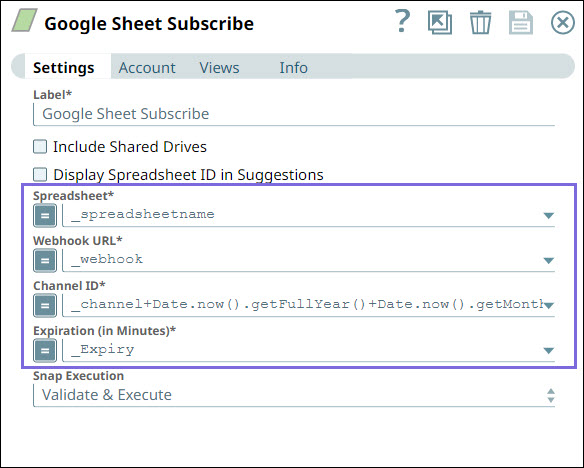
First, configure the Google Sheets Subscribe Snap to subscribe to the new spreadsheet
for update notifications. Specify the following details:
- Spreadsheet: The spreadsheet name to subscribe.
- Webhook URL: The target URL to which the notifications should be delivered.
- Channel ID: The ID of the channel to which the spreadsheet belongs.
- Expiration: The expiration time for the subscription with the resource ID.
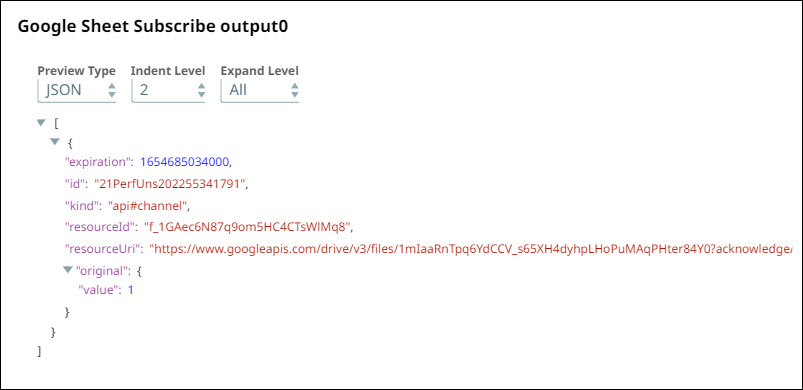
-
Configure the Mapper Snap to extract the
$idand$resourceId: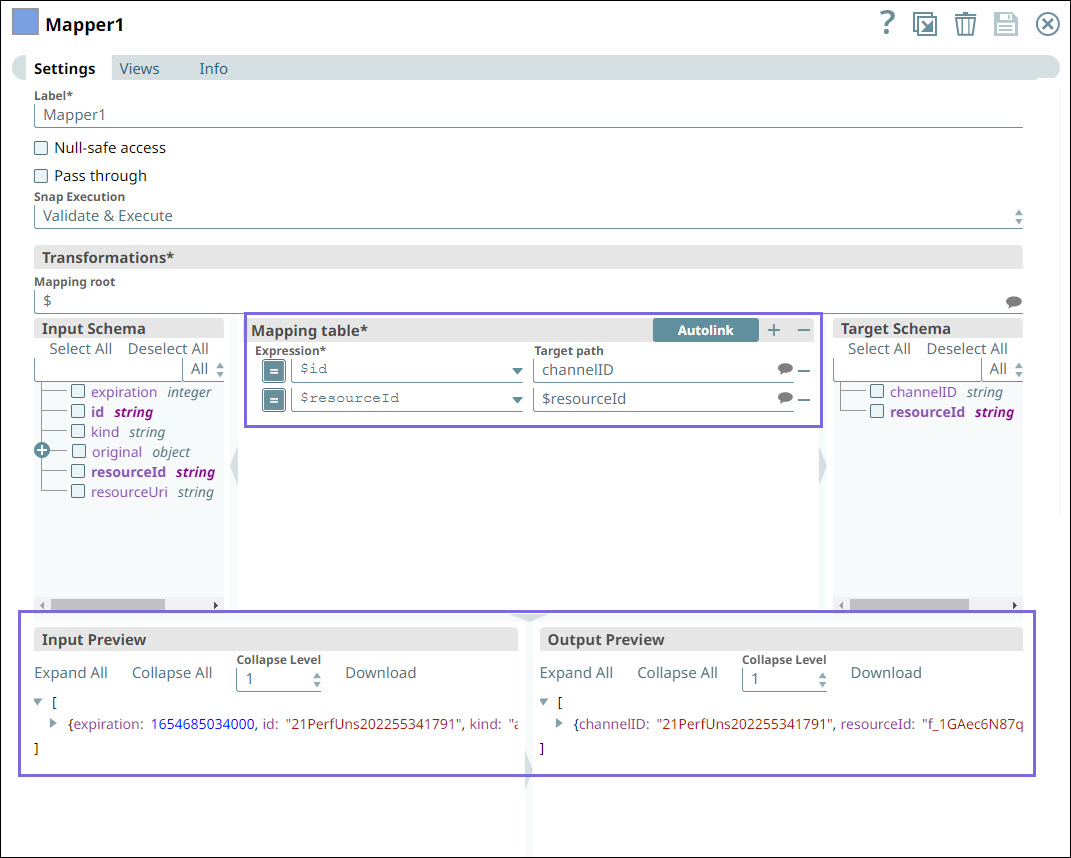
-
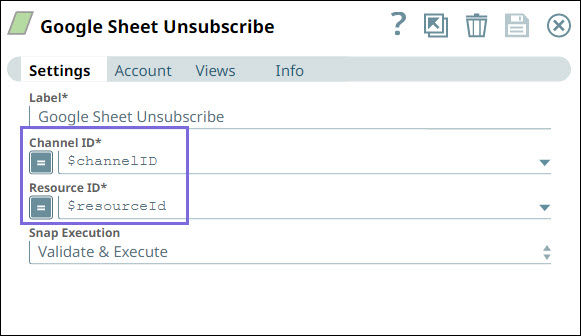
Configure the Google Sheets Unsubscribe Snap to unsubscribe the spreadsheet as shown
below:
-
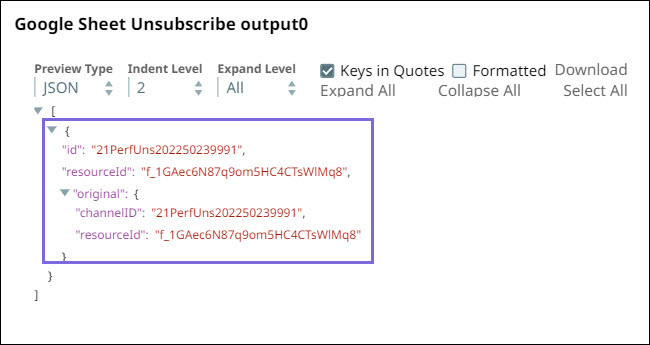
Validate the Snap.
- Download and import the pipeline into SnapLogic.
- Configure Snap accounts as applicable.
- Provide pipeline parameters as applicable.