


PPTX Parser
Overview
This Snap parses PowerPoint (.pptx) files and converts slide content—including text, notes, and embedded images—into structured documents for downstream processing.
- This is a Parse-type Snap.
 Works in Ultra Tasks
Prerequisites
None.
Limitations and known issues
None.
Snap views
| Type | Description | Examples of upstream and downstream Snaps |
|---|---|---|
| Input | This Snap has exactly one binary input view. The binary stream must be a valid Office Open XML (.pptx) file. | |
| Output | This Snap has exactly one document output view. The Snap emits one document per parsed slide, containing the slide text, optional notes, and optional image data. | |
| Learn more about Error handling. | ||
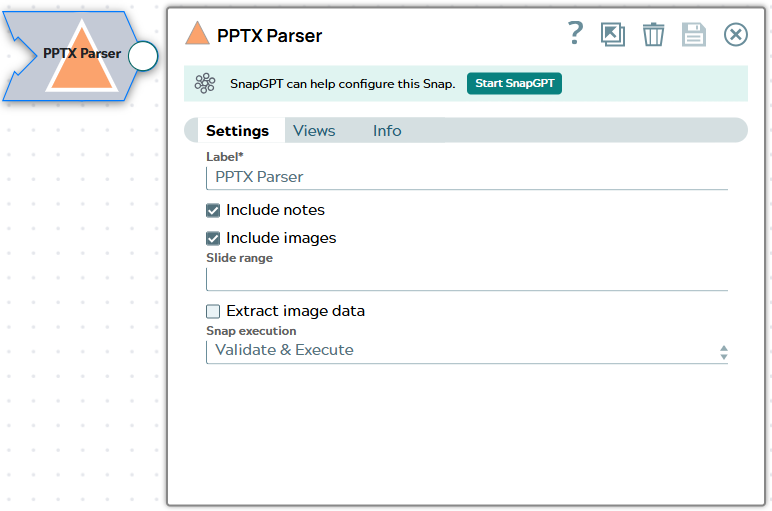
Snap settings
| Field/Field set | Description |
|---|---|
|
Label
|
Required.Specify a unique name for the Snap. Modify this to
be more appropriate, especially if there are more than one of the same Snap in the
pipeline.
Default value: PPTX Parser |
| Include notes
|
When selected, the speaker notes associated with each slide are included in the
output document under the notes field. Clear this checkbox to omit
notes from the output.
Default value: Selected |
| Include images
|
When selected, images embedded in each slide are included in the output as a
list of objects in the images field. Each object contains the image
name, MIME type, and (when Extract image data is also
selected) the base64-encoded binary content.
Default value: Selected |
| Slide range
|
Specifies which slides to parse, expressed as a comma-separated list of individual slide numbers or hyphen-delimited ranges. Slide numbers are 1-based. Leave this field empty to parse all slides in the presentation. If a specified slide number exceeds the total slide count, it is silently ignored. Default value: None Example: |
| Extract image data
|
When selected (and Include images is also selected),
the raw binary content of each embedded image is base64-encoded and included in
the data sub-field of each image object in the output. Clear this
checkbox to include only image metadata (name and MIME type) without the binary
payload, which reduces output document size.
Default value: Selected |
|
Snap execution Dropdown list
|
Choose one of the three modes in
which the Snap executes. Available options are:
Default value: Validate & Execute |