


Sending Messages to a Queue
This example Pipeline demonstrates how to send messages to a queue in Azure Service Bus. First, configure the Sequence Snap to specify the number of documents to write in the stream.

Download this Pipeline
-
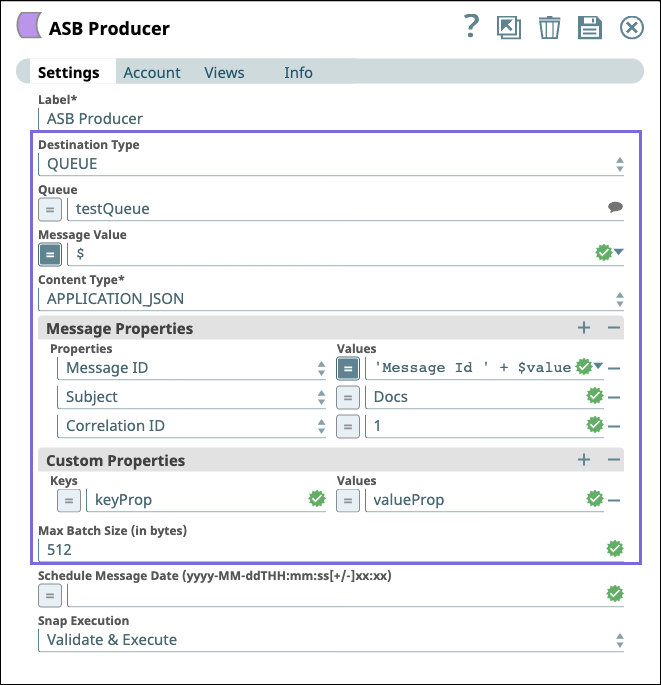
Next, configure the ASB Producer Snap as follows to write messages to a queue.
-
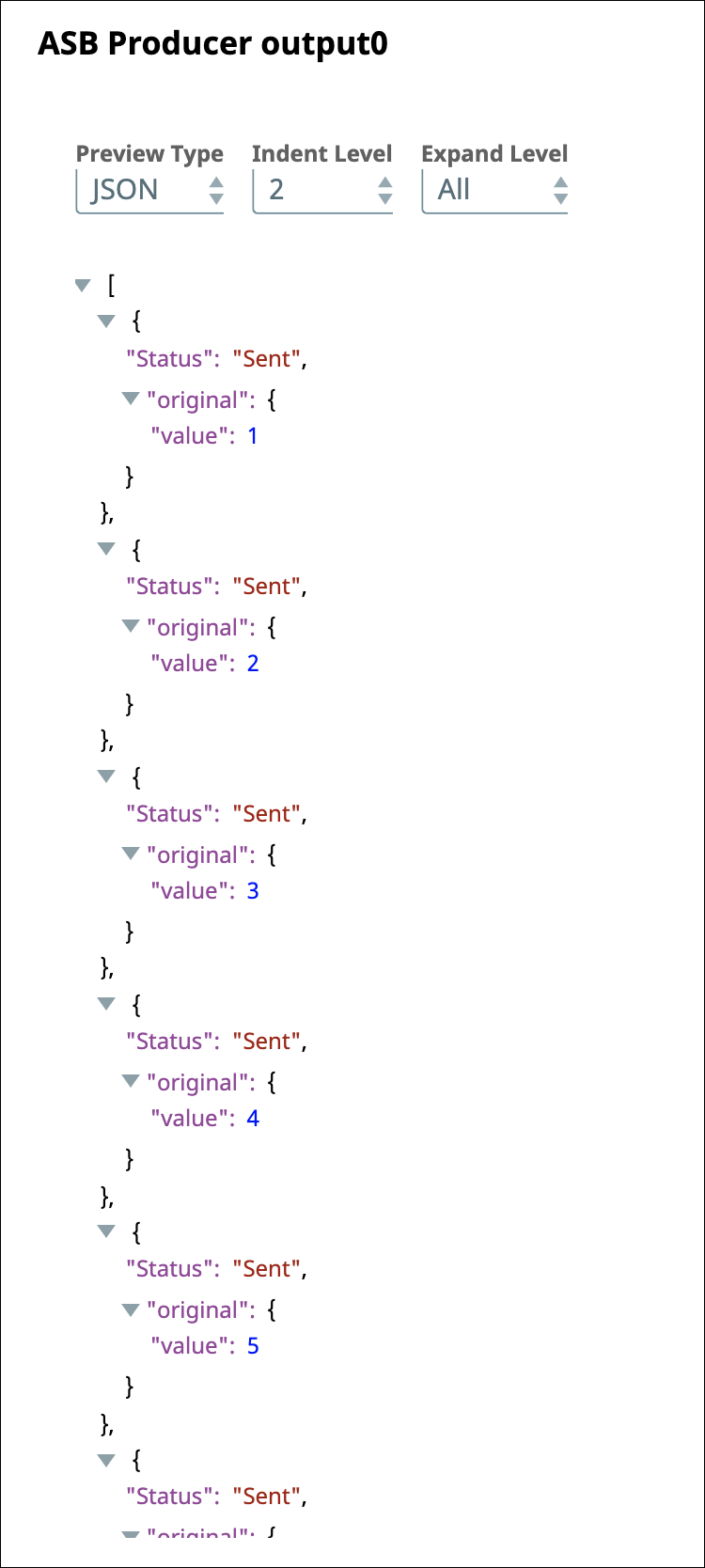
After validating the Pipeline, the ASB Producer Snap writes the messages to the queue. You can view the status of the messages sent in the output preview as follows.
- Download and import the SLP file into your Environment.
- Configure Snap accounts.
- Provide Pipeline parameters, if any.