


Deleting a Dataset from a Workspace
This example demonstrates how to use the Power BI Read and Power BI Delete Snaps to delete the dataset named SalesMarketing from the My Workspace workspace. This example assumes that you have configured and authorized a valid Power BI OAuth2 account (see Configure Microsoft Power BI Accounts).
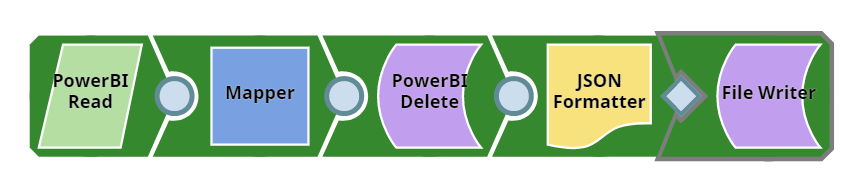
Download this pipeline.
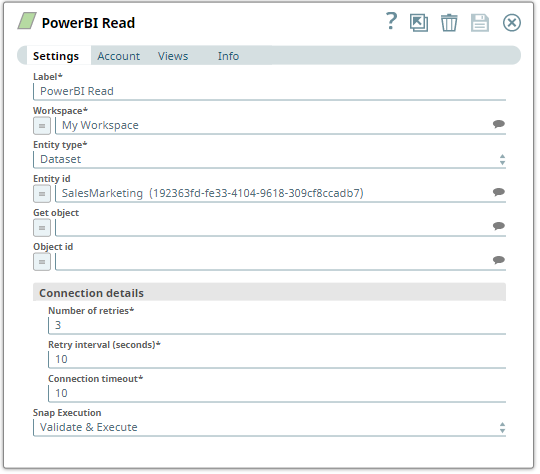
- Configure the Power BI Read Snap to read the SalesMarketing dataset in the My Workspace workspace.
-
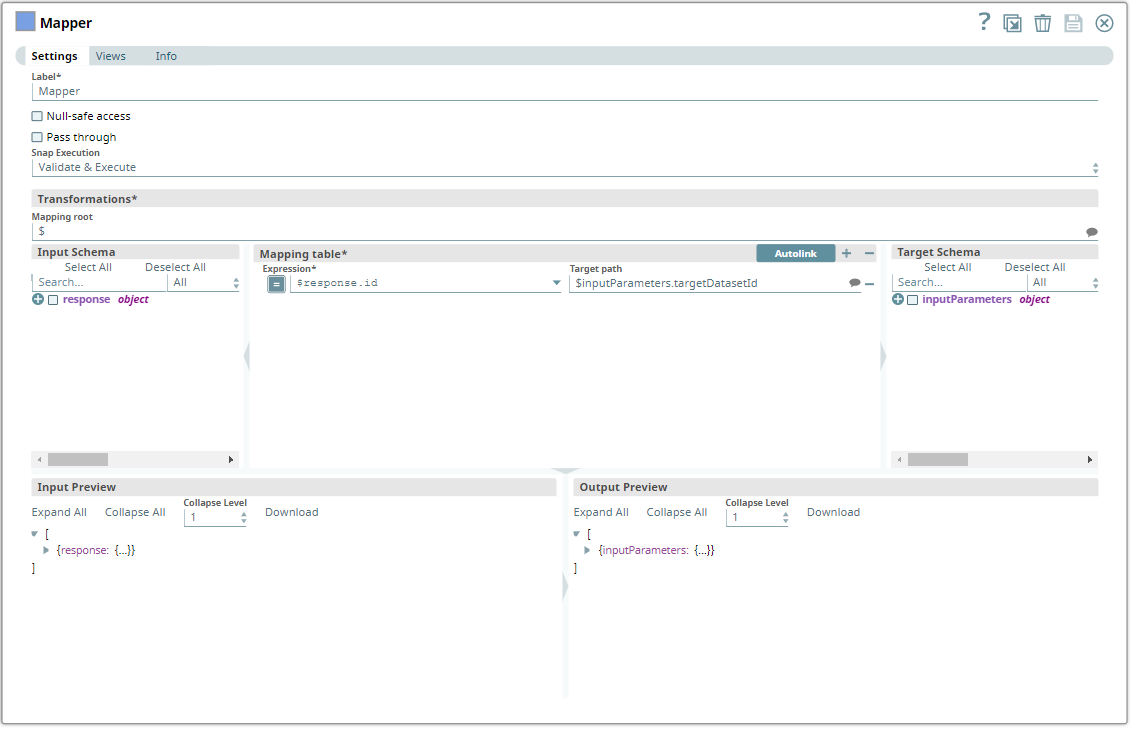
Configure the Mapper Snap to pass the entity
ID from the Power BI Read Snap's output to the Power BI Delete Snap.
-
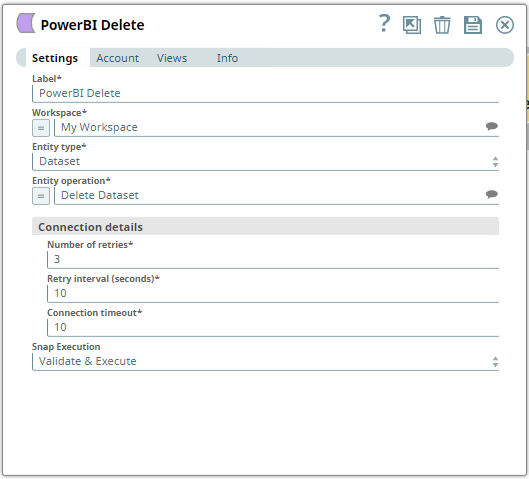
Configure the Power BI Delete Snap to delete
the Dataset entity type from the My
Workspace workspace.
-
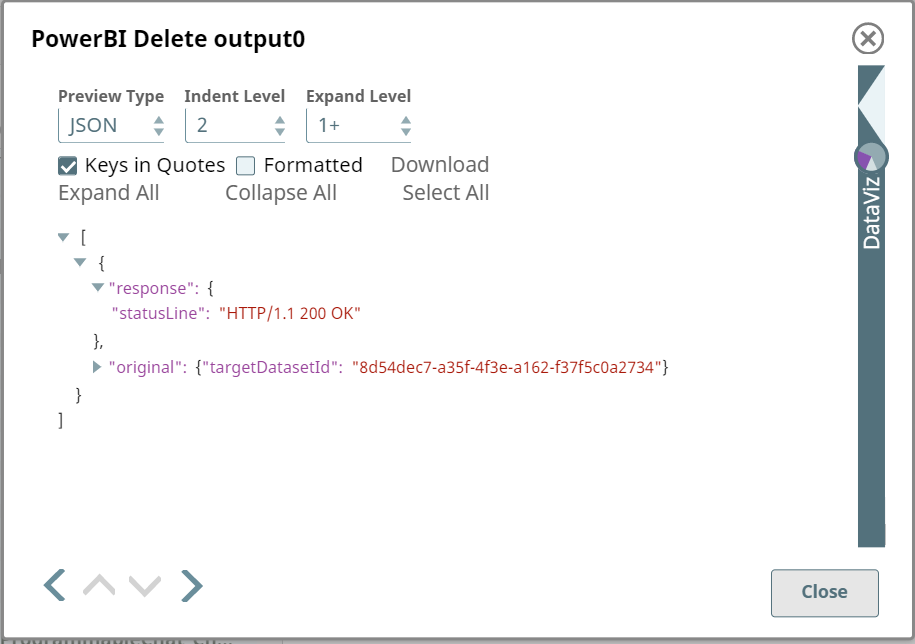
Run the pipeline.
The Power BI Delete Snap deletes the specified entity from the workspace and displays a confirmation in the output view.
To reuse this pipeline in your environment:
- Download and import the pipeline into SnapLogic.
- Configure Snap accounts as applicable.
- Provide pipeline parameters as applicable.