


Configure Custom Org Branding
Using Branding, you can customize the appearance of SnapLogic Platform for your Environment.
The Custom Org Branding (also known as OEM) feature in SnapLogic allows administrators and OEM partners to customize the appearance (such as the colors and logo) of the SnapLogic platform for an Environment to match their own corporate identity. You can use a pre-built theme or customize one based on your preference.
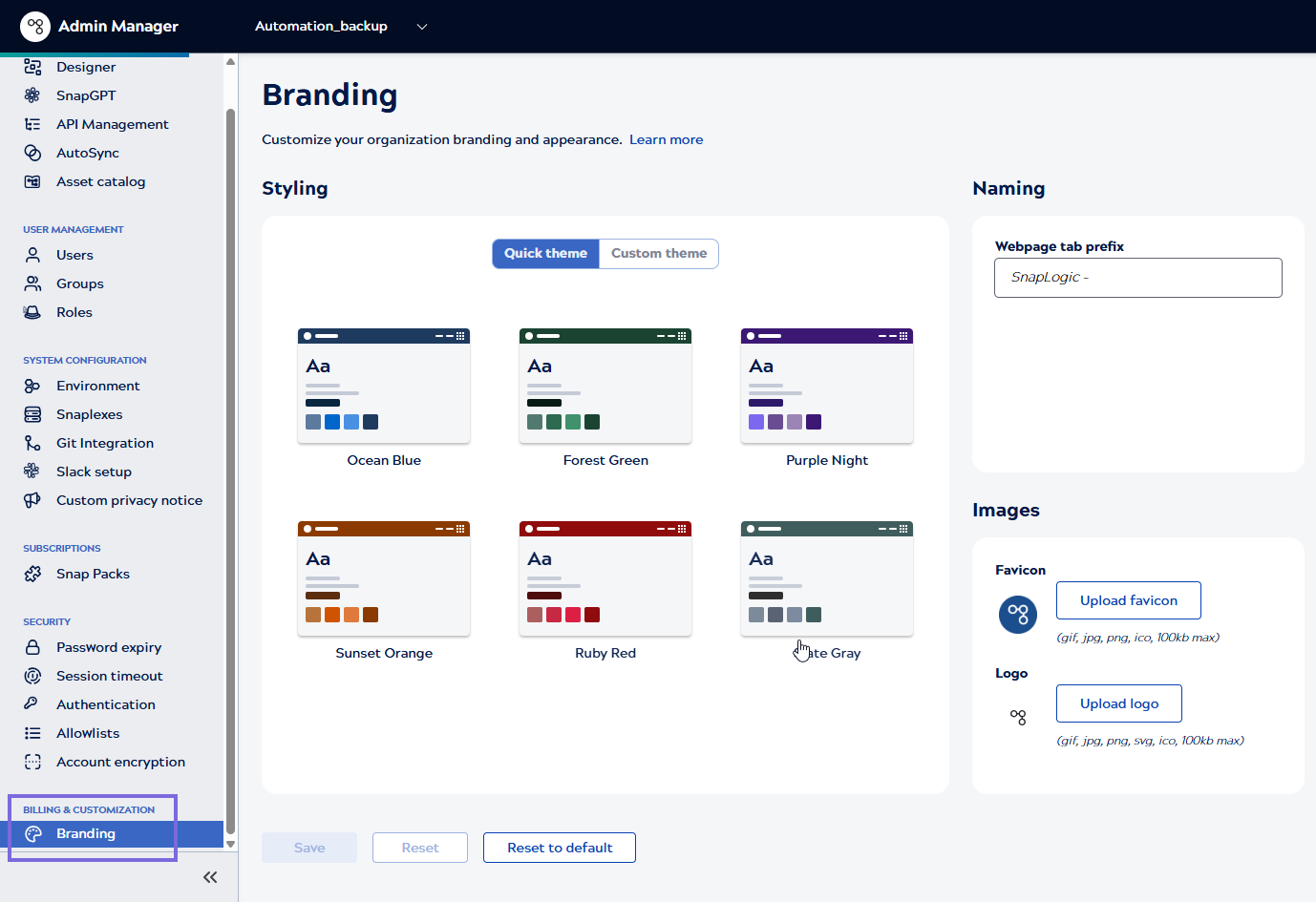
The Branding option is available under Billing & Customization in Admin Manager. Contact [email protected] to provision access to the Branding feature.
Prerequisites
You need to be an Environment admin.
Customizing Environment Branding
-
In SnapLogic Admin Manager, under BILLING & CUSTOMIZATION, click Branding in the left navigation pane.
- Configure the settings:
-
Click Upload favicon to select your desired icon and upload your selection.Note: Upload one of the following image types for the thumbnail image:
-
jpg
-
png
-
gif
- ico
The size limit is 100kb.
-
-
Click Upload logo to select and upload the desired logo.Note: Logo uses the original rendered size of 300 * 96 for the maximum dimension. Logo and favicon both have maximum size of 100KB.
-
Enter the title of your API Portal in Webpage tab prefix. The maximum length is 20 characters.
-
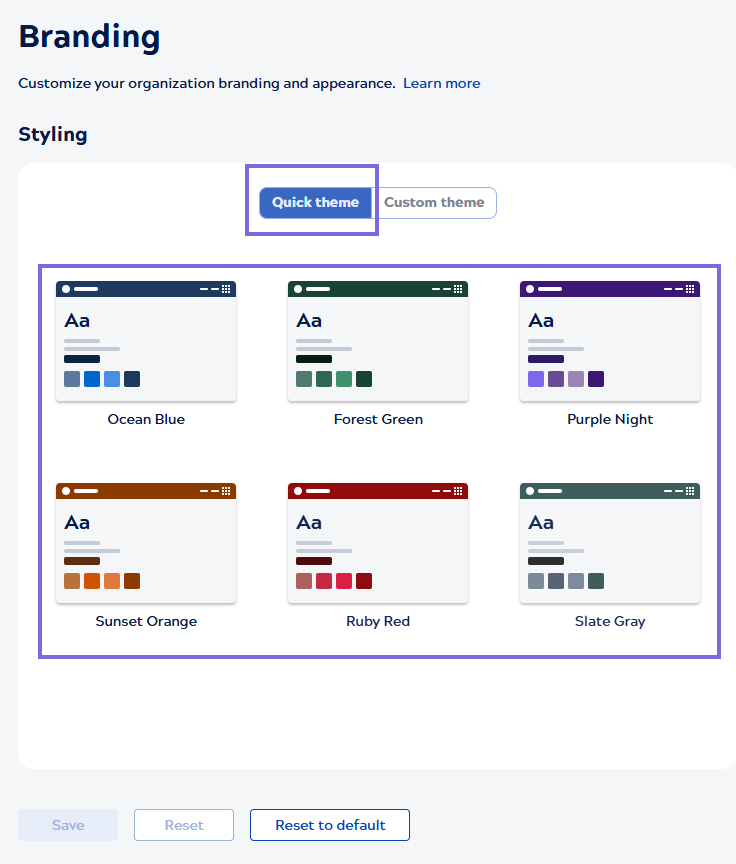
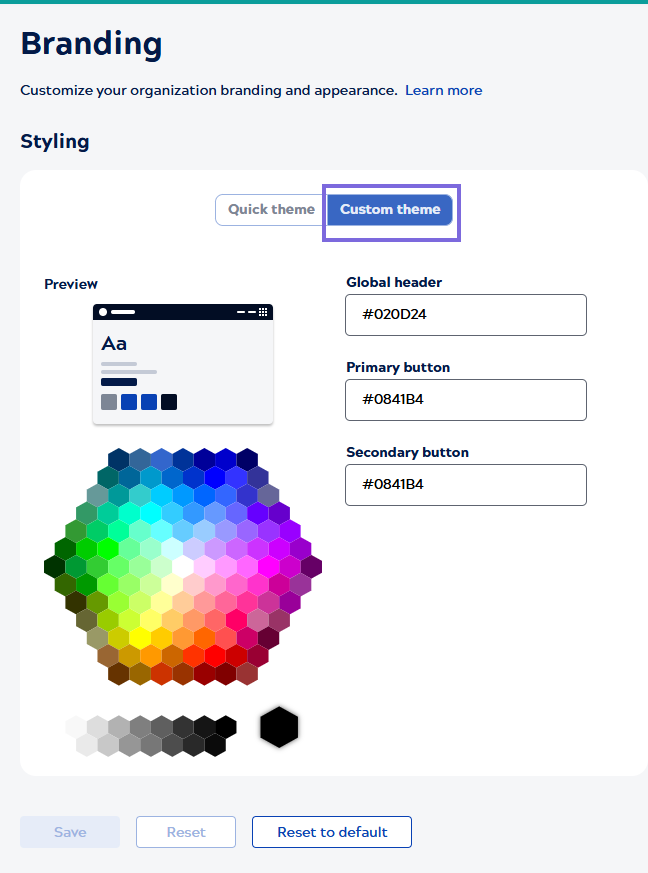
- You can select either of the following themes:
- Quick theme: Pre-configured themes to apply
styling for your Environment.
- Custom theme: Enables you to customize the menu
color for your Environment.
- Quick theme: Pre-configured themes to apply
styling for your Environment.
-
Click Save.
SnapLogic displays your Environment branding logo and color background changes. It renames the browser tab with your Webpage Title Prefix title when you access the IIP Designer, Admin Manager, and Monitor pages.