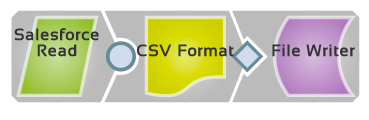
Pipeline: Salesforce.com Data to a File
Scenario
I want to query Salesforce.com for information and write it to a file.
Requirements
Snaps Used
For this scenario, the following Snaps are used:
Salesforce ReadCSV FormatFile WriterOther Requirements
A Salesforce account configured in SnapLogic Manager. See Accountsfor more information on configuring an account.
Configuration
Create a new pipeline by clicking the (+) tab.- Add and configure a Salesforce Read Snap.
- For each output, set the File Name to the name of the file where you want the results written to, including a path if necessary.