


Create a part and change its ownership
This example pipeline demonstrates how to create a part and change its ownership in Teamcenter.
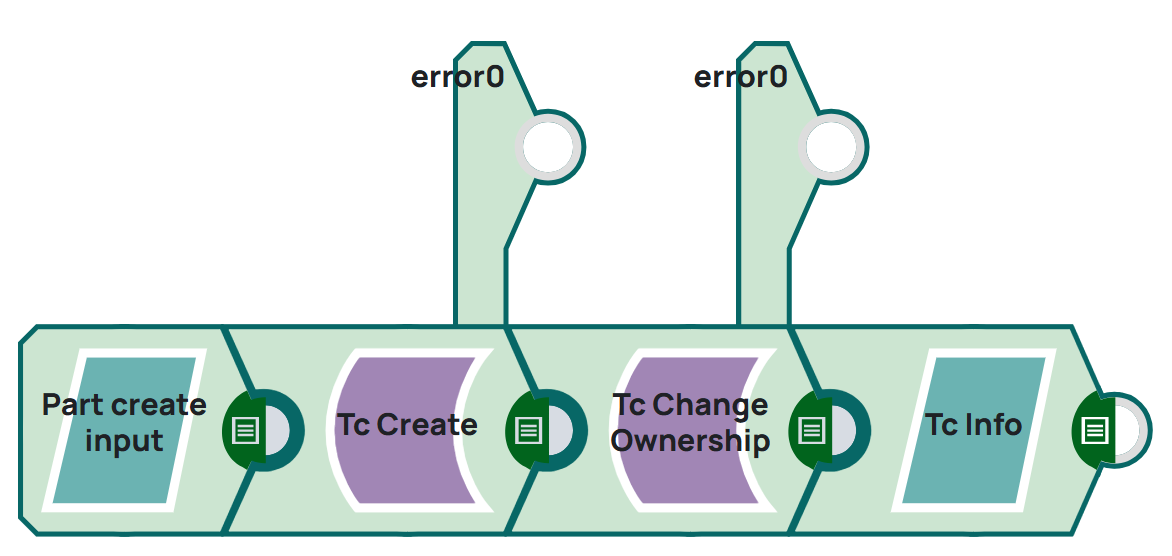
Steps
1: Create a JSON document which contains type and attribute of the part. The JSON Generator is a placeholder for external system which could send a JSON message to Snaplogic. On validation, the Snap displays the json in output.
[
  {
    "object_type": "Part",
    "attributes": {
      "object_desc": "Test Create with Snap",
      "object_name": "Pipeline_Test2"
    },
    "expandAttributes": [
      "object_name",
      "object_string",
      "object_desc",
      "object_type",
      "item_id",
      "item_revision_id",
      "uom_tag",
      "creation_date",
      "is_modifiable",
      "owning_user",
      "checked_out"
    ]
  }
]
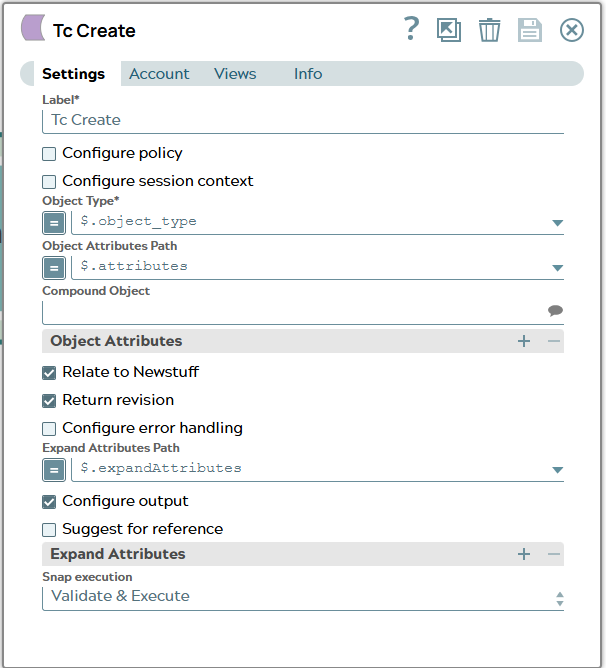
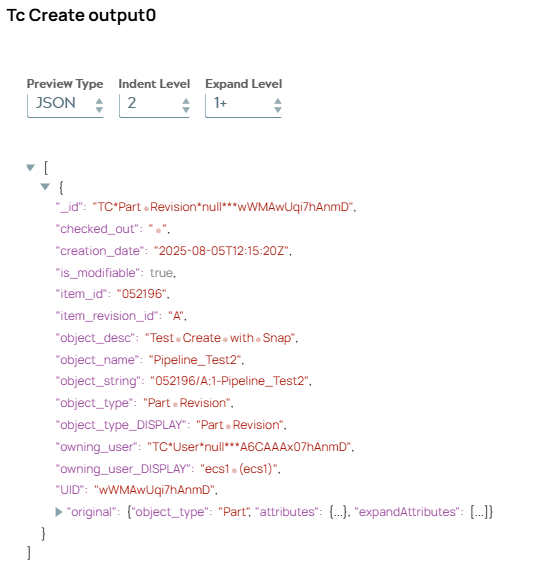
2: Configure the Tc Create Snap to pass the data. On validation, the Snap displays the part revision created for the input.
Snap configuration | Snap output |
|---|---|
 |  |
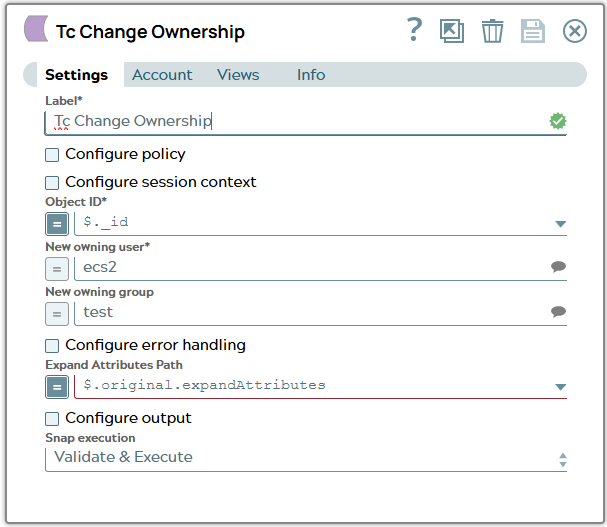
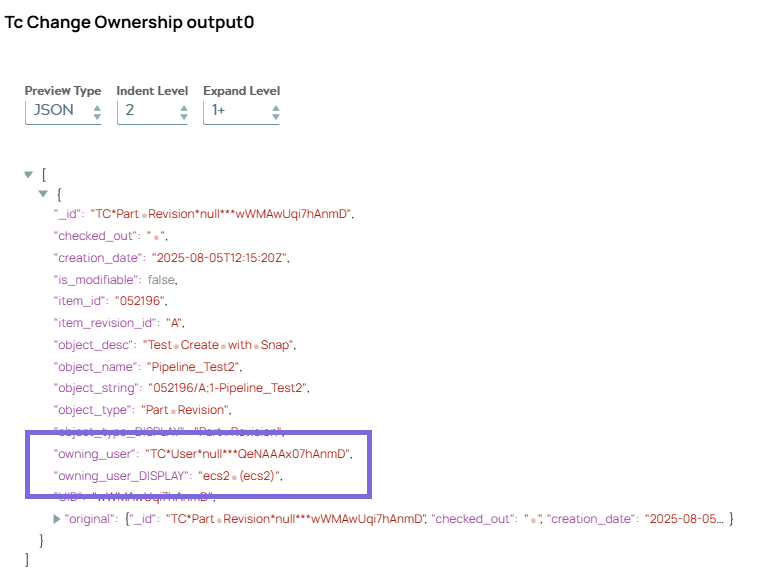
3: Configure the Tc Change Ownership Snap to change owner of newly created part revision. On validation, the Snap displays the part revision information including owner attributes for the revision.
Snap configuration | Snap output |
|---|---|
 |  |
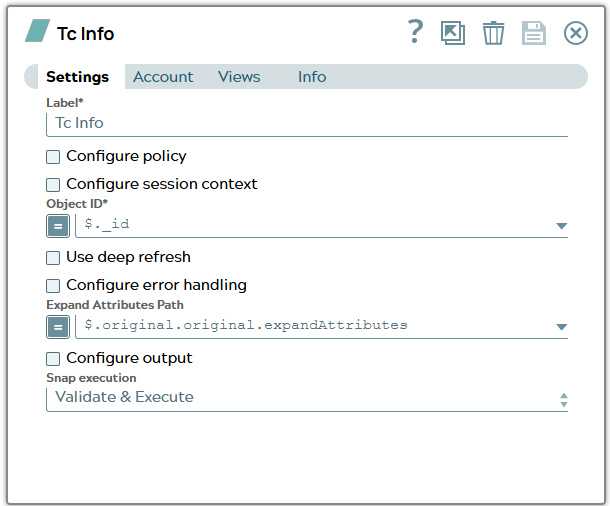
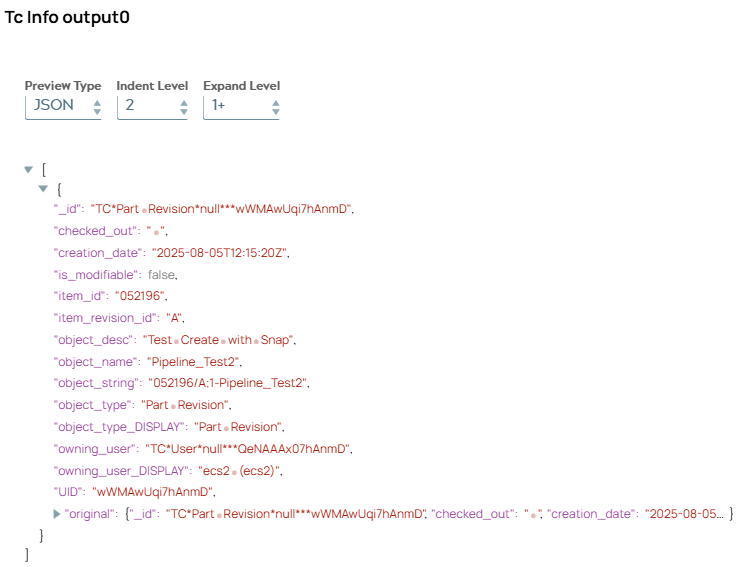
4: Configure the Tc Info Snap to get data of revision (again) to confirm owner value for demonstration. On validation, the Snap displays the part revision information.
Snap configuration | Snap output |
|---|---|
 |  |