


SnapGPT pipeline standards
Apply your organization's pipeline standards in the SnapGPT panel to guide how pipelines are generated and refined.
Environment admins publish Markdown-based standards from Admin Manager that define rules for pipeline generation, such as naming conventions or error-handling patterns. When standards are applied in your SnapGPT session, they influence the output for generating or refining pipelines. They do not apply to other skills such as Analyze pipeline or Describe pipeline.
There are two types of standards:
- Always: Applied automatically on every generate or refine pipeline request. Shown with a lock icon. You can't turn them off.
- Optional: Available for you to enable per session.
Prerequisites
- SnapGPT is enabled for your environment.
- Your Environment admin has published at least one standard from Admin Manager > SnapGPT settings > Standards.
Open the Standards panel
- In the SnapGPT panel, click + in the chat input box.
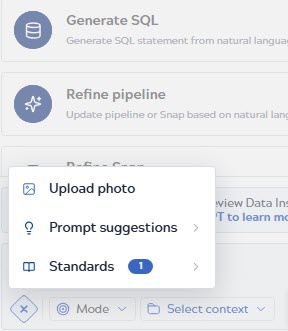
- Click Standards. The STANDARDS FOR THE
SESSION panel appears.
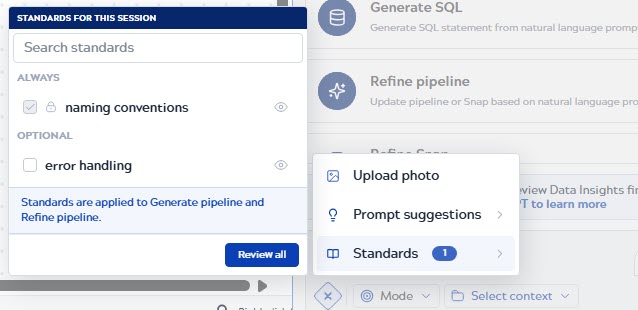
- Standards under ALWAYS are checked and locked. You can't deselect them.
- Standards under OPTIONAL are unchecked by default.
Note: If an environment has no published standards, the panel indicates that no standards are
available.
Apply optional standards
- In the STANDARDS FOR THE SESSION panel, select the checkbox next to any optional standard to apply it for the current session.
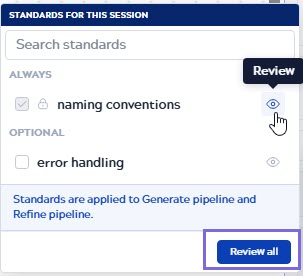
- To review the content of a standard, click the Review icon next
to it, or click Review all to open the Governance
Standards dialog.
- In the dialog, select a standard in the left panel to view its content on the right. Use
the Rendered / Raw toggle to switch between
the formatted and plain Markdown view.
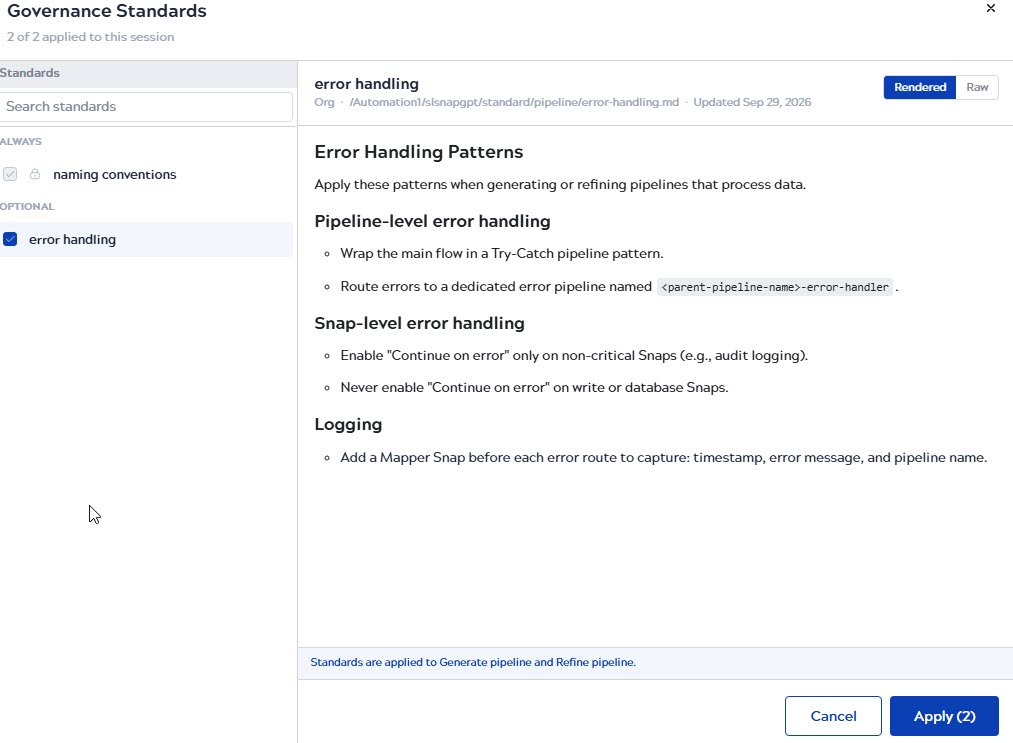
- Select the optional standards as required, and then click Apply. The button shows the number of standards that will be applied, for example, Apply (2).