


Send JMS messages with transacted session
This example demonstrates how to use the JMS Producer Snap with a transacted session to create messages from incoming binary format and display the Transaction ID in the output.
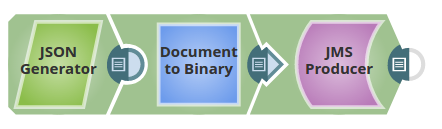
-
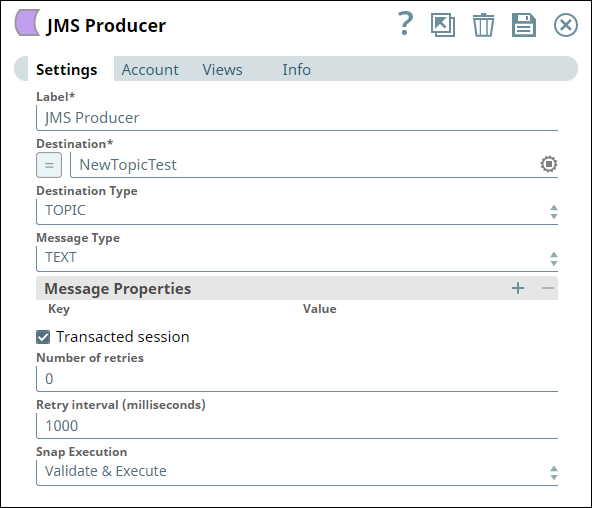
Configure the JMS Producer Snap with the Transacted session property selected.
When the Transacted session property is selected, a transacted session is used to produce the message and the TransactionID is added to the output.
-
Execute the Pipeline to view the Transaction ID in the output.
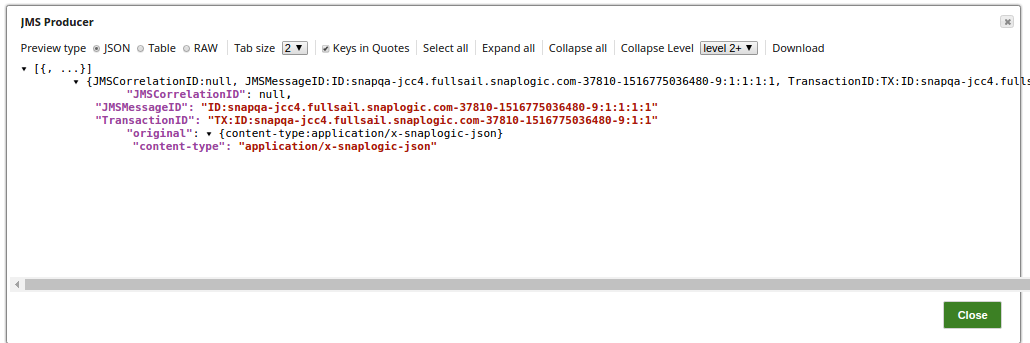
The output view shows the Transaction ID included in the message metadata, which can be used to track and validate the transaction on the JMS console.
- Download and import the SLP file into your Environment.
- Configure Snap accounts.
- Provide Pipeline parameters, if any.