


Updating account details from Exact Online Instance CRM service
This Pipeline example demonstrates how to update account details in the Exact Online instance CRM service. This example assumes you have a valid Configuring Exact Online Account.

Download this Pipeline
-
Configure the Exact Online Update Snap with the following settings to update account
details in the Exact Online instance CRM service it accesses.
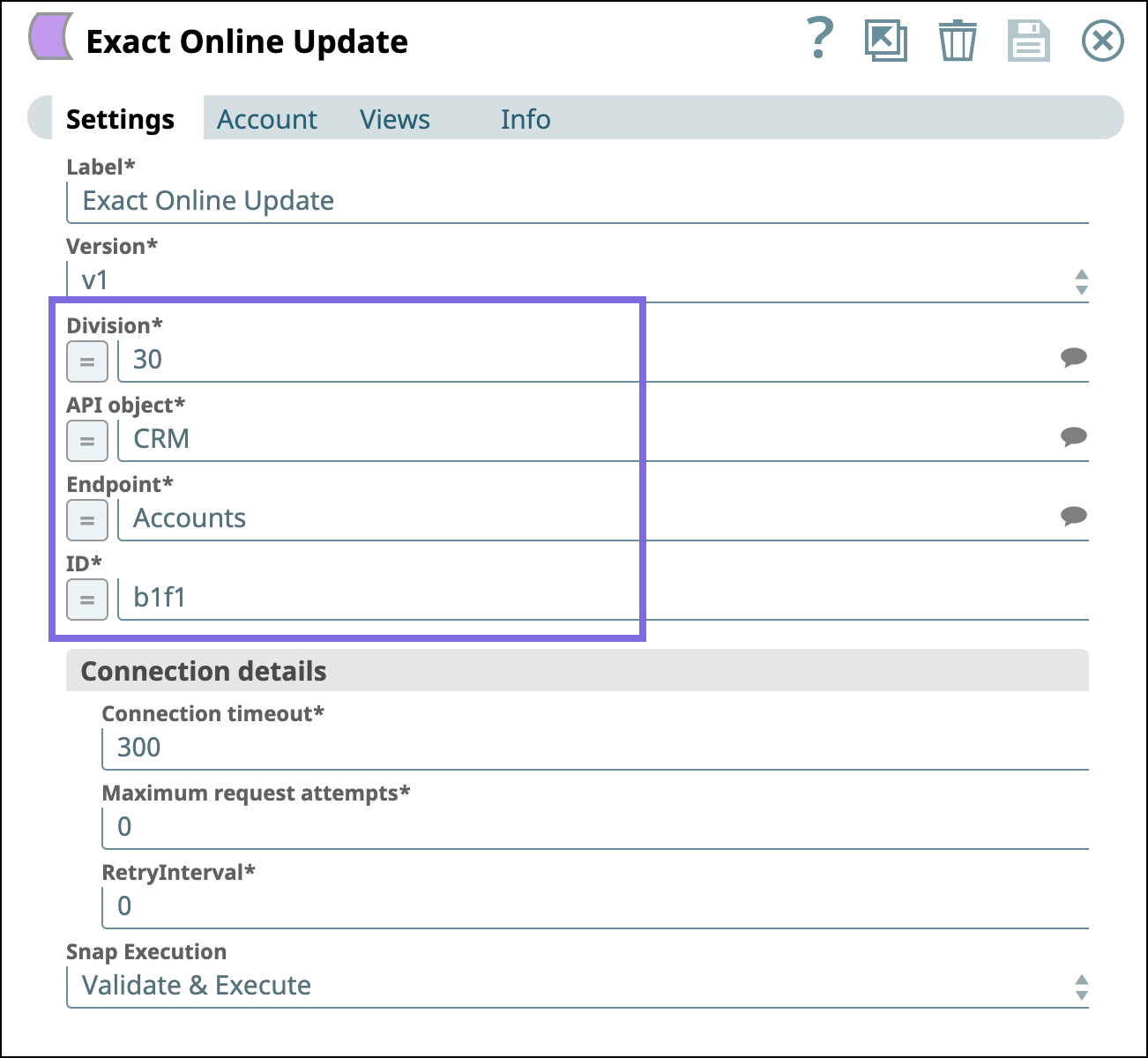
After successfully validating the Pipeline, the Snap displays the query results in the output preview as follows.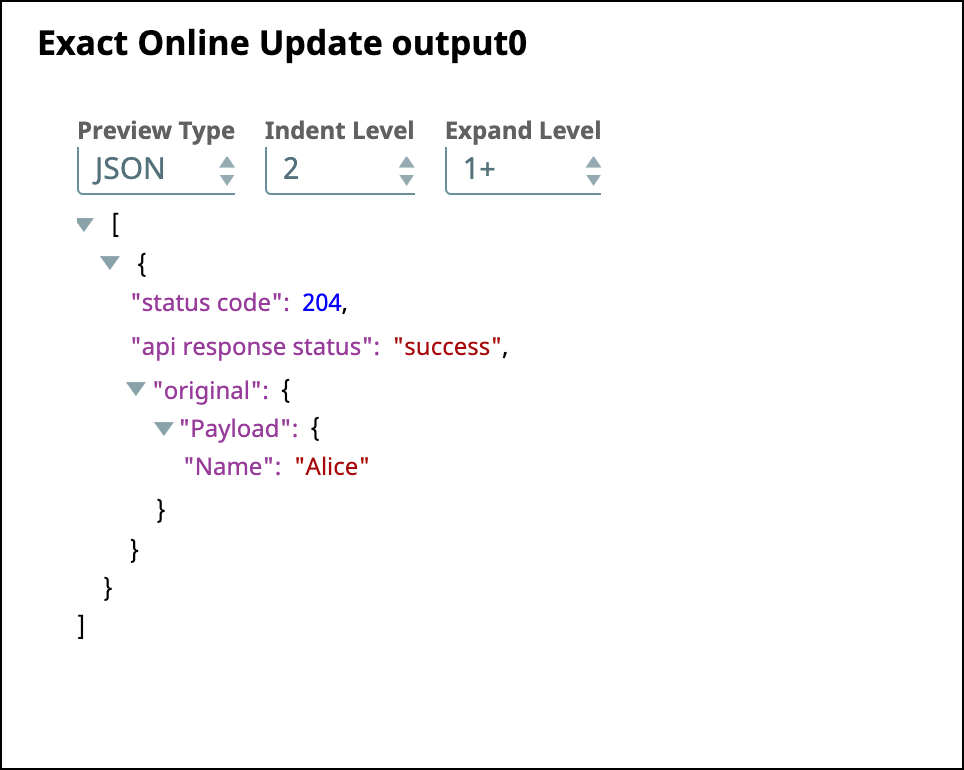
-
Connect the
File Writer
Snap to the JSON
Formatter Snap to write the JSON data into a
file.
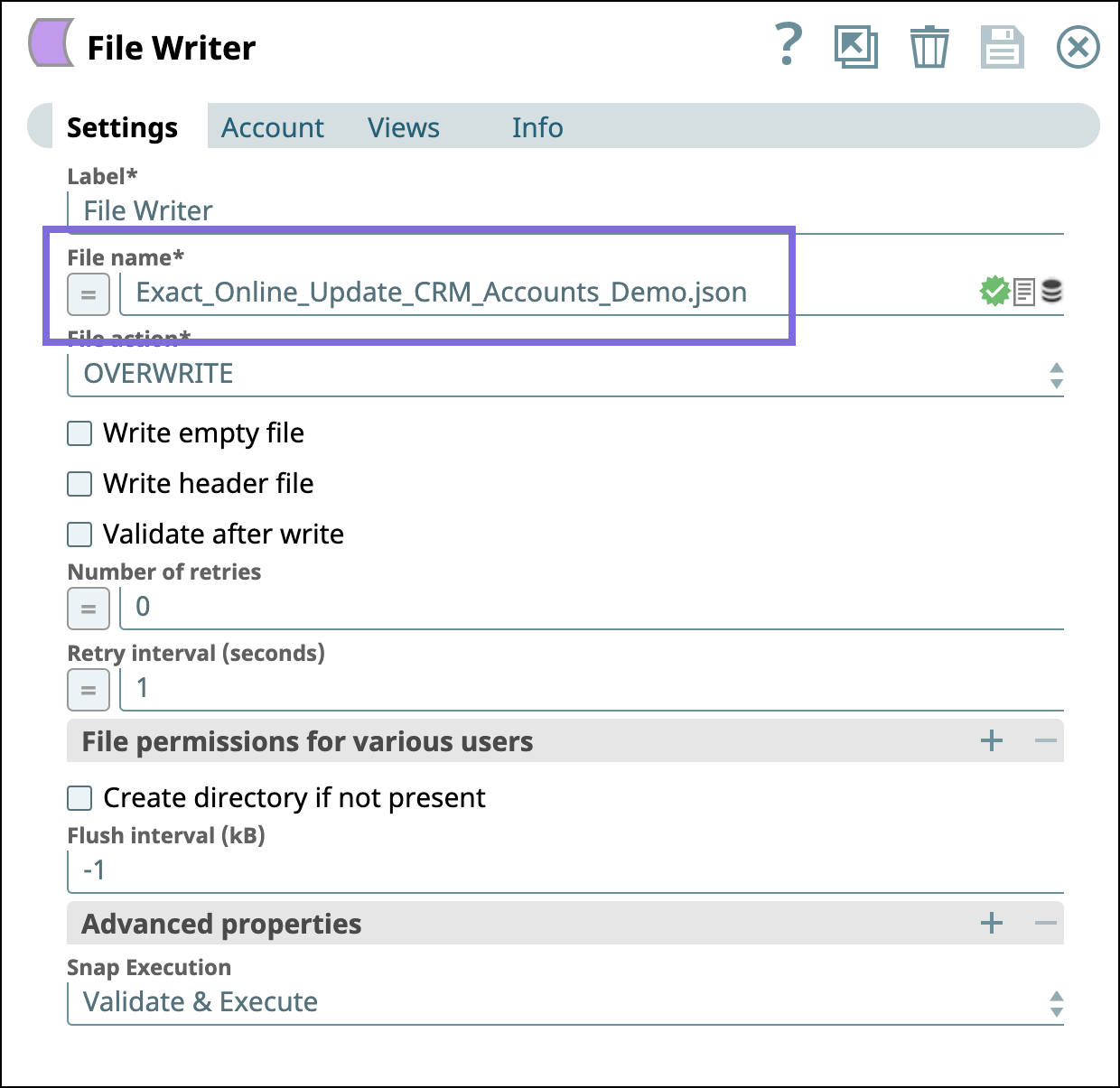
To view the output JSON file, you must SSH to the target directory and open the newly-created JSON file. The preview of the output JSON file can be seen as shown below.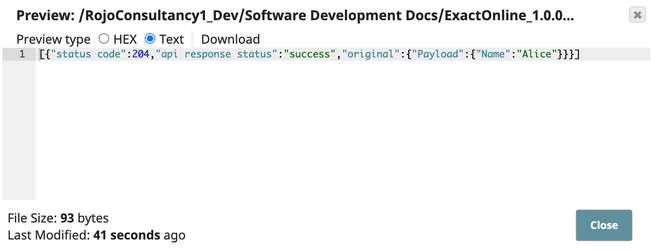
- Download and import the SLP file into your Environment.
- Configure Snap accounts.
- Provide Pipeline parameters, if any.