


Google Sheets Unsubscribe
Overview
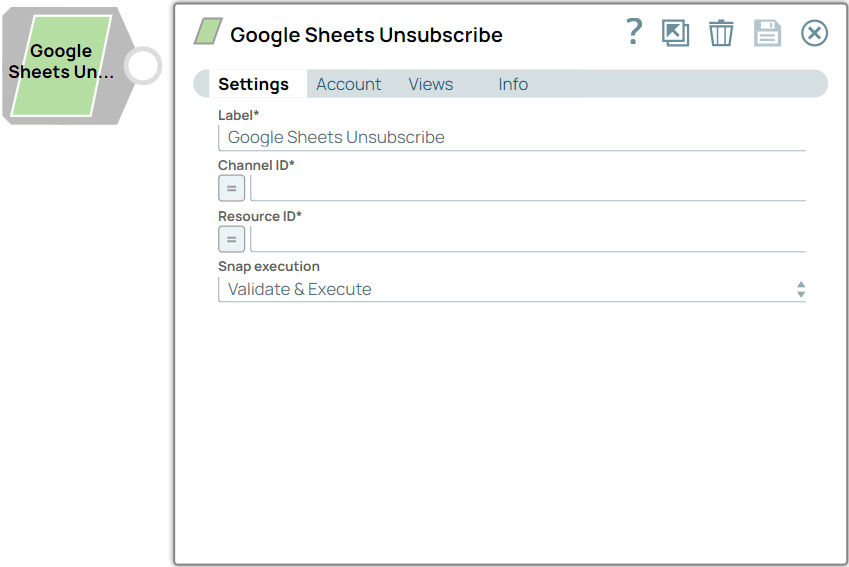
The Google Sheets Unsubscribe Snap unsubscribes a Spreadsheet from receiving change notifications.
- This is a Read-type Snap.
 Works in Ultra Tasks
Prerequisites
- Valid Spreadsheet OAuth2 Account or Dynamic OAuth2 Account.
Limitations
- Due to the Google API behavior, there is a few seconds delay in unsubscribing a Spreadsheet.
- If a user creates a Channel using a regular User Account, only that specific user from the same client (identified by the OAuth2.0 Client IDs from the Authentication Tokens) who created the channel can unsubscribe.
Snap views
| Type | Description | Examples of upstream and downstream Snaps |
|---|---|---|
| Input |
This Snap has at most one document input view. Expected input: Channel ID and Resource ID. |
|
| Output |
This Snap has exactly one document output view. Expected output: Returns the Channel ID and Resource ID of the unsubscribed Spreadsheet. |
|
| Learn more about Error handling. | ||
Snap settings
Legend:
- Expression icon (
 ): Allows using
pipeline parameters to set field values dynamically (if enabled). SnapLogic Expressions
are not supported. If disabled, you can provide a static value.
): Allows using
pipeline parameters to set field values dynamically (if enabled). SnapLogic Expressions
are not supported. If disabled, you can provide a static value. - SnapGPT (
 ): Generates SnapLogic Expressions
based on natural language using SnapGPT. Learn
more.
): Generates SnapLogic Expressions
based on natural language using SnapGPT. Learn
more. - Suggestion icon (
 ): Populates a
list of values dynamically based on your Snap configuration. You can select only one
attribute at a time using the icon. Type into the field if it supports a comma-separated
list of values.
): Populates a
list of values dynamically based on your Snap configuration. You can select only one
attribute at a time using the icon. Type into the field if it supports a comma-separated
list of values. - Upload
 : Uploads files. Learn more.
| Field/Field set | Description |
|---|---|
Label
String |
Specify a unique name for the Snap. Modify this to be more appropriate, especially if more than one of the same Snaps is in the pipeline. Default value: Google Sheets Unsubscribe Example: Unsubscribe Accounts Sheet |
Channel ID
String/Expression |
Specify a UUID or similar unique string that identifies the channel.
Default value: N/A Example: 123e4567-e89b-12d3-a456-42661417400 |
Resource ID
String/Expression |
Specify an ID that identifies the resource being watched on the specified channel.
Default value: N/A Example: 9DAX6QMX4TWySd_evM14cly-N678 |
Snap execution
Dropdown list |
Choose one of the three modes in
which the Snap executes. Available options are:
|