


IBM MQ Acknowledge
Overview
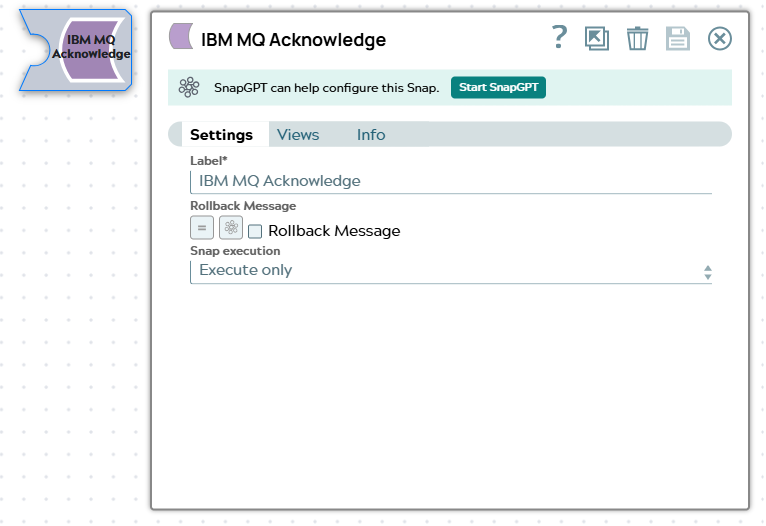
The IBM MQ Acknowledge Snap acknowledges or rolls back IBM MQ messages received from an IBM MQ Consumer Snap. When a message is acknowledged (committed), it is removed from the queue. When a message is rolled back, it is returned to the queue for reprocessing. This Snap is used in transactional pipelines where messages must be explicitly committed or rolled back based on downstream processing results.
- This is a Write-type Snap.
 Works in Ultra Tasks
Prerequisites
- IBM MQ Consumer Snap configured with Client Acknowledgment mode
Snap views
| Type | Description | Examples of upstream and downstream Snaps |
|---|---|---|
| Input |
This Snap optionally accepts the IBM MQ MessageID of the message consumed by the IBM MQ Consumer Snap upstream. |
|
| Output |
This Snap writes the IBM MQ MessageID received to the output view if present. |
|
| Learn more about Error handling. | ||
Snap settings
| Field/Field set | Type | Description |
|---|---|---|
| Label*
|
String |
Specify a unique name for the Snap. Modify this to be more appropriate, especially if more than one of the same Snaps is in the pipeline. Default value: IBM MQ Acknowledge |
| Rollback message | Checkbox |
Select this option to explicitly place a message back into the IBM MQ queue to recover it:
Note: This setting controls the transaction outcome for messages retrieved with Client Acknowledgment mode enabled in the IBM MQ Consumer Snap.
Default value: Not selected (Disabled) |
| Snap execution | Dropdown list | Choose one of the three modes in which the Snap executes. Available options
are:
|
Examples
Example 1: Committing Messages After Successful Processing
This example demonstrates acknowledging messages after successful downstream processing.
Pipeline Configuration:
- IBM MQ Consumer Snap configured with:
- Queue Name:
ORDER.QUEUE - Syncpoint Control: Syncpoint
- Message Count: 10
- Queue Name:
- Mapper Snap processes each message
- IBM MQ Acknowledge Snap configured with:
- Rollback Message: Not selected (Disabled)
Result: Messages are successfully processed and written to the database. The Acknowledge Snap commits the transaction, removing the messages from the queue.
Example 2: Rolling Back Messages on Processing Failure
This example shows how to rollback messages when downstream processing fails.
Pipeline Configuration:
- IBM MQ Consumer Snap configured with:
- Queue Name:
PAYMENT.QUEUE - Client Acknowledgment Mode
- Queue Name:
- Mapper Snap processes payment data
- REST Post Snap calls payment API
- Router Snap with two routes:
- Success route: IBM MQ Acknowledge Snap with Rollback Message not selected (commits)
- Failure route: IBM MQ Acknowledge Snap with Rollback Message selected (rolls back)
Result:
- Success case: Payment API returns success → message is committed and removed from the queue
- Failure case: Payment API returns error → message is rolled back and returned to the queue for retry
Troubleshooting
| Error | Resolution |
|---|---|
| Invalid message handle | Verify that the input document contains a valid message handle from the IBM MQ Consumer Snap. Ensure the Consumer Snap is configured with Syncpoint Control enabled. |
| MQRC_NO_MSG_UNDER_CURSOR (2079) | The message handle is no longer valid. This can occur if the message was already acknowledged or if the connection was lost. Check the pipeline flow to ensure each message is acknowledged only once. |
| MQRC_CONNECTION_BROKEN (2009) | The connection to IBM MQ was lost during acknowledgment. Check network connectivity between the Snaplex and IBM MQ server. Consider increasing retry settings. |
| MQRC_BACKED_OUT (2003) | The transaction was rolled back. This is expected when Rollback Message is enabled. Verify this is the intended behavior for the current message. |
| Message not found in queue after rollback | After rollback, messages may not be immediately visible in the queue. Check the queue's backout settings and ensure the application is configured to handle redelivered messages. |
| Transaction already committed/rolled back | Each message can only be acknowledged once per retrieval. Ensure the pipeline does not have multiple Acknowledge Snaps processing the same message. |
Best Practices
- Use Router Snap for conditional acknowledgment: Route successful messages to a commit path and failed messages to a rollback path
- Monitor backout count: Messages that repeatedly fail and are rolled back may need manual intervention. Consider implementing a dead letter queue (DLQ) for messages that exceed a backout threshold
- Log acknowledgment actions: Output acknowledgment results to a log file or monitoring system to track message processing success rates
- Handle redelivery gracefully: When messages are rolled back, design downstream processing to be idempotent to handle potential duplicate processing
- Set appropriate message count: When using Syncpoint in the Consumer Snap, consider setting a smaller message count to minimize the number of messages rolled back on failure