Upsert records
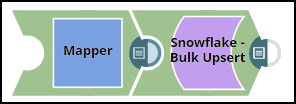
This example pipeline demonstrates how to efficiently update and delete data (rows) using the Key Column ID field and Upsert Delete condition with the Snowflake - Bulk Upsert Snap.
-
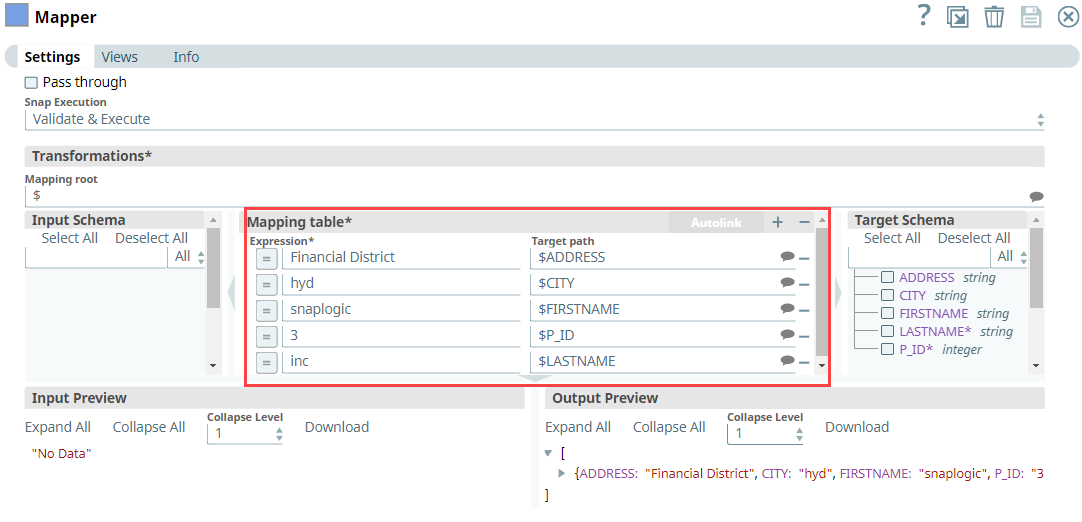
Configure the Mapper Snap with the required details to pass them as inputs to
the downstream Snap.
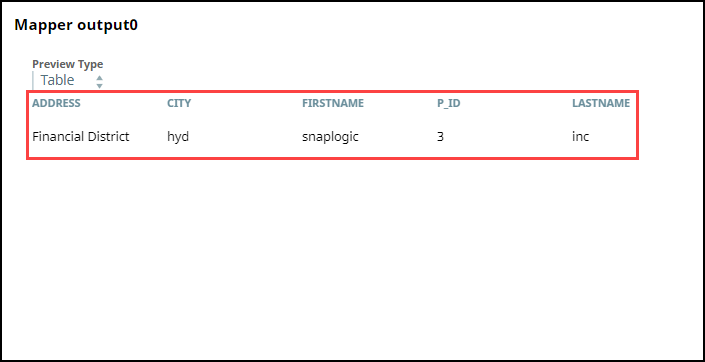
After validation, the Mapper Snap prepares the output as shown below to pass to the Snowflake Bulk - Upsert Snap.
-
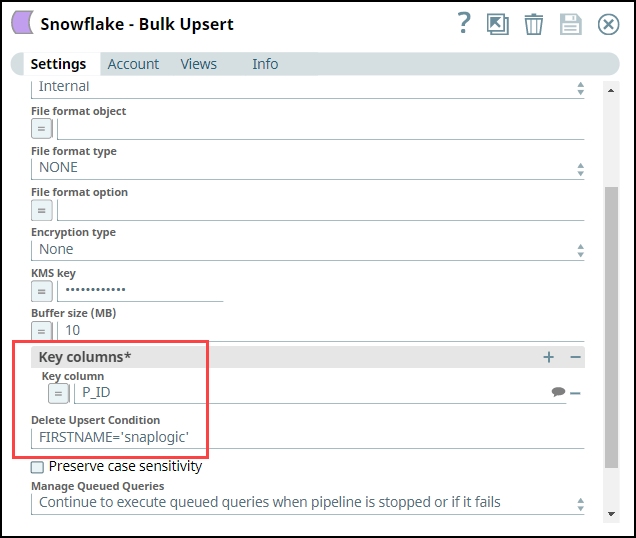
Configure the Snowflake - Bulk Upsert Snap to:
- Upsert the existing row for P_ID column, (so, we provide P_ID in the Key column field).
- Delete the rows where the FIRSTNAME is snaplogic in the target table, (so, we specify FIRSTNAME = 'snaplogic' in the Delete Upsert Condition field).
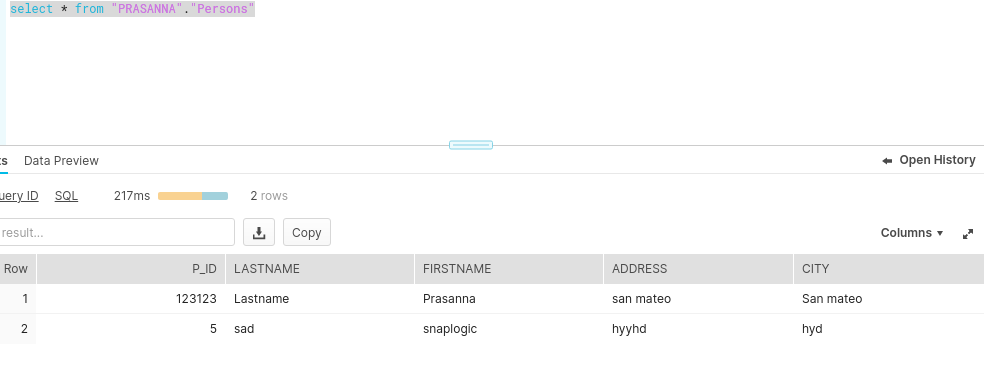
After execution, this Snap inserts a new record into the existing row for the P_ID key column in Snowflake.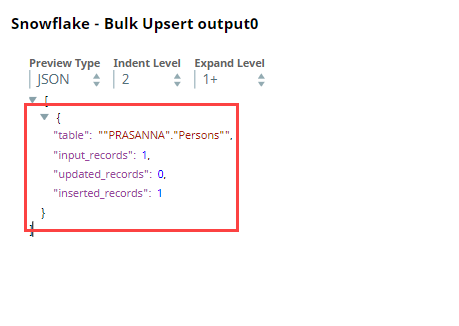 Upon execution, if the Delete Upsert condition is true, the Snap deletes the records in the target table as shown below.