


Xactly Upsert
Overview
The Xactly Upsert Snap creates a new object or updates an existing object in the Xactly Incent app.
This Snap uses an account class called XactlySoapAccount, which stores the WSDL file and the credentials to connect to the Xactly server. It also caches the Session ID that is required for subsequent CRUD operations. To perform create, do not supply any value for the xobj:id field. To perform update, supply the Object-ID of the existing object to the xobj:id field.
- This is a Write-type Snap.
 Works in Ultra Tasks
Snap views
| Type | Description | Examples of upstream and downstream Snaps |
|---|---|---|
| Input |
The Snap has exactly one input view which contains properties to be used while performing the save operation. The name of the Xactly object to be created or updated, such as PersonWSO or BonusWSO, and the property values of the object to be matched. Note: We recommend you to use these properties (employeeId, version, name, description, prefix, firstName, lastName, region, personalTarget, personalTargetUnitTypeId, paymentCurrencyUnitTypeId, user, isMaster) at the minimum for performing successful save operation.
The properties user, paymentCurrencyUnitTypeId, and personalTargetUnitTypeId must have well-defined values as per the Xactly User web page. |
|
| Output |
This Snap has exactly one output view that contains the outcome of the save operation. Confirmation of the object's creation. |
|
| Learn more about Error handling. | ||
Snap settings
| Field/Field set | Description |
|---|---|
Label
String |
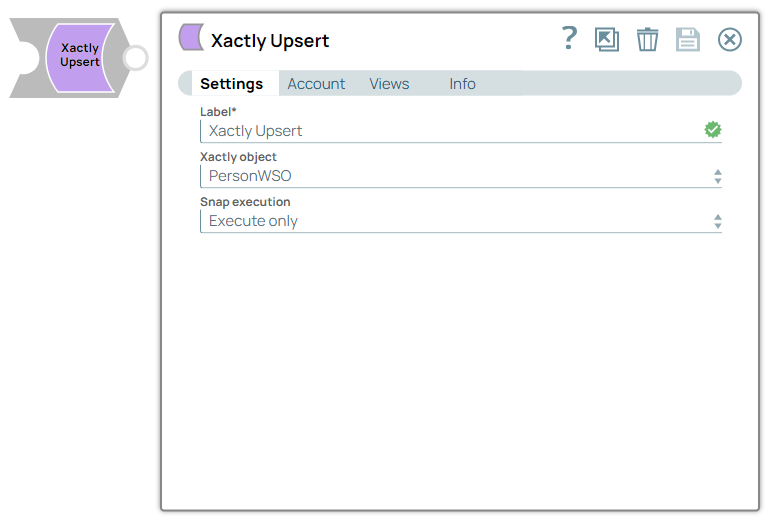
Required. Specify a unique name for the Snap. Modify this to be more appropriate, especially if more than one of the same Snaps is in the pipeline. Default value: Xactly Upsert |
Xactly object*
Dropdown list |
Choose the type of object to be saved. Once defined, the input view will provide the schema of the object so that field values can be defined for the save request. Default value: PersonWSO Example: CustomerWSO |
Snap execution
Dropdown list |
Choose one of the three modes in
which the Snap executes. Available options are:
Default value: Execute only Example: Validate & Execute |
Troubleshooting
| Error | Cause | Resolution |
|---|---|---|
| HTTP/1.1 407 Proxy Authentication required. | Unable to tunnel through proxy. | Add the following key-value pair values to your Groundplex configuration and restart the plex to reflect the changes.
Key: Value: |