


Classic APIM Portal Manager
The API Management Portal Manager is the administrative console where Environment admins can manage the lifecycle of APIs.
Overview
The API Management > Portal Manager is the administrative console where Environment admins can manage the lifecycle of APIs. Environment admins can use the Portal Manager to create a Developer Portal for API developers to publish their APIs. The Developer Portal is the public-facing page where users can explore your APIs.
Key Features
- Portal Manager: You can use the Portal Manager to publish, unpublish, deprecate, and retire versions of APIs. Learn more at Managing the API Lifecycle.
- Developer Portal: You can customize the appearance and URLs of the Developer Portal landing page and manage the API categories displayed in the Developer Portal. Learn more at Managing your Developer Portal Settings.
The following video demonstrates the Portal Manager:
Prerequisites
You must be an Environment admin to perform most of the operations in this article.
Searching for APIs in the Portal Manager
The Portal Manager features a table of all the APIs that are available in your API Catalog. You can search for APIs and manage their status in the Portal Manager.
Finding an API Asset by Type
- In Manager, click Portal Manager.
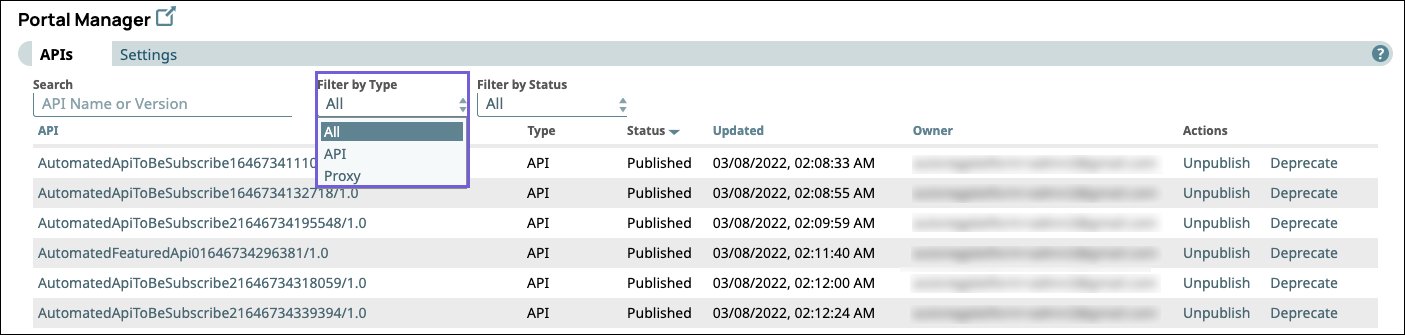
- In the Search field, enter a term.
- In the Filter by Type dropdown, pick one of the following based
on your criteria:
- API
- Proxy
Finding an API by Status
- In Manager, click Portal Manager.
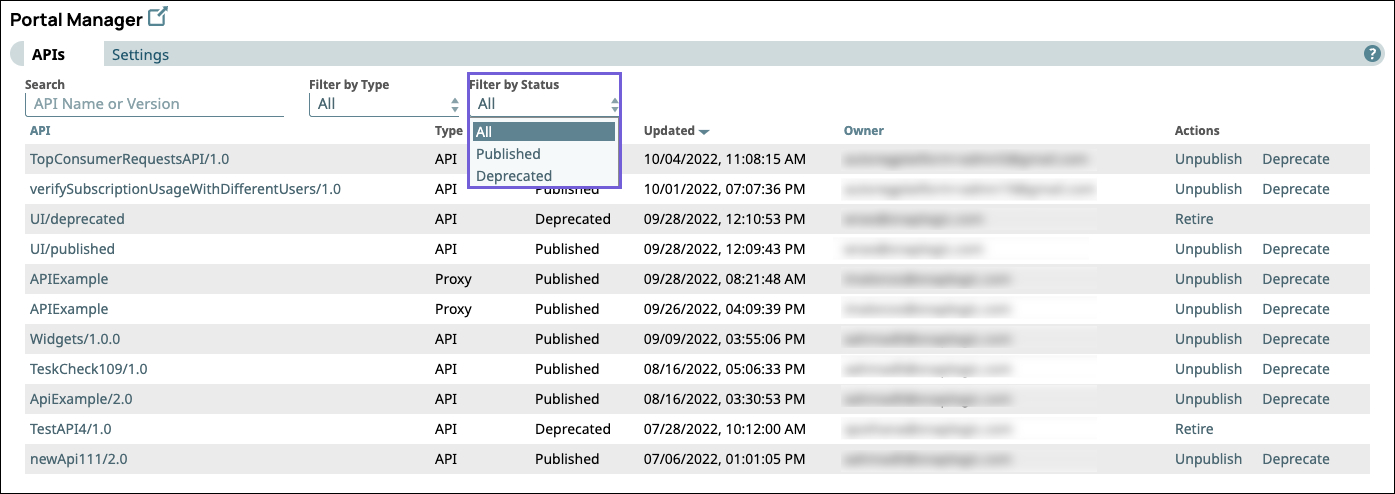
- Enter a term in the Search field
- In the Filter by Status dropdown, select one of the following
based on your criteria:
- Published
- Deprecated
Managing Developer Portal Status for your APIs in Portal Manager
You can publish, unpublish, republish, deprecate, and retire APIs directly in the Portal Manager.

You can also open the API version dialog by clicking the target API and then change its status on the API > Version Details tab. Learn more about publishing, unpublishing, republishing, deprecating, and retiring versions of an API in Managing the API Lifecycle.