


Handles Multiple Response Cookies
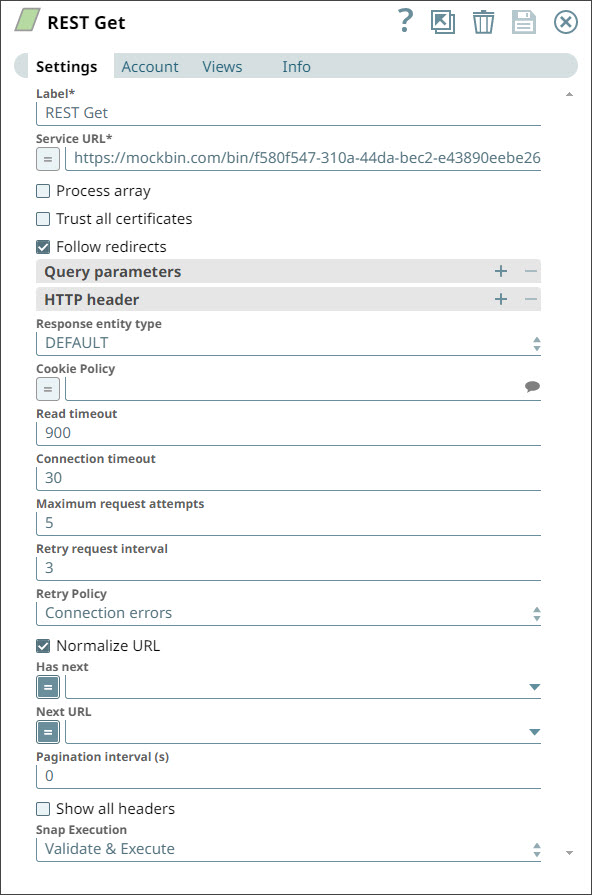
In this pipeline, we request for a service URL
https://mockbin.com/bin/f580f547-310a-44da-bec2-e43890eebe26
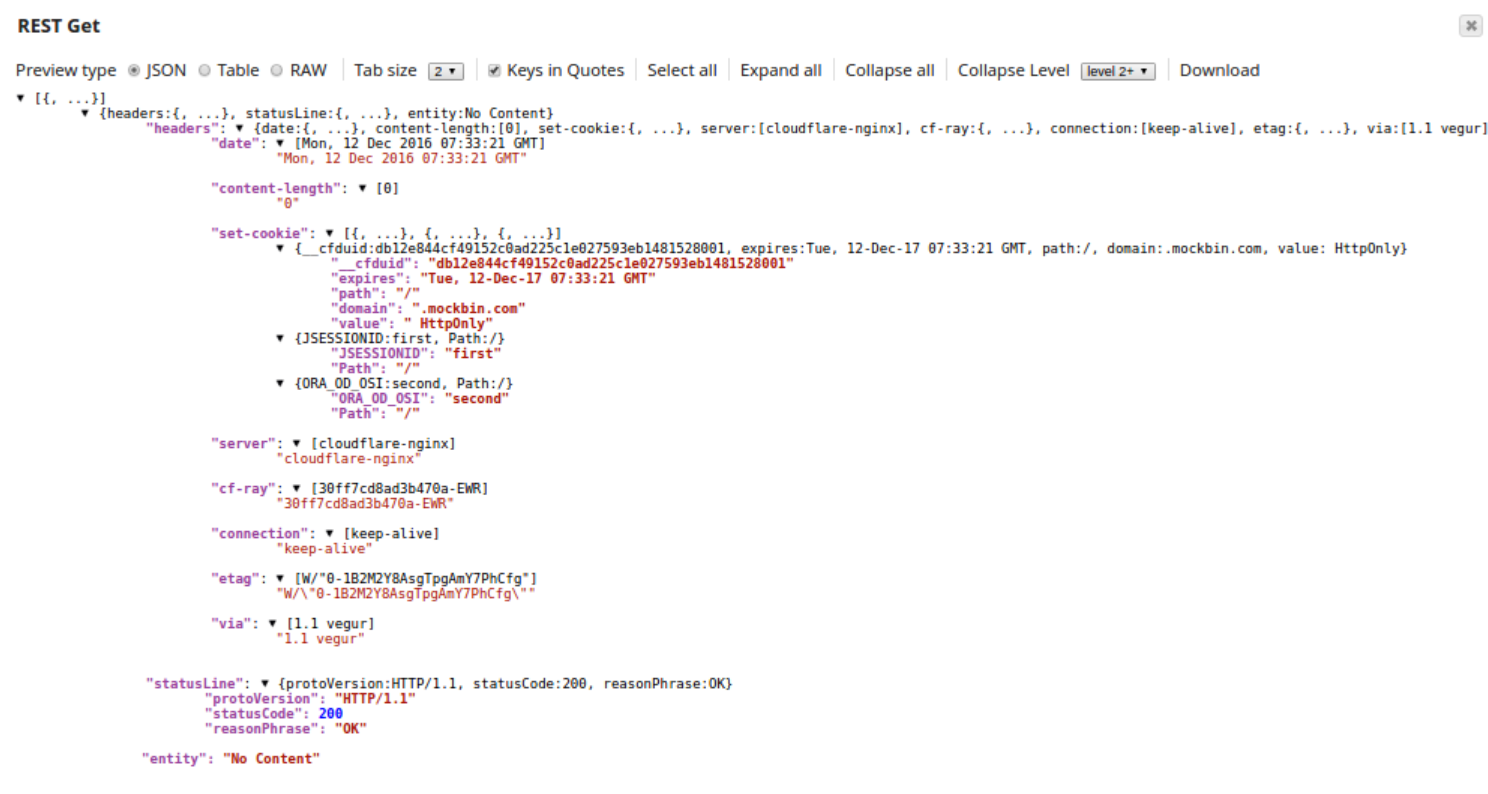
using the REST Get Snap, where the REST endpoint returns the HTTP response with
multiple cookies under the same header. We connected the JSON Splitter Snap to view
the cookies under the header set-cookie.
.jpg)
-
Configure Rest Get Snap
-
Execute the pipeline
-
Configure the JSON Splitter Snap. Enter the JSON Path as
$headers['set-cookie']in the JSON Splitter Snap to extract the cookies from the HTTP response header.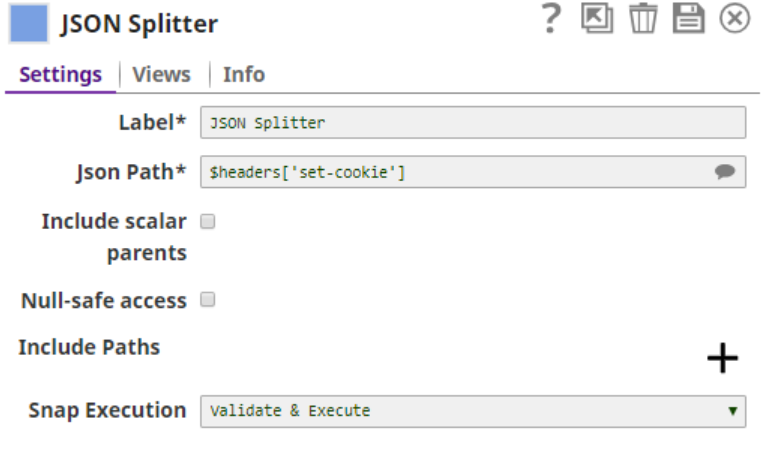
-
The successful execution of the pipeline displays the output view where you can
see the two cookies—
{JSESSIONID:first, Path:/}and{ORA_OD_OSI:second, Path:/}—listed respectively under the headerset-cookie.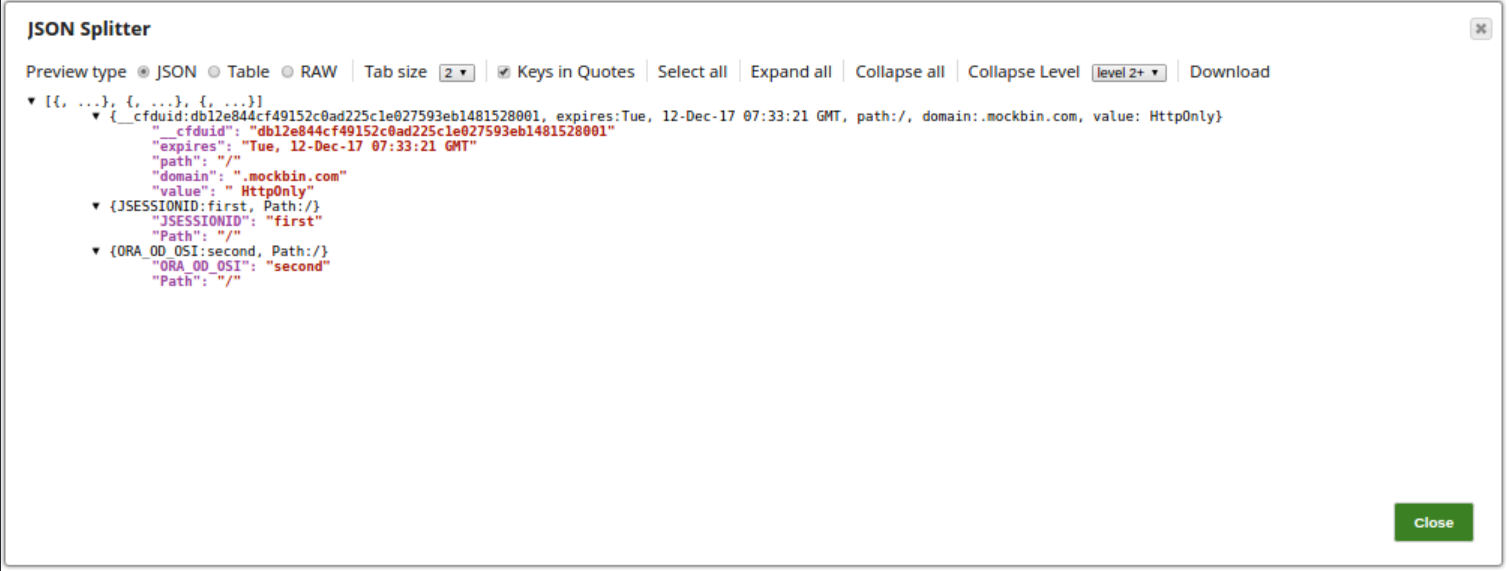
- Ensure the REST Get Snap successfully retrieves the response with multiple cookies.
- Verify that the JSON Splitter Snap correctly separates each cookie entry
using the JSON Path
$headers['set-cookie']. - Review the output preview to confirm the cookies are parsed individually.