


Write a List of Files in a Specific Directory
This example pipeline demonstrates how to list out files from a specific directory. After
the
File Poller
Snap lists the files, then write
the output to a file and run the
File Poller
Snap
again to check whether the new file was created as expected. To ensure that the
File Poller
Snap doesn't pick up any existing files,
you use an unusual extension for this example.

- Configure the
File Poller
Snap to poll a
directory for all files with the extension
".JSON2".
- Connect JSON
Formatter and
File Writer
Snaps to process the output and write
it to a file. Use the JSON
Formatter Snap
with the default settings. In the
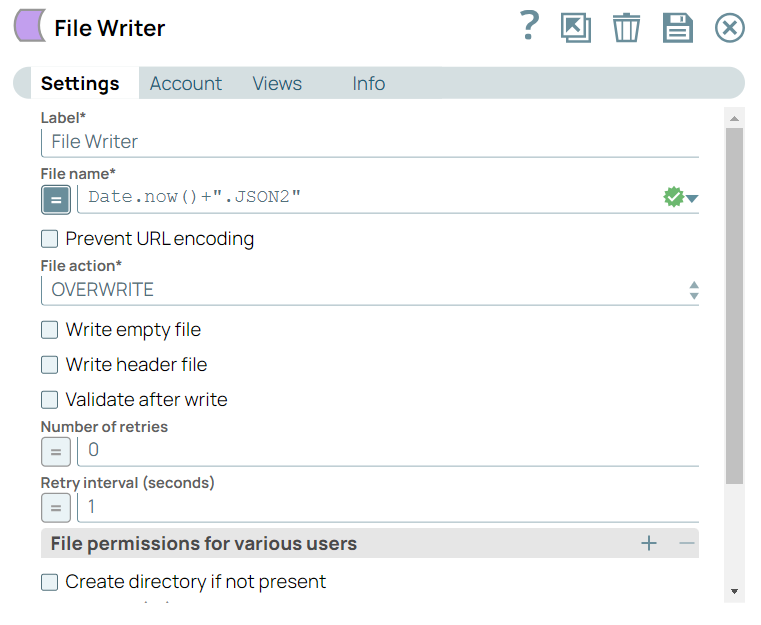
File Writer
Snap, use the date.now() function to give the file a name, so a new file is created
every time you run the pipeline.
- When used in production, the output from the
File Poller
Snap can be used to trigger specific
tasks as needed. In this example, you write it to a file. As expected, the file contains
no output, as there is no file in the target directory with the extension
".JSON2".
- Next, add the second
File Poller
Snap and
configure it exactly as the first one. Once again, you add a JSON
Formatter and
File Writer
Snap with the same settings as for
the previous pair. But this time, the file created is not blank: It lists out the file
that you created using the first three Snaps in the pipeline:

Note:
To reuse the example pipelines:
- Download and import the SLP file into your Environment.
- Configure Snap accounts.
- Provide Pipeline parameters, if any.