


Retrieve app access info
GET https://{controlplane_path}/api/1/rest/public/assetapi/user/settings?{query_parameters}This API retrieves the app access information for all users in the specified Environment/Org.
- IIP
- AutoSync
- Flows
- Pattern Management
Prerequisites
- Environment (Org) admin permissions
Path parameters
| Key | Description |
|---|---|
controlplane_path |
Required. The SnapLogic control plane host:
elastic.snaplogic.com (US) or
emea.snaplogic.com (EU). |
Query parameters
| Key | Type | Description |
|---|---|---|
path |
string |
Required.
The path to the SnapLogic Environment/Org.
Format:
|
order_by |
string | A string comprised of:
Default: Examples:
|
offset |
integer | Returns a subset of the results starting at this 0-based index.
You can use limit and offset for
pagination.
Default: 0 |
limit |
integer | Returns no more than the specified number of results.
You can use limit and offset for
pagination.
Valid values: 1 through 100,000 Default: 100 |
Request header
Basic authentication
To use basic authentication, specify Basic for authorization in the request
header, add your credentials (email and password for your SnapLogic user or service account), and
specify application/json for content type. For example:
Authorization: Basic {base64_encoded <email>:<password>}
Content-Type: application/json
Example of basic authentication using Postman:
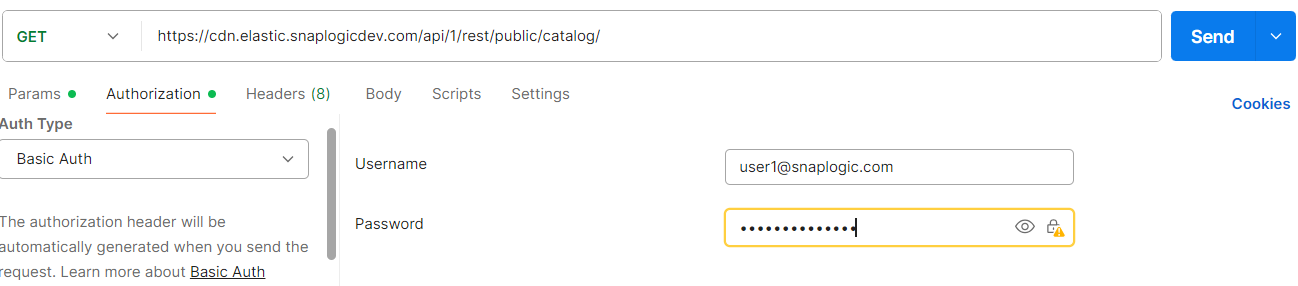
Learn more about the basic authentication header in REST API requests.
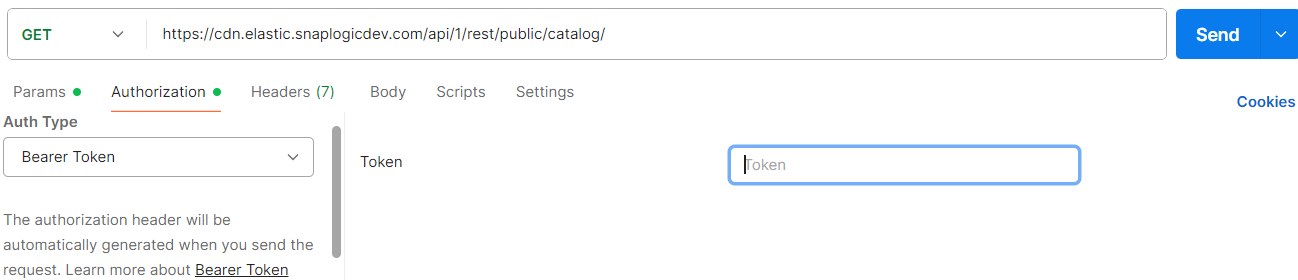
JWT authentication
When using JWT authentication, the API request includes specific headers. In the request header,
specify Bearer Token for authorization, add the token, and specify
application/json for content type. These headers are automatically added when
you configure bearer token authentication in your API client. The authorization header contains
the word Bearer followed by a space and your JWT.
Authorization: Bearer Token {token}
Content-Type: application/json
Example of JWT authentication using Postman:
Request body
None.
Response
 {
  "users": [
    {
      "username": "...",
      "first_name": "...",
      "last_name": "...",
      "last_updated": "...",
      "created": "...",
      "ui_access": true,
      "user_setting": {
        "app_access": {
          "myEnvOrg": {
            "...": true,
            ...
          }
        }
      },
      "disallowed_auth": [ ... ],
      "utility": false
    },
    ...
  ]
}
| Key | Type | Description |
|---|---|---|
|
|
string | User identification. |
|
|
string | Dates when the app access information was updated and created, respectively. |
ui_access |
Boolean | If true, the user has access to the SnapLogic UI. |
user_setting » app_access |
object | Contains key-value pairs where the key is the Environment/Org name and the value is another object that contains the app names, each with a Boolean that indicates if the user has access to that app. |
disallowed_auth |
array | The list of disallowed authentication methods. |
utility |
Boolean | If true, the user account is a service account. |