


Method configuration
When defining a path, you must add one or more methods.
In the Add new path or Edit path panel, open the Methods section and click Add to open the New method panel.
The New method panel includes the following options:
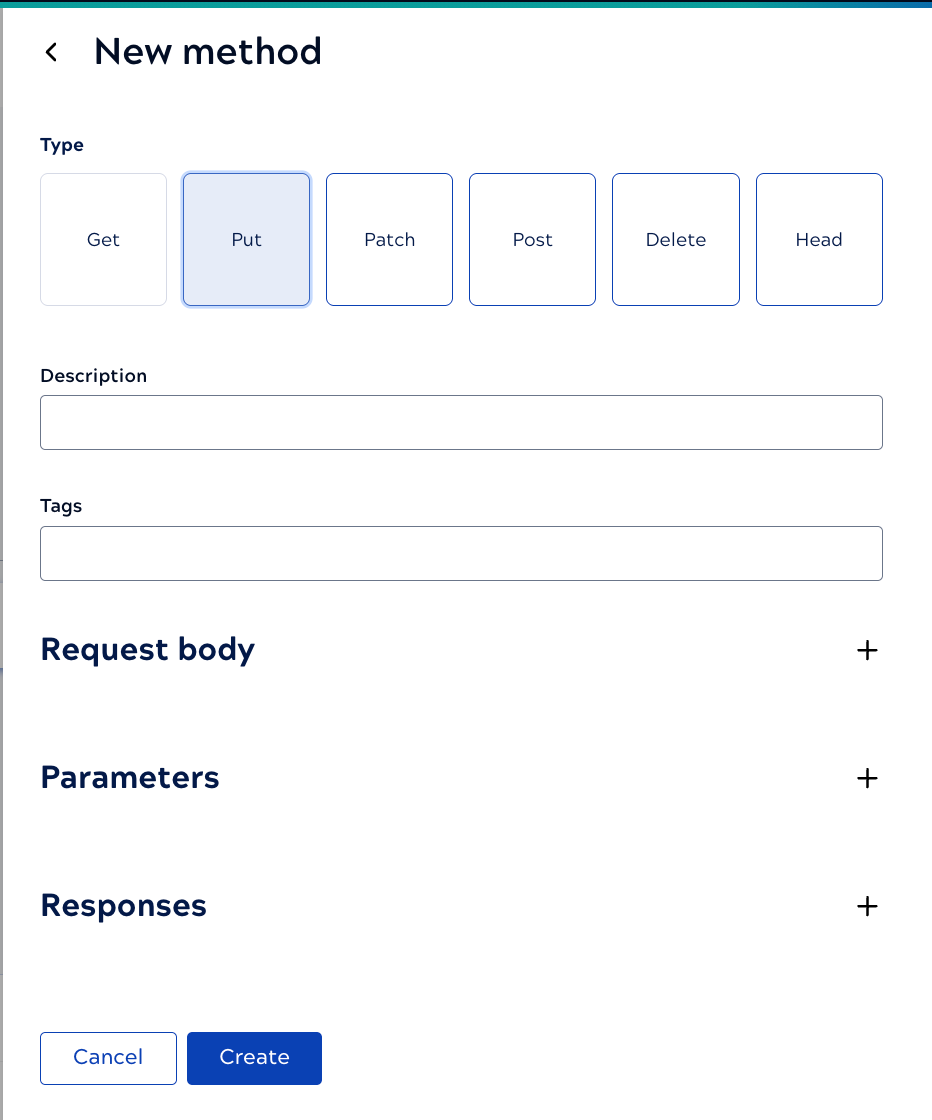
- Type: Click one or more HTTP methods that the path supports.
- Description: This description displays in APIM 3.0 Developer Portal to help consumers understand the purpose of the method.
- Overwrite endpoint tags: Optional. Tags entered at the method level override the endpoint tag grouping.
- Request body: Only available for PUT, PATCH,
and POST methods. Options include:
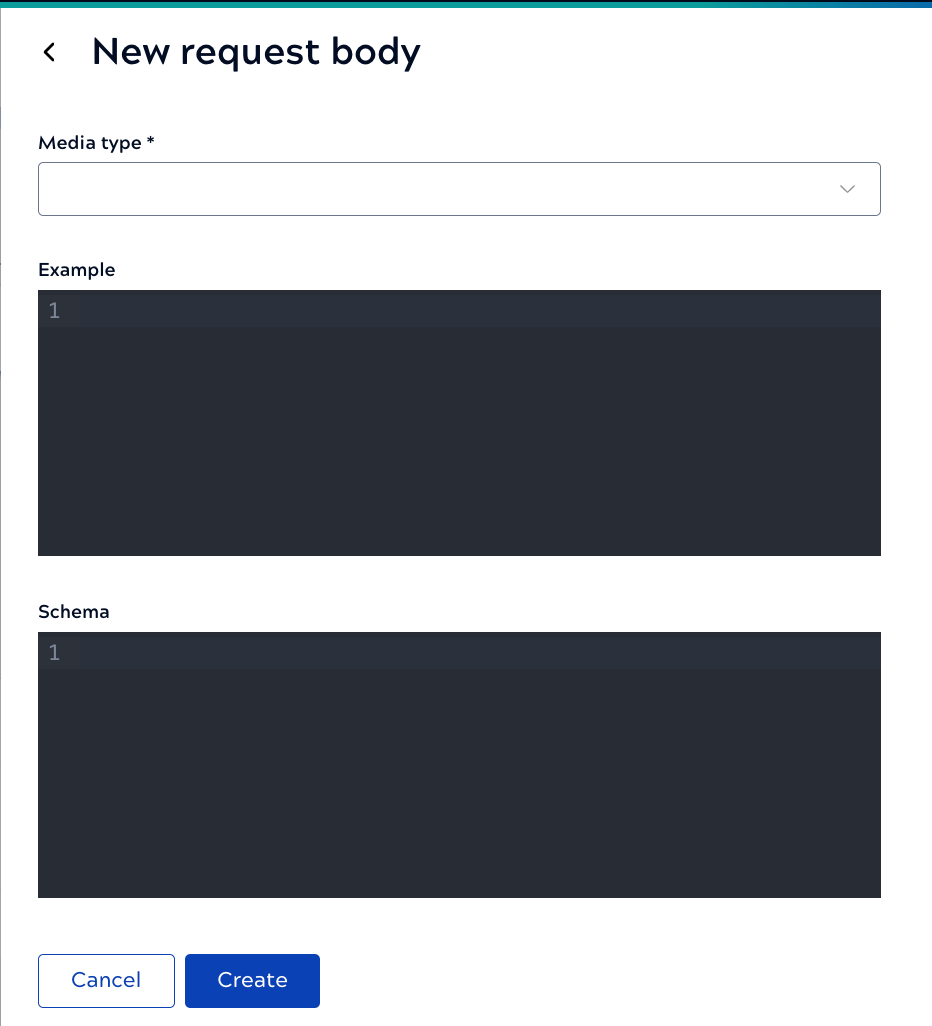
- Media type: The required format for the request. For
example,
application/jsonorapplication/xml. - Example: Illustrates a sample request to help consumers call the endpoint successfully. For JSON request bodies, the payload must be a top-level object, not an array.
- Schema: A JSON Schema, or subset, that defines the expected format of the
payload. The schema must define the root
typeas"object", not an array. The following example is a valid schema:{ "type": "object", "properties": { "name": { "type": "string" }, "email": { "type": "string", "format": "email" } }, "required": ["name", "email"] }
- Media type: The required format for the request. For
example,
- Parameters: Parameters are typically used to
identify a resource while the request body provides content for that resource. For example, the
Pet Store has an endpoint to find a pet by ID. An
integerpetIdis a required request path parameter. Parameter configuration describes parameter options. - Responses: Defines what can be returned to the caller:
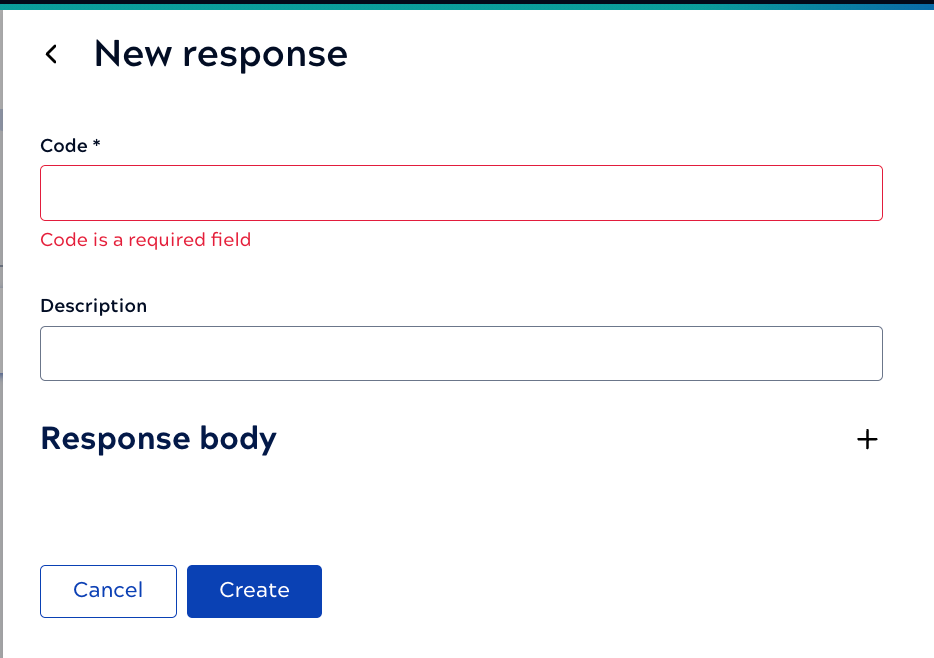
- Code: One or more HTTP status codes that the endpoint can return. For example, the Pet Store endpoint to get a pet by its ID returns
200for success,400for an invalid ID, and404for a pet not found. - Description: The user-friendly message for the code. For example, User created successfully.
- Response: Optional content that the server returns.
- Media type: The required format for the request. For
example,
application/jsonorapplication/xml. - Example: Sample responses for success and error conditions. For JSON media types, the example payload must be an object, not a top-level array.
- Schema: The response schema for JSON media types. The JSON schema must
define an object, not a top-level array. The following is a valid example:
{
  "type": "object",
  "properties": {
    "error": {
      "type": "string"
    }
  },
  "required": ["error"]
}
- Media type: The required format for the request. For
example,
- Code: One or more HTTP status codes that the endpoint can return. For example, the Pet Store endpoint to get a pet by its ID returns
Next, add the appropriate rules to the Catalog Policy or apply a Policy at the Service or endpoint level, and you are ready to test.