


Apply Sampling Algorithms
This pipeline demonstrates the use of various sampling algorithms in the Sample Snap.
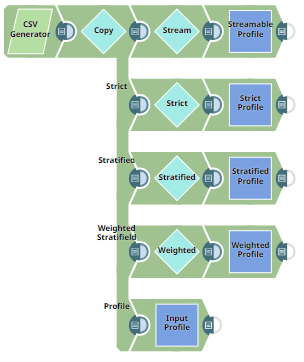
This example applies the following sampling algorithms using separate configurations of the Sample Snap:
- Streamable Sampling
- Strict Sampling
- Stratified Sampling
- Weighted Stratified Sampling
-
Configure the
CSV Generator
Snap to
generate the input dataset.

The generated dataset includes 50 records with two classes in the
$Genderfield:MandF. -
Use the Copy Snap to create five parallel streams from the input dataset.
Four of these streams go into separate Sample Snaps, and one goes into a Profile Snap to generate statistics.
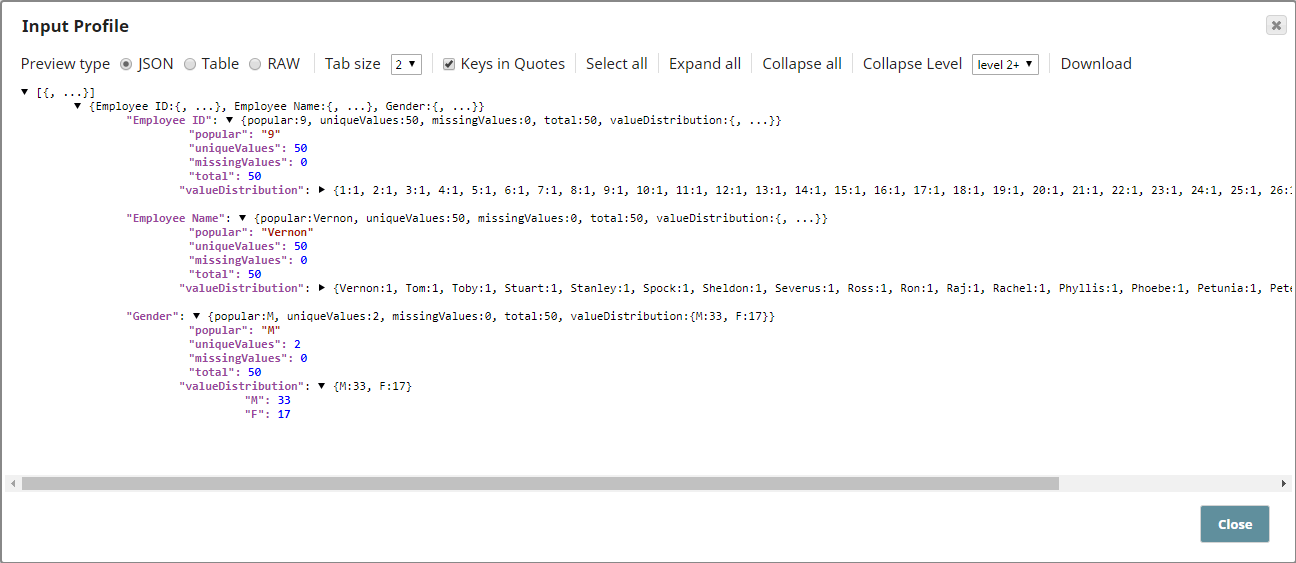
The Profile Snap shows:
- Total records: 50
- Classes: M (33), F (17)
-
Configure the Sample Snap for Streamable Sampling.
This configuration randomly passes approximately 50% of the documents.
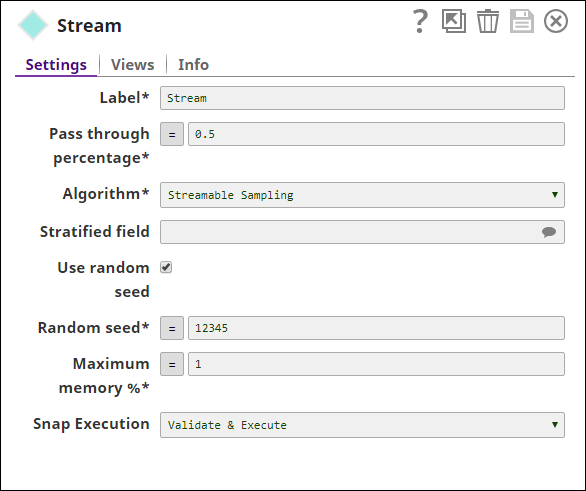

Profile Snap confirms 28 records are sampled—close to the 50% pass-through rate.
-
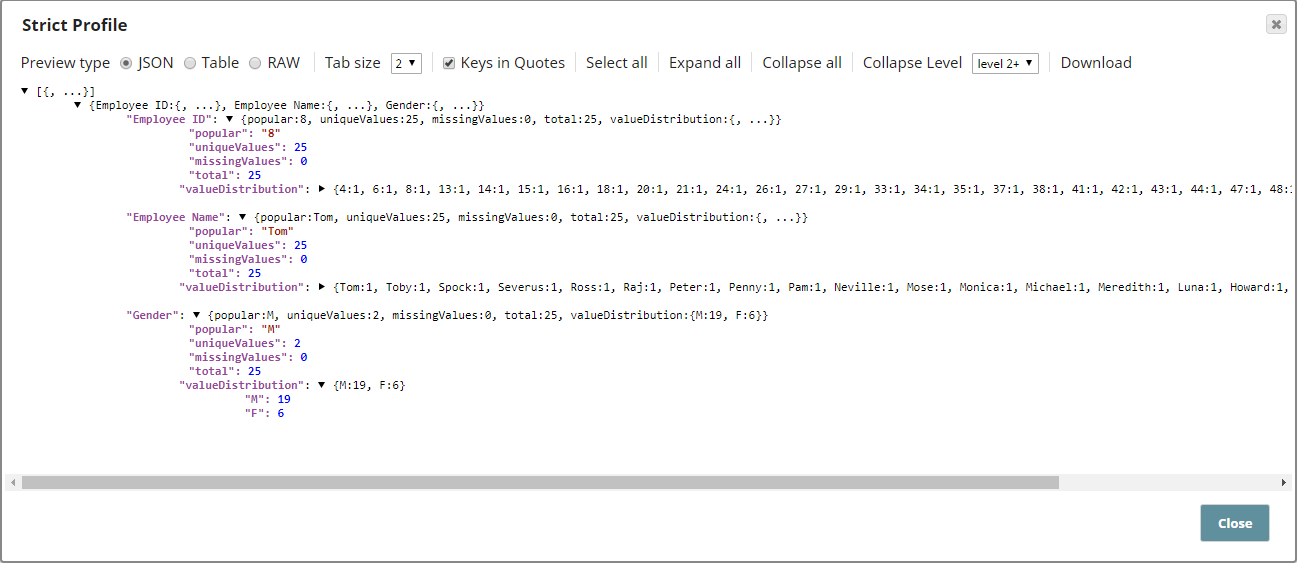
Configure the Sample Snap for Strict Sampling.
In this mode, the Snap selects exactly 50% of the records.
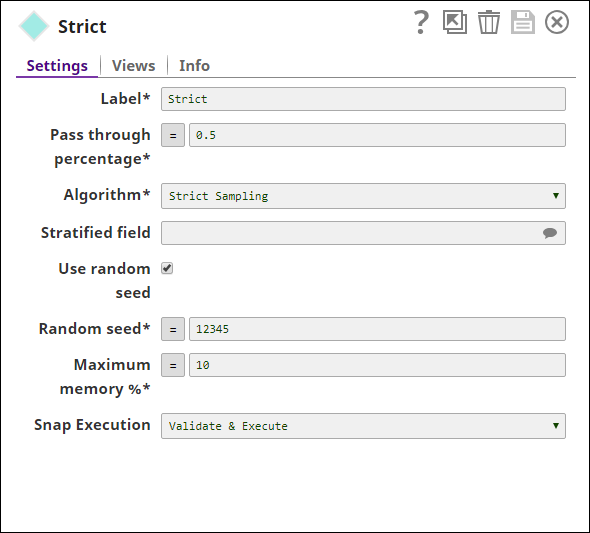
Profile Snap confirms exactly 25 records were sampled.
-
Configure the Sample Snap for Stratified Sampling.
Select
$Genderas the stratified field. The Snap selects an equal number of documents from each class while maintaining the pass-through percentage.
Profile Snap confirms a balanced subset with 24 total records (12 per class).
-
Configure the Sample Snap for Weighted Stratified Sampling.
Specify
$Genderas the stratified field. The Snap preserves the class distribution ratio in the sampled output.
Profile Snap confirms 24 records were sampled, maintaining the original ratio of M:F (approx. 2:1).

- Download and import the SLP file into your Environment.
- Configure Snap accounts.
- Provide Pipeline parameters, if any.