


Using HTTP Router Snap to Process an Ultra Task
The following example pipeline demonstrates how you can use an HTTP Router Snap to process an incoming PATCH request through an Ultra Task.
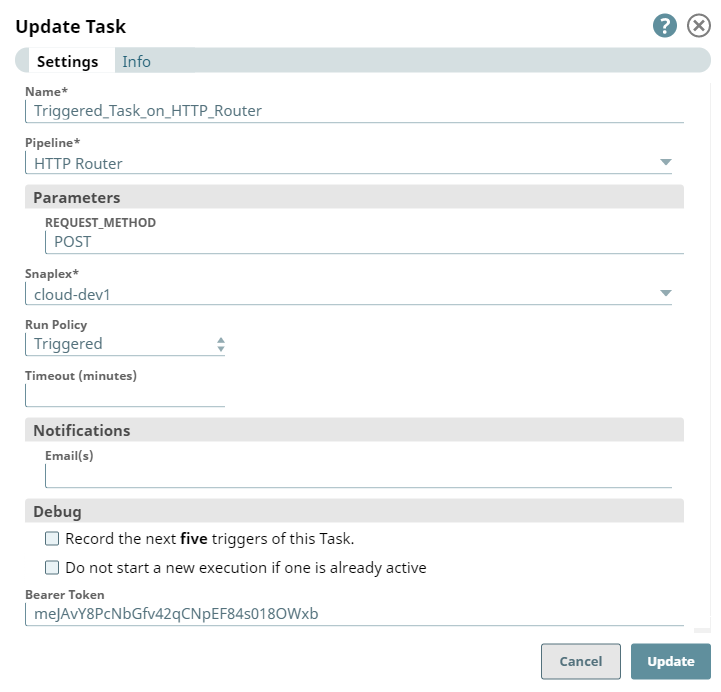
First, we create an Ultra Task for the HTTP Router pipeline with a request to send a notification to the [email protected] whenever a patch is completed.
| Ultra Task for HTTP Router Snap | Pipeline with HTTP Router Snap |
|---|---|
 |
 |
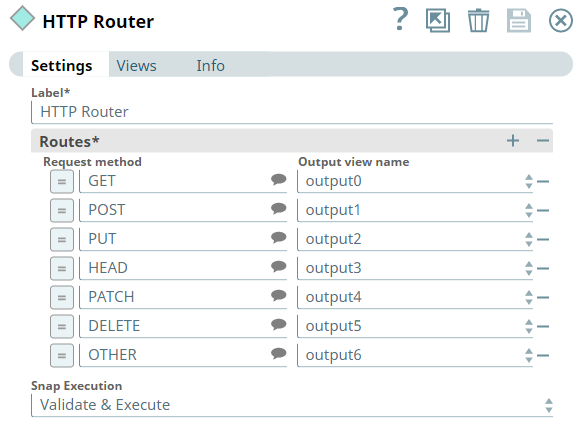
When the Ultra Task - Ultra_Task_On_HTTP_Router is run, the corresponding Pipeline - HTTP Router is executed. Based on the HTTP method, the HTTP router routes the data to the corresponding output view (in this example, the patch request routes to output 4). Using the File Writer Snap, you can further write the formatted JSON output into a JSON file.
- Download and import the SLP file into your Environment.
- Configure Snap accounts.
- Provide Pipeline parameters, if any.