


Sort input data and perform aggregate functions
This example pipeline demonstrates how to pre-sort the records with the Sort Snap and then perform the aggregate functions on each group using the Aggregate Snap.
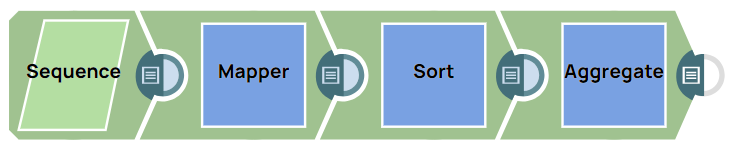
Download this pipeline.
-
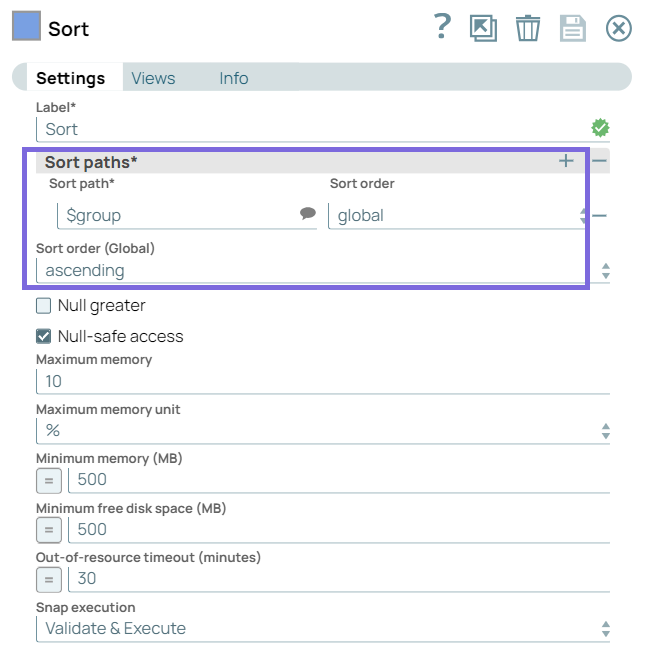
Configure the Sort Snap to sort the group
values in an ascending order.
-
Configure the
Aggregate
Snap as shown
below.
Aggregate Snap Configuration Description 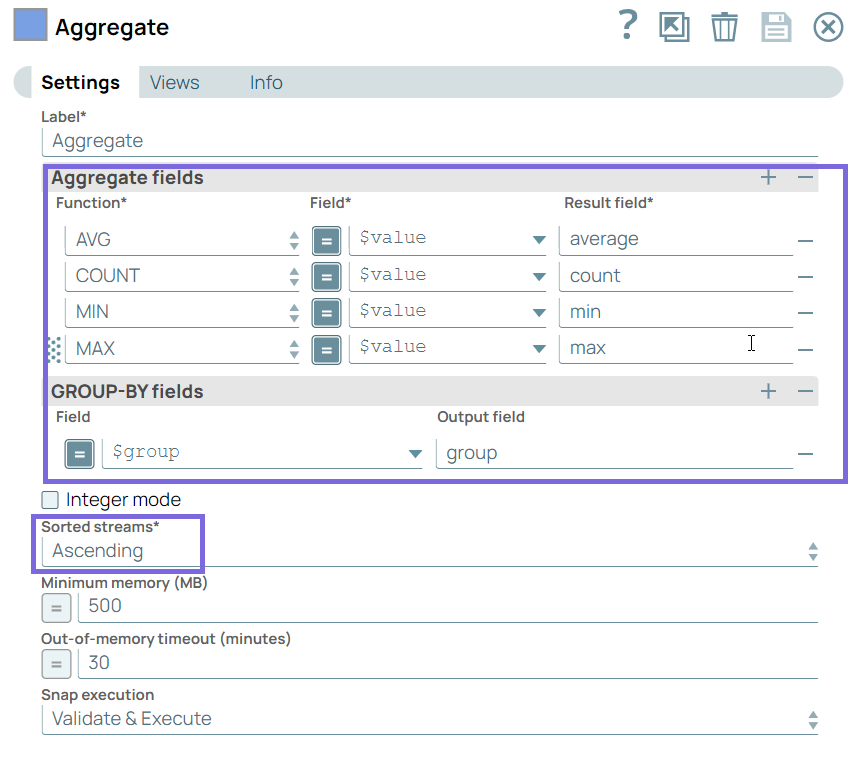
- The input documents for the
Aggregate
Snap contains two
fields:
valueandgroup. - The Snap is configured to perform the AVG, COUNT, MIN, and MAX functions on the presorted values in an ascending order.
- The GROUP-BY fields property contains
$groupfield, which means the Snap groups input documents as per the$groupvalue. - The Sorted streams is set to Ascending because the input documents are presorted in an ascending order.
Note: If the input documents are not in an ascending order, the Snap displays an exception. - The input documents for the
Aggregate
Snap contains two
fields:
-
On executing the pipeline, the Sort Snap
completes the sorting and the
Aggregate
Snap
the aggregate functions. You can view the execution details in the Pipeline Execution
Statistics.
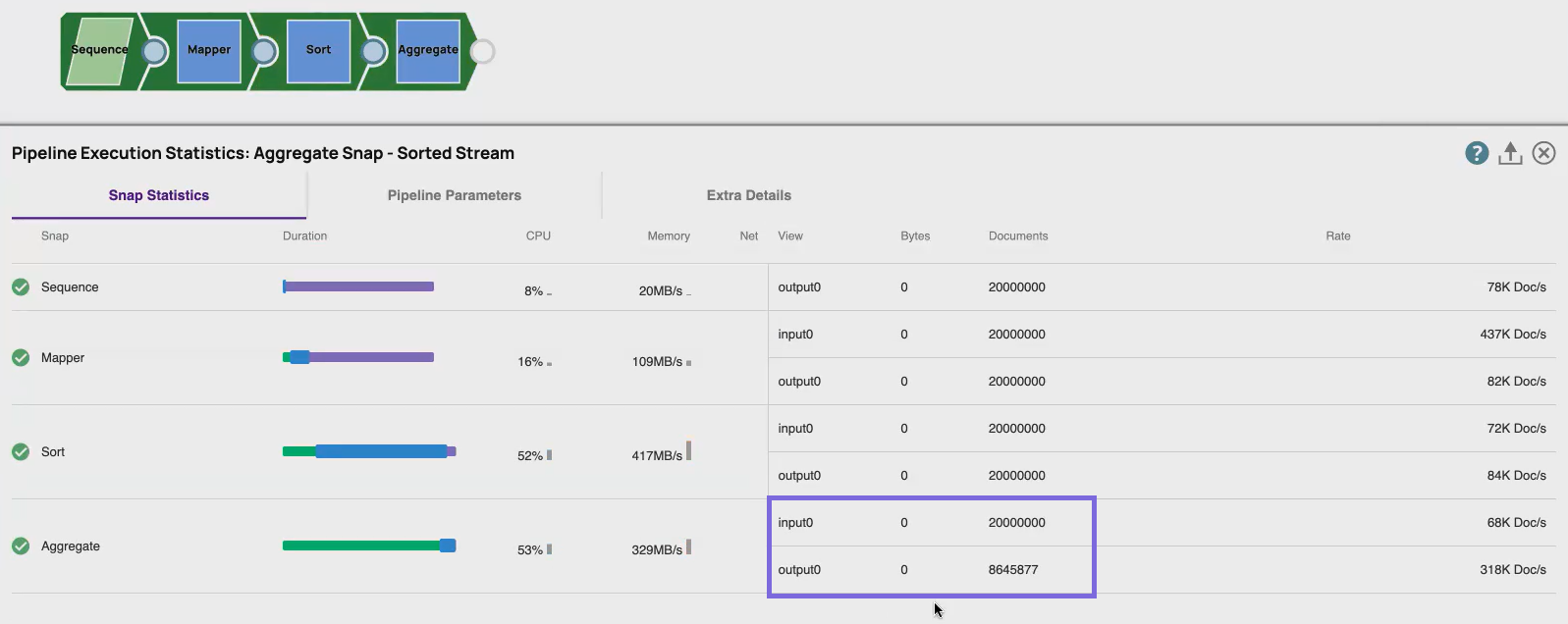
Important:If the input documents are unsorted and GROUP-BY fields are used, you must use the Sort Snap upstream of the Aggregate Snap to presort the input document stream and set the Sorted stream field Ascending or Descending to prevent the
out-of-memoryerror. For more information, refer to the attached example pipeline.
- Download and import the pipeline in to the SnapLogic Platform.
- Configure Snap accounts, as applicable.
- Provide pipeline parameters, as applicable.