


Acknowledging Messages
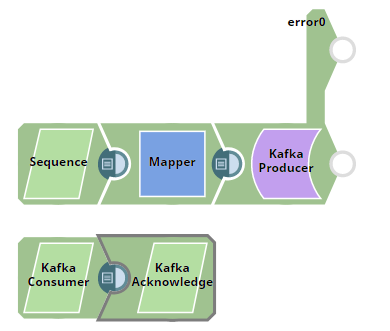
This example pipeline demonstrates how we use the Kafka Producer Snap to produce and send messages to a Kafka topic, the Kafka Consumer Snap to read messages from a topic, and the Kafka Acknowledge Snap to acknowledge the number of messages read (message count).
-
Configure the Sequence Snap
First, we use the Sequence Snap to enable the Pipeline to send documents in large numbers. We configure the Sequence Snap to send all the documents starting from 1 through 2500. Hence, we set the Initial value as
1and Number of documents as2500.
-
Configure the Kafka Producer Snap
We configure the Kafka Producer Snap to send the documents to the topic named SampleKafkaTopic and set the Partition number to
0to let the broker decide which partition to use.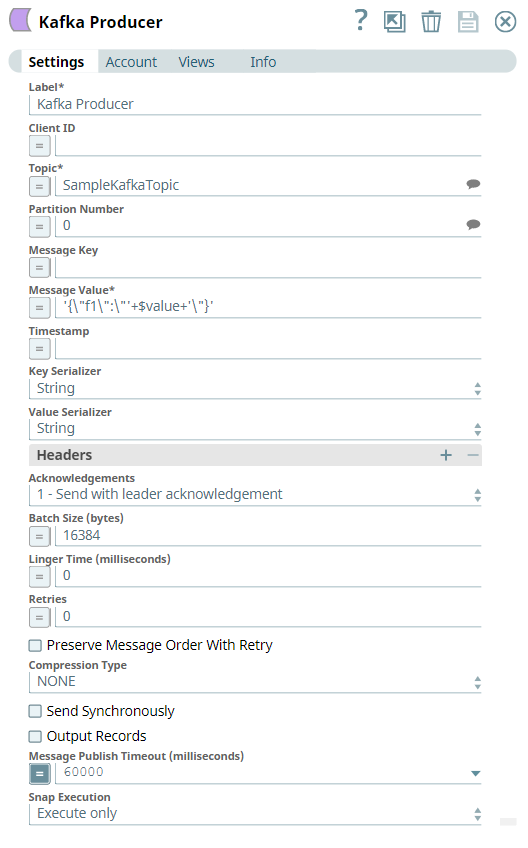
-
Configure the Kafka Consumer Snap
We configure the Kafka Consumer Snap to read the messages from the topic named SampleKafkaTopic and set the Partition number to
0. The Message count is set to100, which means the Snap consumes 100 messages and sends those messages to the output view.
-
Verify the Acknowledged Messages
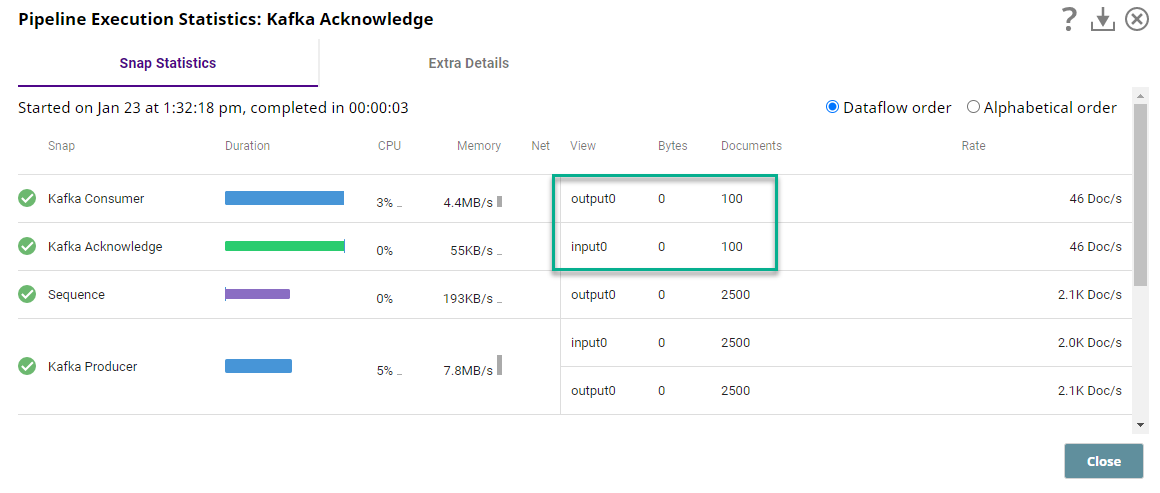
On successful execution of the Pipeline, we can view the consumed and acknowledged messages in the Pipeline Execution statistics. Note that the Message Count is set to 100 in the Consumer Snap; hence, the Acknowledge Snap acknowledges the same count.
- Ensure that the Kafka Acknowledge Snap is connected to the Kafka Consumer Snap output view.
- Verify the Message Count configuration in the Consumer Snap matches the acknowledgment count.
- Confirm that messages are produced and consumed successfully from the configured Kafka topic.