


Basic Auth Account
This account type enables Binary Snaps to connect to data sources with the FTP protocol.
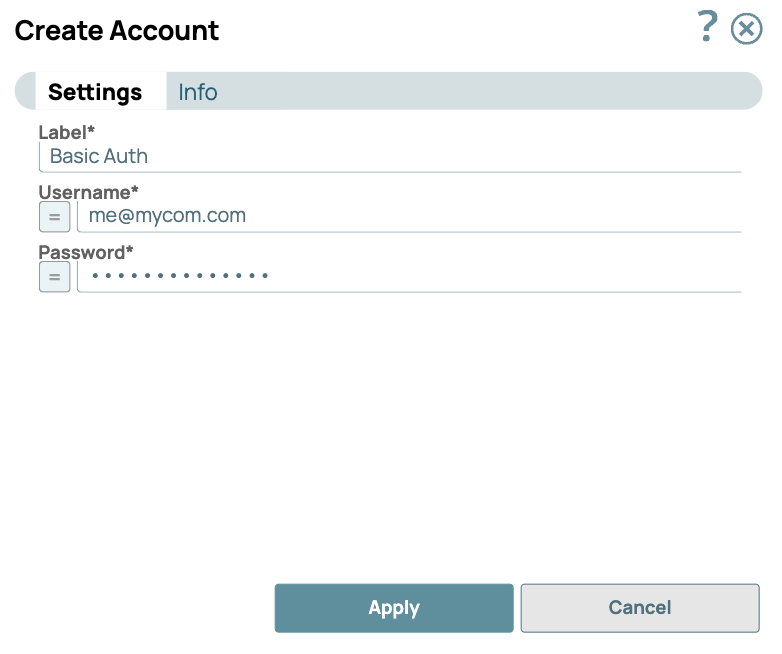
Account Configuration
In Manager, you can navigate to the required folder and create an account in it (see Accounts). To create an account for binary files:
- Click Create, then select Binary, then Basic Auth.
- Supply an account label.
- Supply the necessary information.
- (Optional) Supply additional information on this account in the Notes field of the Info tab.
- Click Apply.
Account Settings
| Field/Field set | Type | Description |
|---|---|---|
| Label
|
String |
Required.Specify a unique label for the account. Default value: Basic Auth Account Example: Basic Auth Account |
| Username | String/Expression | Required. Account username. Warning: This
is an expression-enabled property, you can pass values for this property
dynamically as a pipeline parameter. Default value: None. |
| Password | String/Expression | Required. Password associated with the supplied
account username. Warning: This is an expression-enabled property, you
can pass values for this property dynamically as a pipeline parameter. Default value: None. |
Account encryption
| Standard Encryption | If you are using Standard Encryption, the High sensitivity settings under Enhanced Encryption are followed. |
| Enhanced Encryption | If you have the Enhanced Account Encryption feature, the following describes
which fields are encrypted for each sensitivity level selected per each account.
|