


Reading Messages Sent Using Twilio Programmable SMS Service
In this example we use the Twilio Read Snap to retrieve messages sent with Programmable SMS services based on certain filter parameters and pagination options. This example assumes that you have configured and authorized a valid Twilio Account (see Configure Twilio Accounts).
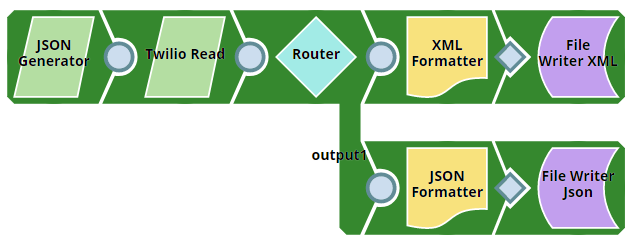
Download this pipeline.
-
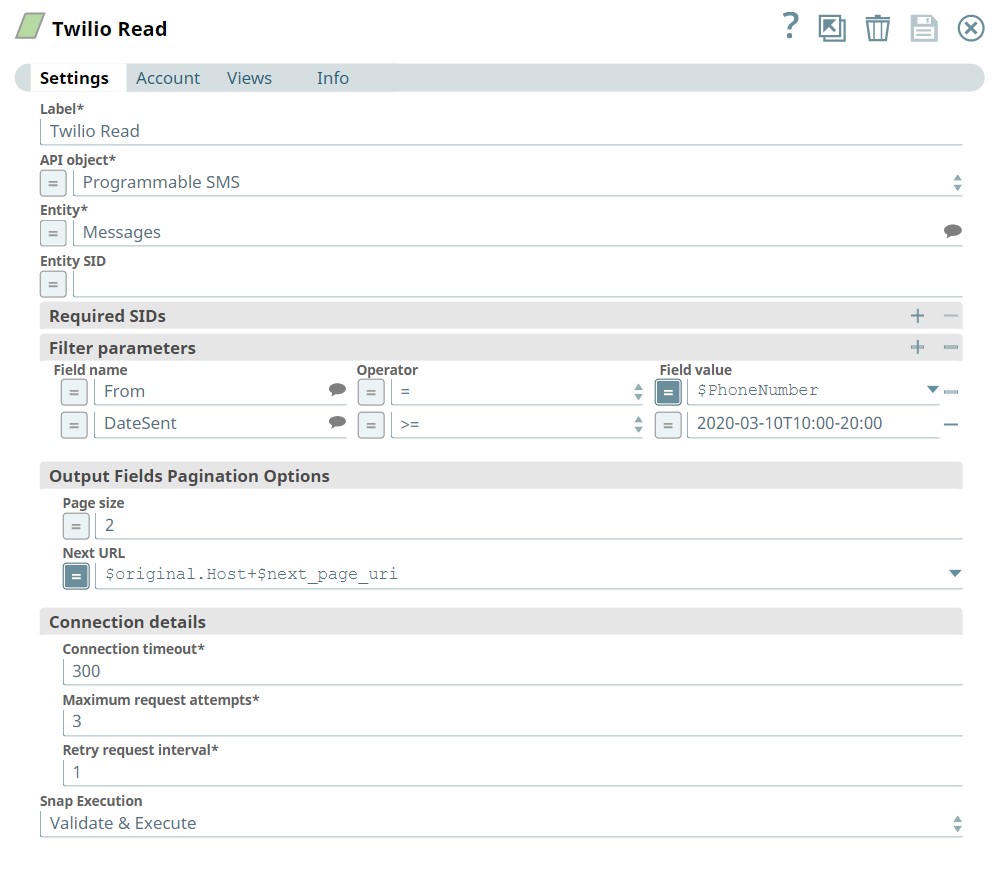
Configure the Twilio Read Snap with the following settings to filter messages by phone number and date sent.
We want to view these messages in two pages:
- API object: Programmable SMS
- Entity: Messages
- Filter criteria: Messages sent from
$Phone_numberand messages sent on date 2020-03-10T10:00-20:00 - Page size: 2
- Next URL:
$original.Host+$next_page_url
-
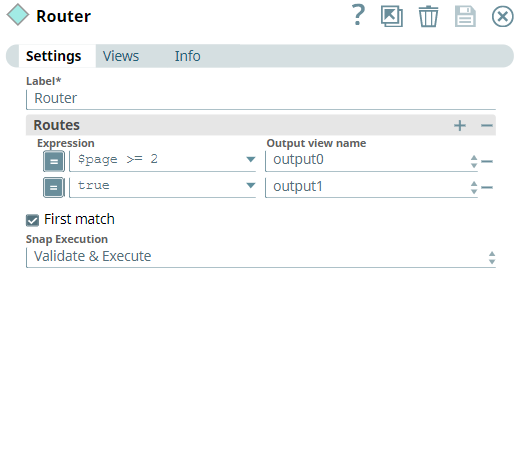
Configure the
Router
Snap to bifurcate the pages into two different output views.
Route the first two pages to the first output view and the remaining pages to the second output view.
-
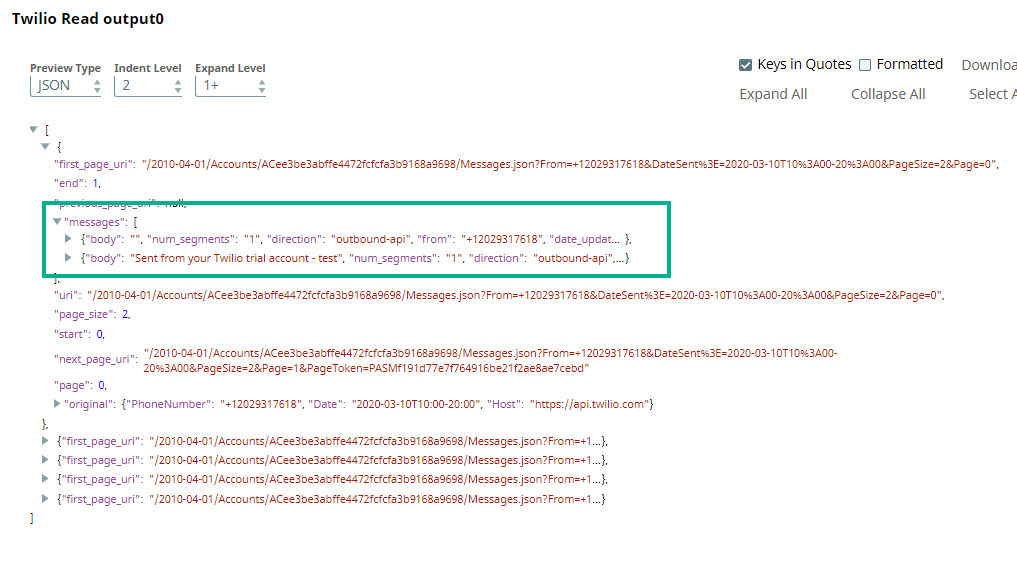
Run the pipeline.
On successful execution, you will see two files with the corresponding names in the Project space.
To reuse this pipeline in your environment:
- Download and import the Pipeline into SnapLogic.
- Configure Snap accounts as applicable.
- Update the Filter criteria with your phone number and date range.
- Adjust the Page size and routing logic as needed.