


Retrieve User Data from SuccessFactors Data Center
This example illustrates how you can use the SuccessFactors Read Snap to read and retrieve user data from the Success Factors Data Center. It assumes that you have configured and authorized a valid SuccessFactors account. See SuccessFactors Basic Auth Account.

Download this Pipeline
-
In the sample Pipeline, the SuccessFactors Read Snap retrieves the user data via the Foundation/Platform (PLT) - User API entity.
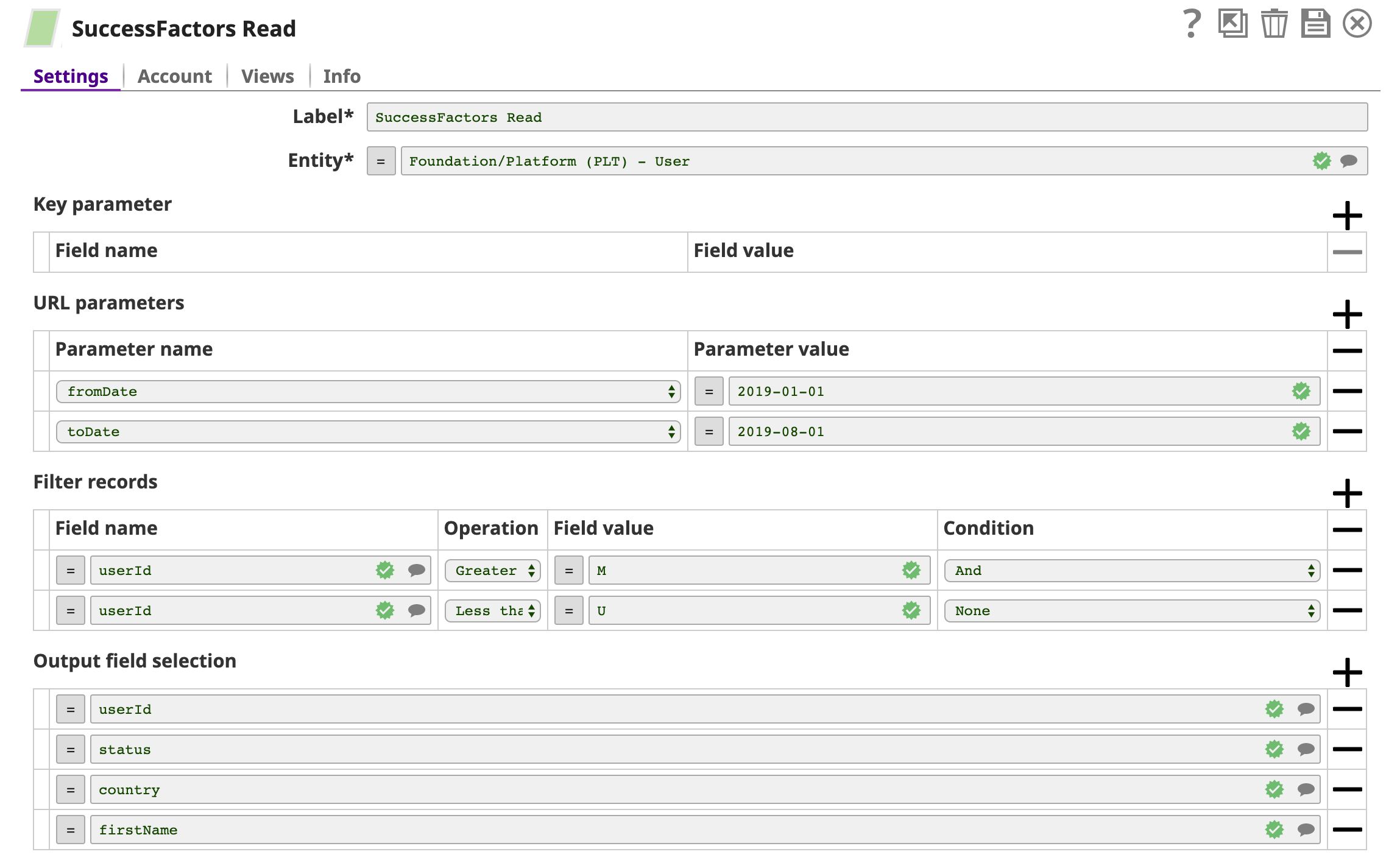
-
A successful validation of the Snap gives the following output preview, showing the query results.
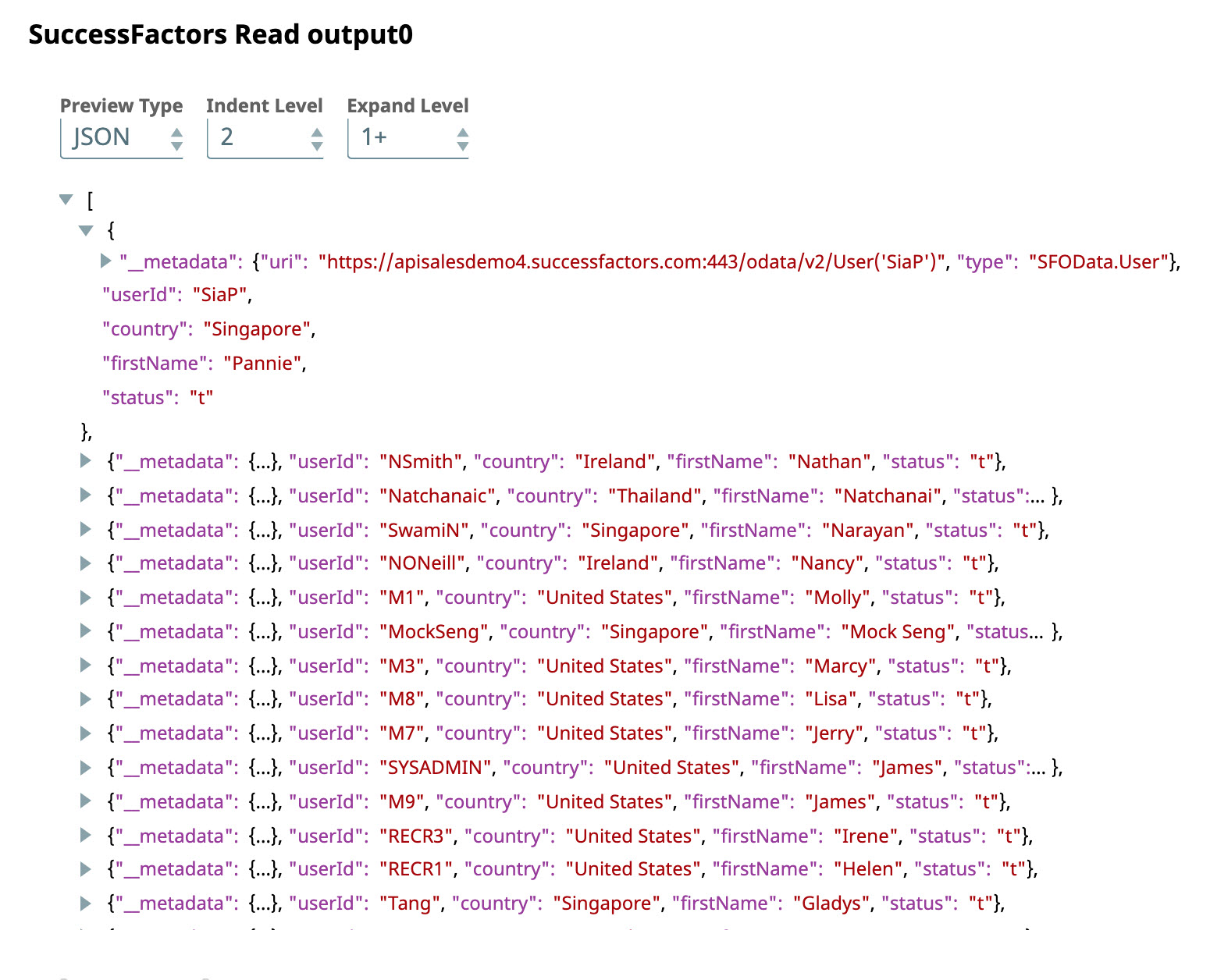
-
An
XML Formatter
and a
File Writer
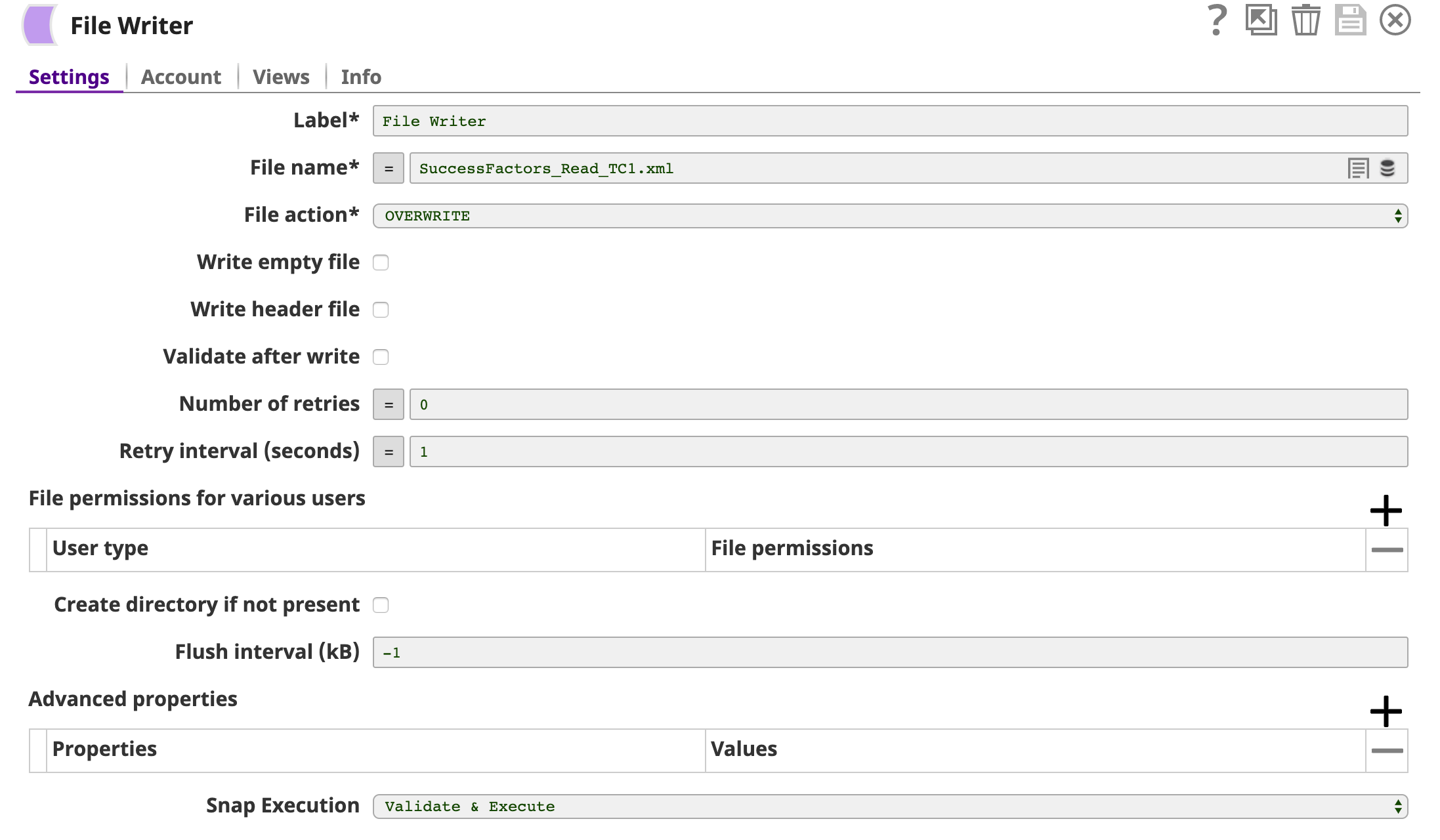
Snap is added downstream to format and save the returned data in a new file. In the image below, the output is written to the SuccessFactors_Read_VC1.xml file.
- Download and import the SLP file into your Environment.
- Configure Snap accounts.
- Provide Pipeline parameters, if any.