Steps
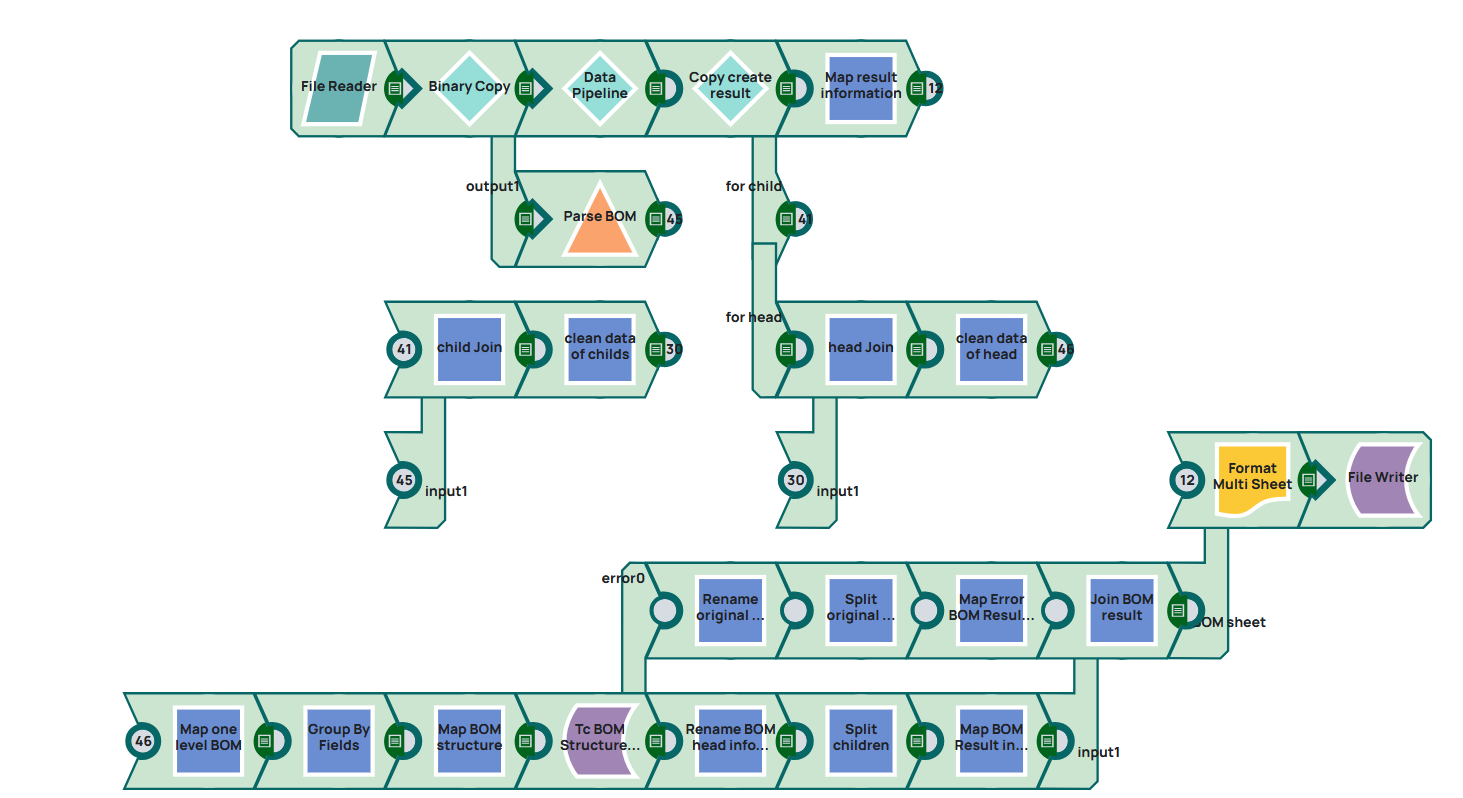
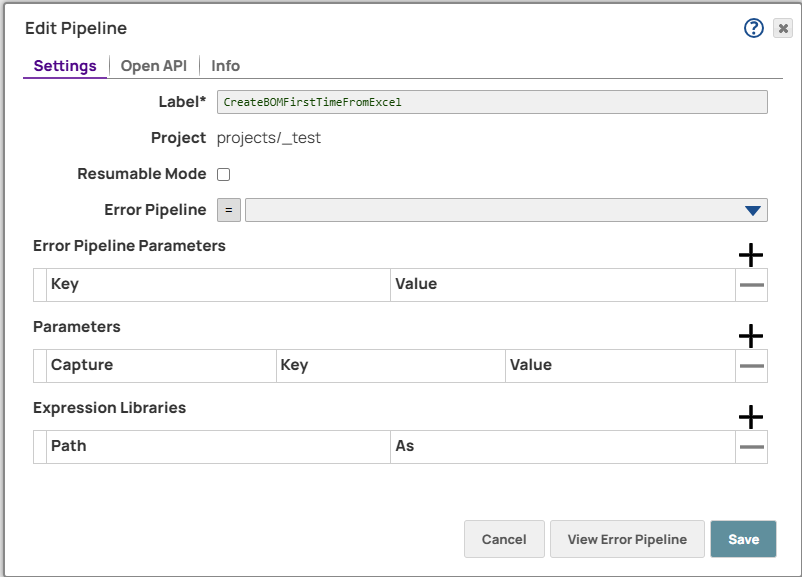
1: As a first step a new pipeline has to be created.
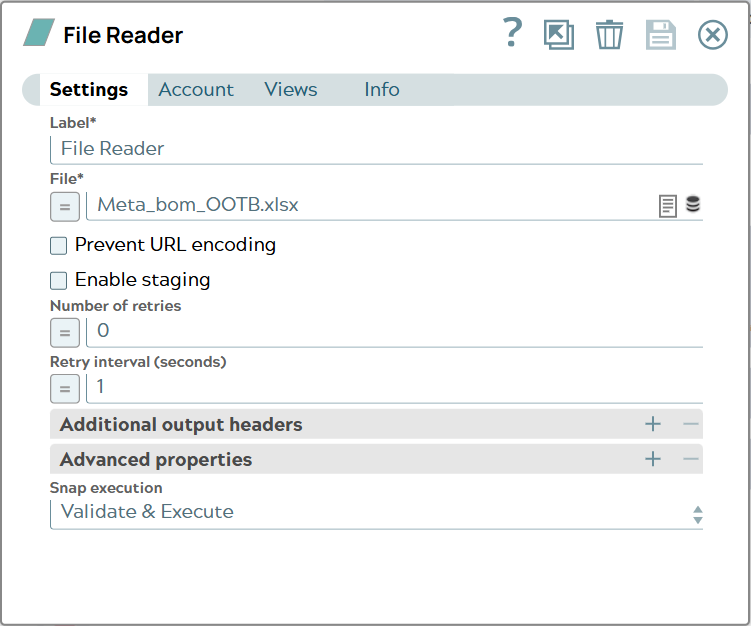
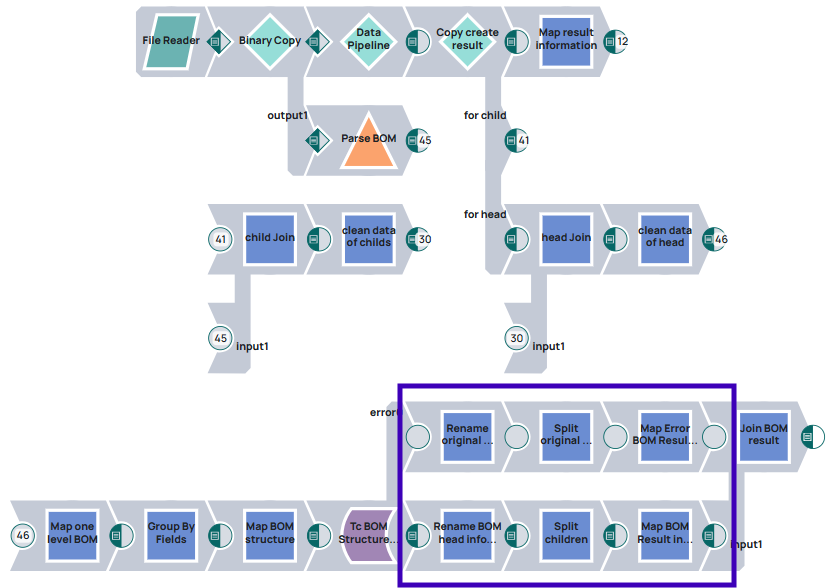
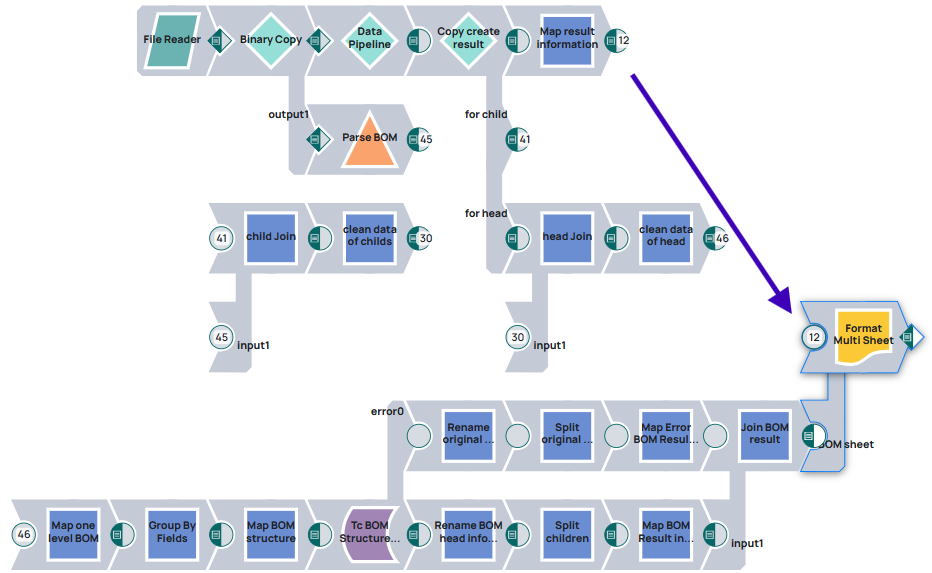
2: First step in the pipeline will the read operation of the file. Here we utilize the File Reader Snap.
3: This Snap is creating a binary stream which is needed to be processed now. Since we need the objects created with information from “Data” tab and the structure information in “BOM” tab a copy of the binary data is done first.
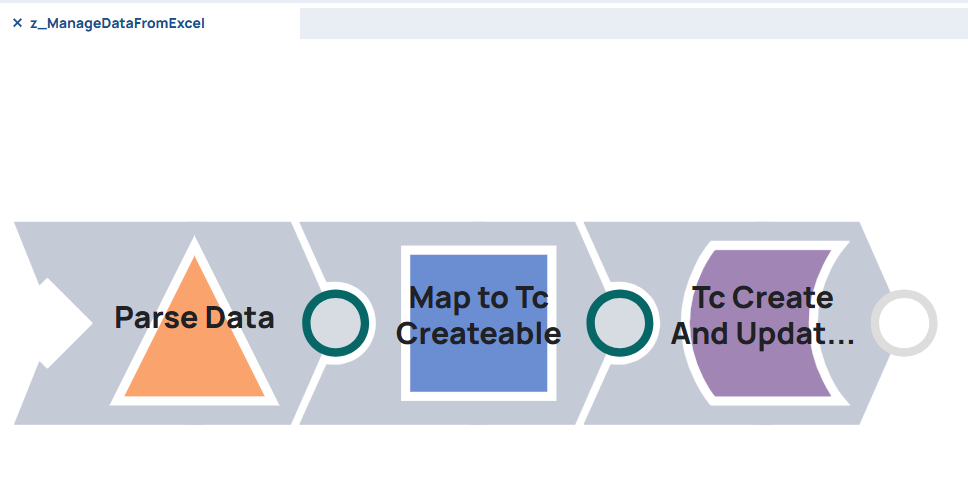
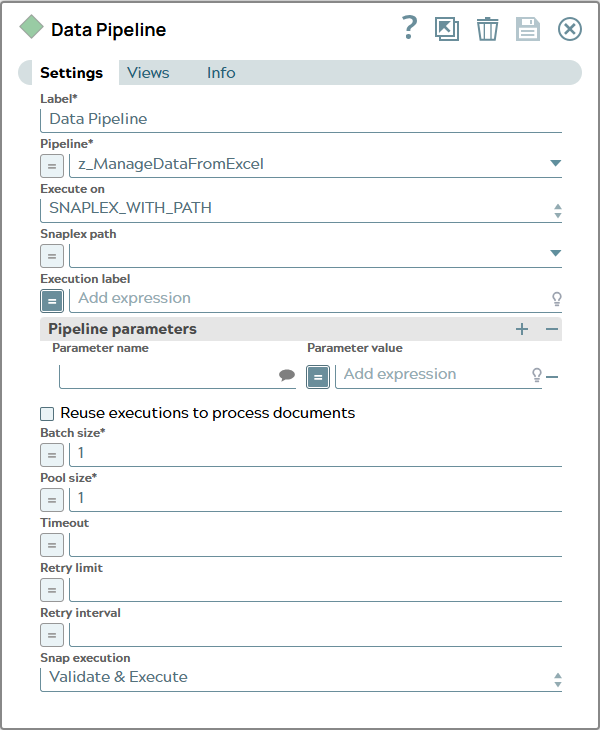
There is already a pipeline working with “Data” tab as described in Create Teamcenter elements based on data from Excel sheet. A copy of this pieline will be cleared of the File Reader Snap, result mapper Snap, File Formatter Snap and File Writer Snap. So we can use it as child pipeline for our BOM Transfer use case.
4: The child pipeline is called without any parameters currently.
Snap configuration | Snap output |
|---|
| |
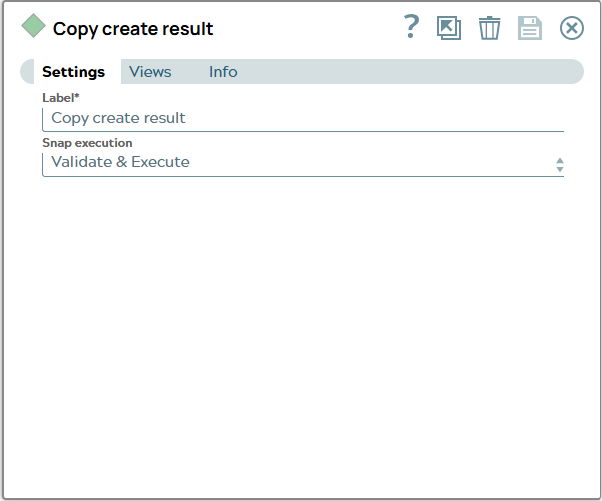
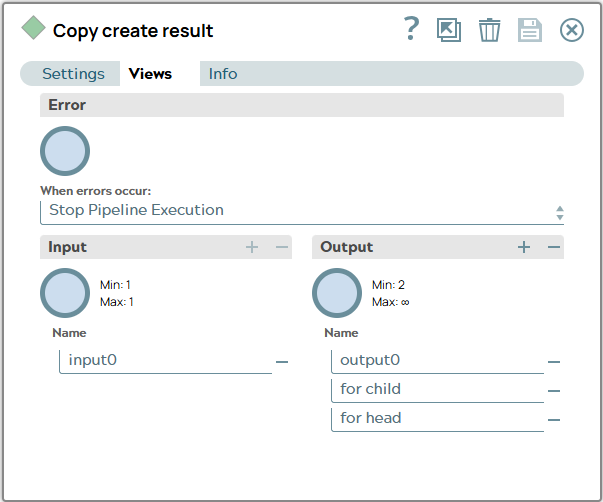
5: The result of this transfer shall be mapped to store object information in Data tab of resulting excel but will be needed in other snaps of the pipeline, too. So a copy Snap is used. Starting with two output views but while pipeline designing progress necessarity for another output view arises.
Snap configuration Settings tab | Snap configuration Views tab |
|---|
|
|
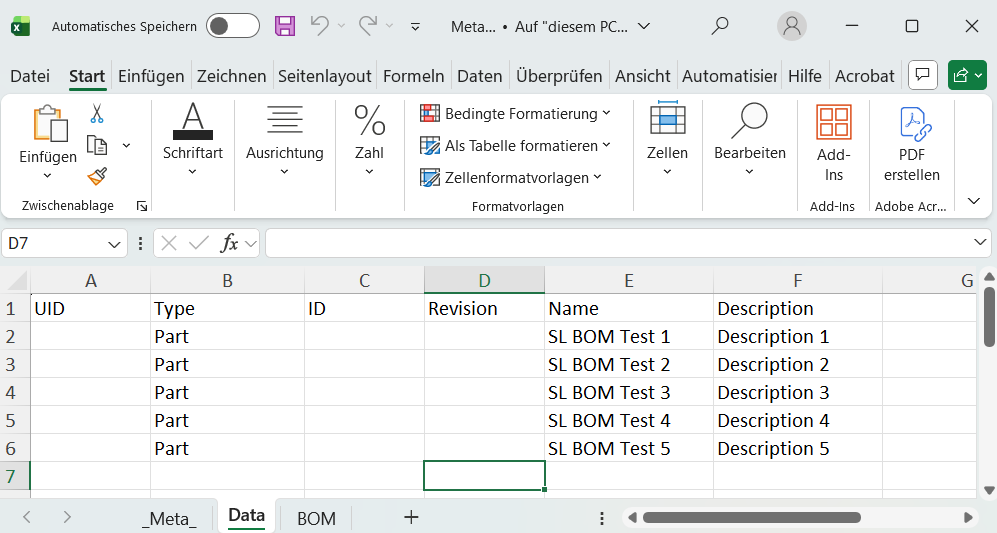
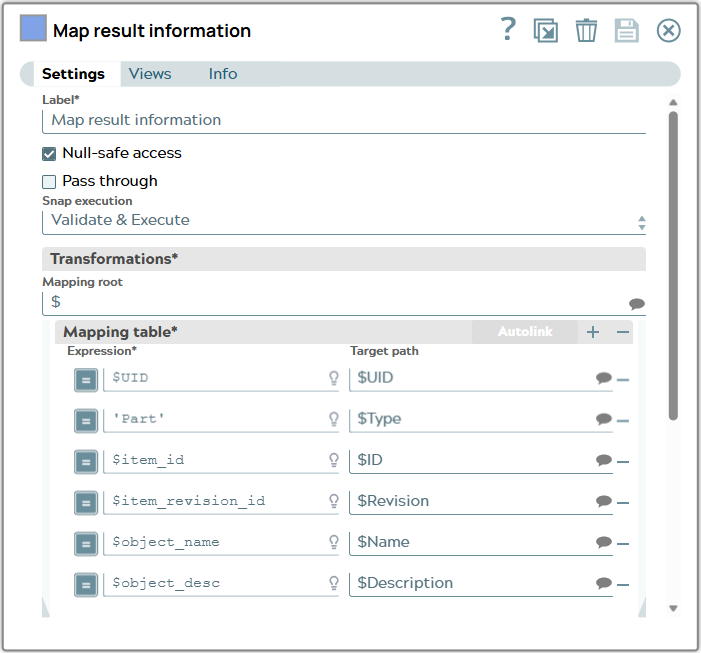
6:For mapping object transfer result for excel schema the mapper snap as in Create Teamcenter elements based on data from Excel sheet is used.
Snap configuration | Snap output |
|---|
| |
Differently mapped is the target Path for Type property. It is hard coded ‘Part’.
The values from object_name are to be mapped to Name property.
The values from object_desc are to be mapped to Description property.
The values from item_id are to be mapped to ID property.
The values from item_revision_id are to be mapped to RevisionID property.
The values from UID are to be mapped to UID property.
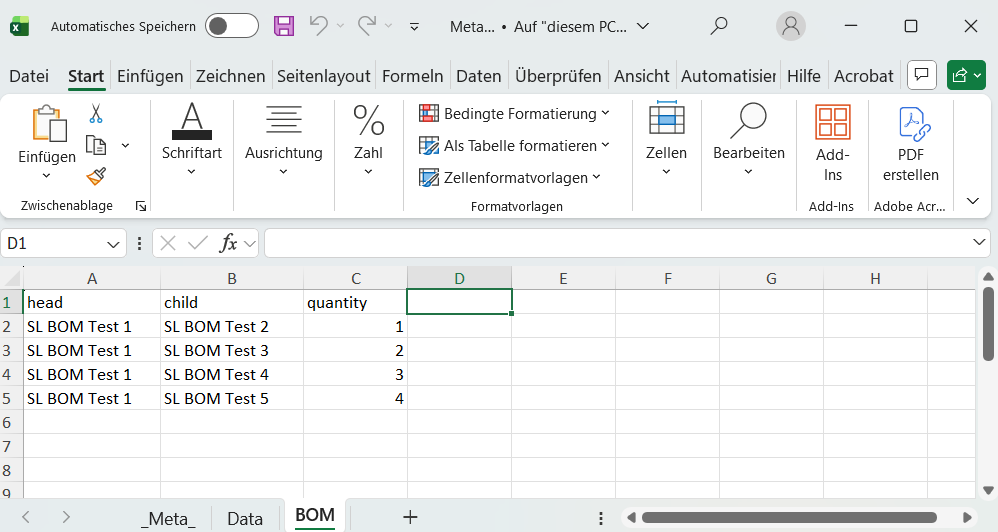
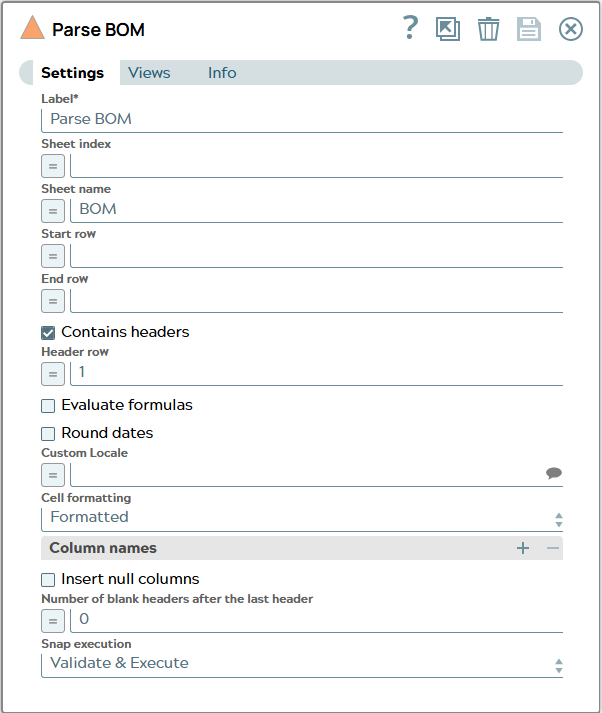
7: Since objects are transfered now BOM information can be processed. Back to Binary copy snap the second output view is used as input view for the Parser Snap. There the sheet name “BOM” is configured to read data from BOM tab.
Snap configuration | Snap output |
|---|
| |
Teamcenter relations are created between two objects using the internal ID to identify each object. The excel file didn’t contain this ID information but the object transfer result does. So next steps are used to merge ID information from child pipeline execution result into BOM relation information from excel.
A Join Snap is used to merge ID informations. To understand the merge the JSON of the excel and the JSON of the object transfer result is shown here.
JSON of object transfer result (each object contained “original_0” which was removed for readability reasons) | JSON of excel “BOM” tab |
|---|
[
  {
    "_id": "TC*Part Revision*null***AWPAANKN7hAnmD",
    "item_id": "052815",
    "item_revision_id": "A",
    "object_desc": "Description 1",
    "object_name": "SL BOM Test 1",
    "object_string": "052815/A;1-SL BOM Test 1",
    "object_type": "Part Revision",
    "object_type_DISPLAY": "Part Revision",
    "UID": "AWPAANKN7hAnmD",
    "original": {
      "object_type": "Part",
      "attributes": {
        "object_name": "SL BOM Test 1",
        "object_desc": "Description 1"
      }
    }
  },
  {
    "_id": "TC*Part Revision*null***AiNAANKN7hAnmD",
    "item_id": "052816",
    "item_revision_id": "A",
    "object_desc": "Description 2",
    "object_name": "SL BOM Test 2",
    "object_string": "052816/A;1-SL BOM Test 2",
    "object_type": "Part Revision",
    "object_type_DISPLAY": "Part Revision",
    "UID": "AiNAANKN7hAnmD",
    "original": {
      "object_type": "Part",
      "attributes": {
        "object_name": "SL BOM Test 2",
        "object_desc": "Description 2"
      }
    }
  },
  {
    "_id": "TC*Part Revision*null***AuBAANKN7hAnmD",
    "item_id": "052817",
    "item_revision_id": "A",
    "object_desc": "Description 3",
    "object_name": "SL BOM Test 3",
    "object_string": "052817/A;1-SL BOM Test 3",
    "object_type": "Part Revision",
    "object_type_DISPLAY": "Part Revision",
    "UID": "AuBAANKN7hAnmD",
    "original": {
      "object_type": "Part",
      "attributes": {
        "object_name": "SL BOM Test 3",
        "object_desc": "Description 3"
      }
    }
  },
  {
    "_id": "TC*Part Revision*null***A2FAANKN7hAnmD",
    "item_id": "052818",
    "item_revision_id": "A",
    "object_desc": "Description 4",
    "object_name": "SL BOM Test 4",
    "object_string": "052818/A;1-SL BOM Test 4",
    "object_type": "Part Revision",
    "object_type_DISPLAY": "Part Revision",
    "UID": "A2FAANKN7hAnmD",
    "original": {
      "object_type": "Part",
      "attributes": {
        "object_name": "SL BOM Test 4",
        "object_desc": "Description 4"
      }
    }
  },
  {
    "_id": "TC*Part Revision*null***A_JAANKN7hAnmD",
    "item_id": "052819",
    "item_revision_id": "A",
    "object_desc": "Description 5",
    "object_name": "SL BOM Test 5",
    "object_string": "052819/A;1-SL BOM Test 5",
    "object_type": "Part Revision",
    "object_type_DISPLAY": "Part Revision",
    "UID": "A_JAANKN7hAnmD",
    "original": {
      "object_type": "Part",
      "attributes": {
        "object_name": "SL BOM Test 5",
        "object_desc": "Description 5"
      }
    }
  }
]
| [
{
"head": "SL BOM Test 1",
"child": "SL BOM Test 2",
"quantity": "1"
},
{
"head": "SL BOM Test 1",
"child": "SL BOM Test 3",
"quantity": "2"
},
{
"head": "SL BOM Test 1",
"child": "SL BOM Test 4",
"quantity": "3"
},
{
"head": "SL BOM Test 1",
"child": "SL BOM Test 5",
"quantity": "4"
}
]
|
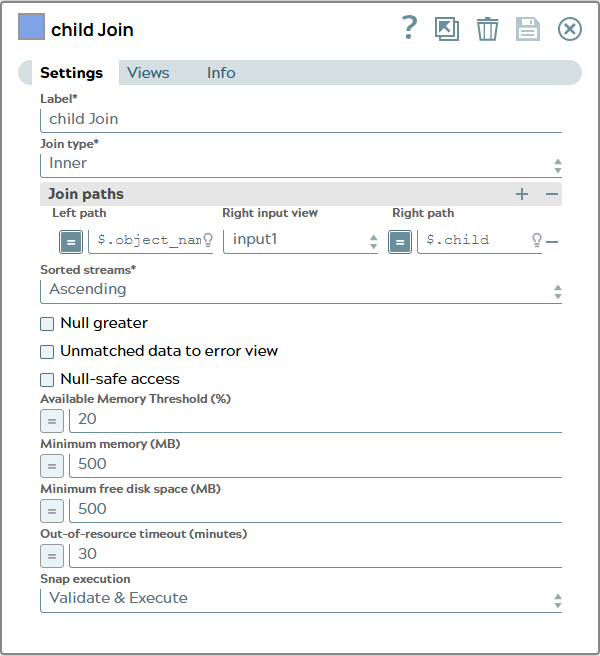
8: To merge ID information for child of each row the join compares object_name value of transfer result and name in child column.
Snap configuration | Snap output |
|---|
| [
{
"_id": "TC*Part Revision*null***AiNAANKN7hAnmD",
"item_id": "052816",
"item_revision_id": "A",
"object_desc": "Description 2",
"object_name": "SL BOM Test 2",
"object_string": "052816/A;1-SL BOM Test 2",
"object_type": "Part Revision",
"object_type_DISPLAY": "Part Revision",
"UID": "AiNAANKN7hAnmD",
"original": {
"object_type": "Part",
"attributes": {
"object_name": "SL BOM Test 2",
"object_desc": "Description 2"
}
},
"head": "SL BOM Test 1",
"child": "SL BOM Test 2",
"quantity": "1"
},
{
"_id": "TC*Part Revision*null***AuBAANKN7hAnmD",
"item_id": "052817",
"item_revision_id": "A",
"object_desc": "Description 3",
"object_name": "SL BOM Test 3",
"object_string": "052817/A;1-SL BOM Test 3",
"object_type": "Part Revision",
"object_type_DISPLAY": "Part Revision",
"UID": "AuBAANKN7hAnmD",
"original": {
"object_type": "Part",
"attributes": {
"object_name": "SL BOM Test 3",
"object_desc": "Description 3"
}
},
"head": "SL BOM Test 1",
"child": "SL BOM Test 3",
"quantity": "2"
},
{
"_id": "TC*Part Revision*null***A2FAANKN7hAnmD",
"item_id": "052818",
"item_revision_id": "A",
"object_desc": "Description 4",
"object_name": "SL BOM Test 4",
"object_string": "052818/A;1-SL BOM Test 4",
"object_type": "Part Revision",
"object_type_DISPLAY": "Part Revision",
"UID": "A2FAANKN7hAnmD",
"original": {
"object_type": "Part",
"attributes": {
"object_name": "SL BOM Test 4",
"object_desc": "Description 4"
}
},
"head": "SL BOM Test 1",
"child": "SL BOM Test 4",
"quantity": "3"
},
{
"_id": "TC*Part Revision*null***A_JAANKN7hAnmD",
"item_id": "052819",
"item_revision_id": "A",
"object_desc": "Description 5",
"object_name": "SL BOM Test 5",
"object_string": "052819/A;1-SL BOM Test 5",
"object_type": "Part Revision",
"object_type_DISPLAY": "Part Revision",
"UID": "A_JAANKN7hAnmD",
"original": {
"object_type": "Part",
"attributes": {
"object_name": "SL BOM Test 5",
"object_desc": "Description 5"
}
},
"head": "SL BOM Test 1",
"child": "SL BOM Test 5",
"quantity": "4"
}
]
|
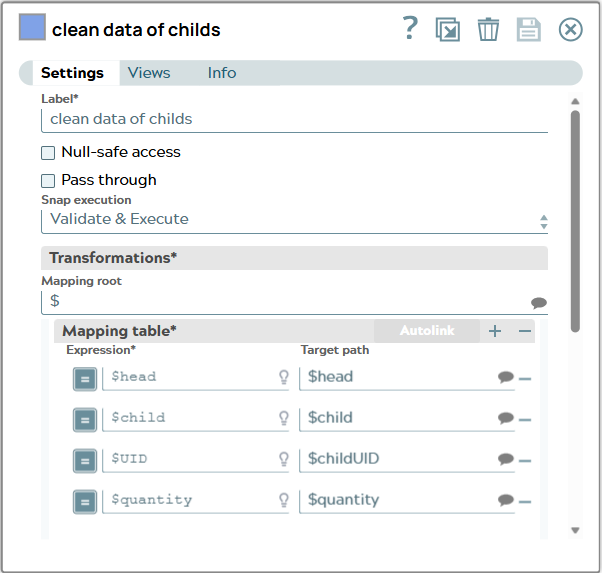
9: Resulting JSON has to much unnessecarry information now and needs to be cleaned. This is done in a Mapper Snap which maps the UID value to “childUID“. And the Mapper forwards three informations “head”, “child” and “quantity” which is basically the BOM tab information.
Snap configuration | Snap output |
|---|
| |
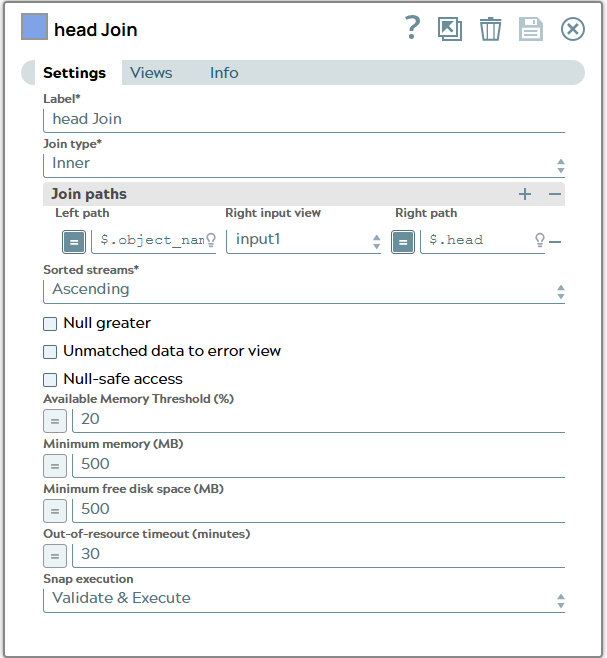
10: To merge ID information for head of each row the join compares object_name value of transfer result and value in head column.
Snap configuration | Snap output |
|---|
| [
{
"_id": "TC*Part Revision*null***AWPAANKN7hAnmD",
"item_id": "052815",
"item_revision_id": "A",
"object_desc": "Description 1",
"object_name": "SL BOM Test 1",
"object_string": "052815/A;1-SL BOM Test 1",
"object_type": "Part Revision",
"object_type_DISPLAY": "Part Revision",
"UID": "AWPAANKN7hAnmD",
"original": {
"object_type": "Part",
"attributes": {
"object_name": "SL BOM Test 1",
"object_desc": "Description 1"
}
},
"head": "SL BOM Test 1",
"child": "SL BOM Test 2",
"childUID": "AiNAANKN7hAnmD",
"quantity": "1"
},
{
"_id": "TC*Part Revision*null***AWPAANKN7hAnmD",
"item_id": "052815",
"item_revision_id": "A",
"object_desc": "Description 1",
"object_name": "SL BOM Test 1",
"object_string": "052815/A;1-SL BOM Test 1",
"object_type": "Part Revision",
"object_type_DISPLAY": "Part Revision",
"UID": "AWPAANKN7hAnmD",
"original": {
"object_type": "Part",
"attributes": {
"object_name": "SL BOM Test 1",
"object_desc": "Description 1"
}
},
"head": "SL BOM Test 1",
"child": "SL BOM Test 3",
"childUID": "AuBAANKN7hAnmD",
"quantity": "2"
},
{
"_id": "TC*Part Revision*null***AWPAANKN7hAnmD",
"item_id": "052815",
"item_revision_id": "A",
"object_desc": "Description 1",
"object_name": "SL BOM Test 1",
"object_string": "052815/A;1-SL BOM Test 1",
"object_type": "Part Revision",
"object_type_DISPLAY": "Part Revision",
"UID": "AWPAANKN7hAnmD",
"original": {
"object_type": "Part",
"attributes": {
"object_name": "SL BOM Test 1",
"object_desc": "Description 1"
}
},
"head": "SL BOM Test 1",
"child": "SL BOM Test 4",
"childUID": "A2FAANKN7hAnmD",
"quantity": "3"
},
{
"_id": "TC*Part Revision*null***AWPAANKN7hAnmD",
"item_id": "052815",
"item_revision_id": "A",
"object_desc": "Description 1",
"object_name": "SL BOM Test 1",
"object_string": "052815/A;1-SL BOM Test 1",
"object_type": "Part Revision",
"object_type_DISPLAY": "Part Revision",
"UID": "AWPAANKN7hAnmD",
"original": {
"object_type": "Part",
"attributes": {
"object_name": "SL BOM Test 1",
"object_desc": "Description 1"
}
},
"head": "SL BOM Test 1",
"child": "SL BOM Test 5",
"childUID": "A_JAANKN7hAnmD",
"quantity": "4"
}
]
|
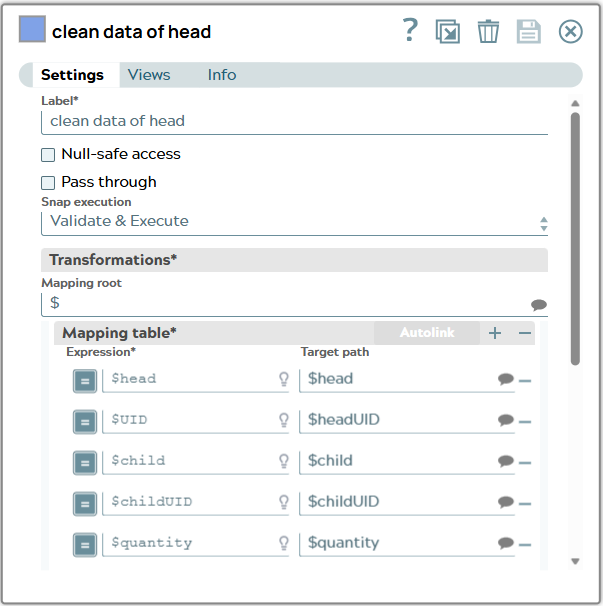
11: Resulting JSON has to much unnessecarry information and needs to be cleaned again. This is done in a Mapper snap which maps the UID value to “headUID“ and forwards now four informations “head”, “child”, “childUID” and “quantity”.
Snap configuration | Snap output |
|---|
| [
{
"head": "SL BOM Test 1",
"headUID": "AWPAANKN7hAnmD",
"child": "SL BOM Test 2",
"childUID": "AiNAANKN7hAnmD",
"quantity": "1"
},
{
"head": "SL BOM Test 1",
"headUID": "AWPAANKN7hAnmD",
"child": "SL BOM Test 3",
"childUID": "AuBAANKN7hAnmD",
"quantity": "2"
},
{
"head": "SL BOM Test 1",
"headUID": "AWPAANKN7hAnmD",
"child": "SL BOM Test 4",
"childUID": "A2FAANKN7hAnmD",
"quantity": "3"
},
{
"head": "SL BOM Test 1",
"headUID": "AWPAANKN7hAnmD",
"child": "SL BOM Test 5",
"childUID": "A_JAANKN7hAnmD",
"quantity": "4"
}
]
|
The result are now objects as in rows of excel including UID information for head and child.
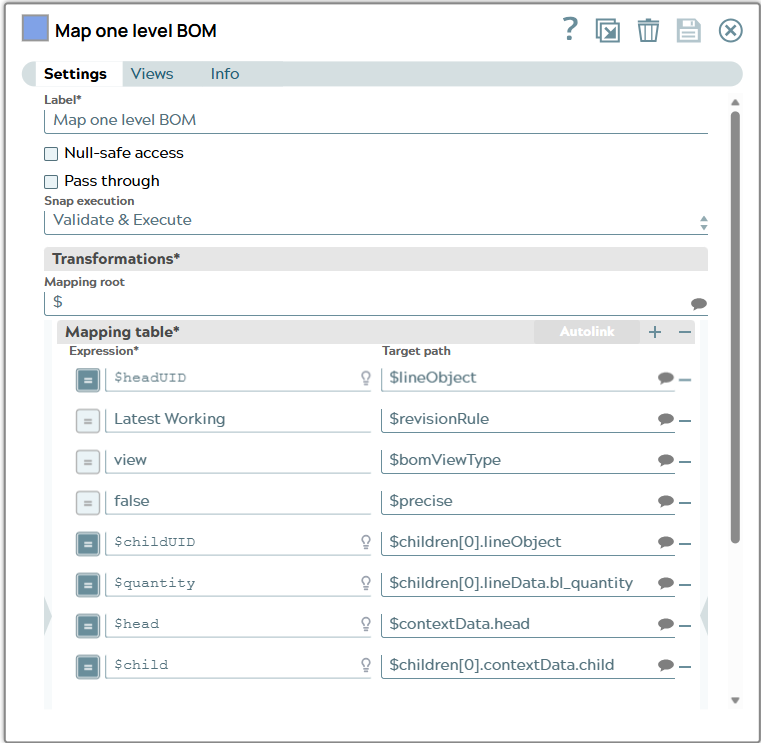
With this base information a BOM structure JSON document can be build as the Tc BOM Structure Create Snap expects as input. The schema of the Snap input is described in documentation. Its minimal content is based on “lineObject” objects including a list object “children” which include itself a lineObject per BOM line and optional lineData for relation attributes.
{
    "lineObject": "", //place UID of head here
    "revisionRule": "Latest Working",
    "bomViewType": "view",
    "precise": false,
    "children": [
      {
        "lineObject": "",  //place UID of child here
        "lineData": {
          "bl_quantity": "1" //as example
        }
      }
    ]
}
One head object can include n objects in children list.
12: The next Mapper Snap will form data of each JSON document into this schema.
Snap configuration | Snap output |
|---|
| [
{
"lineObject": "AWPAANKZ7hAnmD",
"revisionRule": "Latest Working",
"bomViewType": "view",
"precise": "false",
"children": [
{
"lineObject": "AiNAANKZ7hAnmD",
"lineData": {
"bl_quantity": "1"
},
"contextData": {
"child": "SL BOM Test 2"
}
}
],
"contextData": {
"head": "SL BOM Test 1"
}
},
{
"lineObject": "AWPAANKZ7hAnmD",
"revisionRule": "Latest Working",
"bomViewType": "view",
"precise": "false",
"children": [
{
"lineObject": "AuBAANKZ7hAnmD",
"lineData": {
"bl_quantity": "2"
},
"contextData": {
"child": "SL BOM Test 3"
}
}
],
"contextData": {
"head": "SL BOM Test 1"
}
},
{
"lineObject": "AWPAANKZ7hAnmD",
"revisionRule": "Latest Working",
"bomViewType": "view",
"precise": "false",
"children": [
{
"lineObject": "A2FAANKZ7hAnmD",
"lineData": {
"bl_quantity": "3"
},
"contextData": {
"child": "SL BOM Test 4"
}
}
],
"contextData": {
"head": "SL BOM Test 1"
}
},
{
"lineObject": "AWPAANKZ7hAnmD",
"revisionRule": "Latest Working",
"bomViewType": "view",
"precise": "false",
"children": [
{
"lineObject": "A_JAANKZ7hAnmD",
"lineData": {
"bl_quantity": "4"
},
"contextData": {
"child": "SL BOM Test 5"
}
}
],
"contextData": {
"head": "SL BOM Test 1"
}
}
]
|
The output contains now four documents including data in suitable schema for Tc BOM Snap.
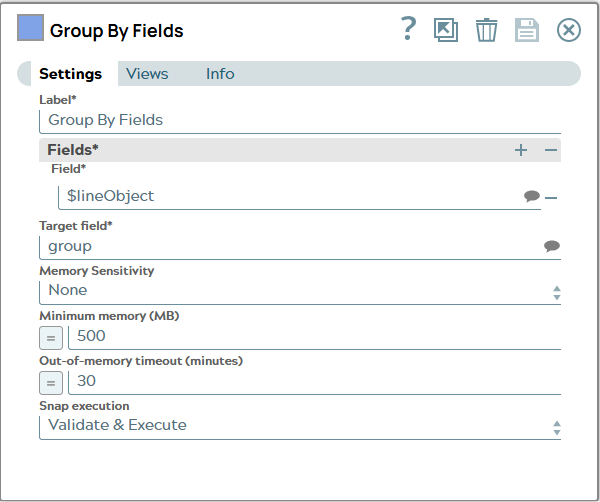
13: Now all children BOMLines will be collected which belong to the same BOM head. This can be realized by using a Group By Field Snap.
Snap configuration | Snap output |
|---|
| [
{
"groupBy": {
"lineObject": "AWPAANKZ7hAnmD"
},
"group": [
{
"lineObject": "AWPAANKZ7hAnmD",
"revisionRule": "Latest Working",
"bomViewType": "view",
"precise": "false",
"children": [
{
"lineObject": "AiNAANKZ7hAnmD",
"lineData": {
"bl_quantity": "1"
},
"contextData": {
"child": "SL BOM Test 2"
}
}
],
"contextData": {
"head": "SL BOM Test 1"
}
},
{
"lineObject": "AWPAANKZ7hAnmD",
"revisionRule": "Latest Working",
"bomViewType": "view",
"precise": "false",
"children": [
{
"lineObject": "AuBAANKZ7hAnmD",
"lineData": {
"bl_quantity": "2"
},
"contextData": {
"child": "SL BOM Test 3"
}
}
],
"contextData": {
"head": "SL BOM Test 1"
}
},
{
"lineObject": "AWPAANKZ7hAnmD",
"revisionRule": "Latest Working",
"bomViewType": "view",
"precise": "false",
"children": [
{
"lineObject": "A2FAANKZ7hAnmD",
"lineData": {
"bl_quantity": "3"
},
"contextData": {
"child": "SL BOM Test 4"
}
}
],
"contextData": {
"head": "SL BOM Test 1"
}
},
{
"lineObject": "AWPAANKZ7hAnmD",
"revisionRule": "Latest Working",
"bomViewType": "view",
"precise": "false",
"children": [
{
"lineObject": "A_JAANKZ7hAnmD",
"lineData": {
"bl_quantity": "4"
},
"contextData": {
"child": "SL BOM Test 5"
}
}
],
"contextData": {
"head": "SL BOM Test 1"
}
}
]
}
]
|
The output of the Snap is one groupBy lineObject since the example has only one BOM Head and a list of corresponding BOM rows for this BOM Head.
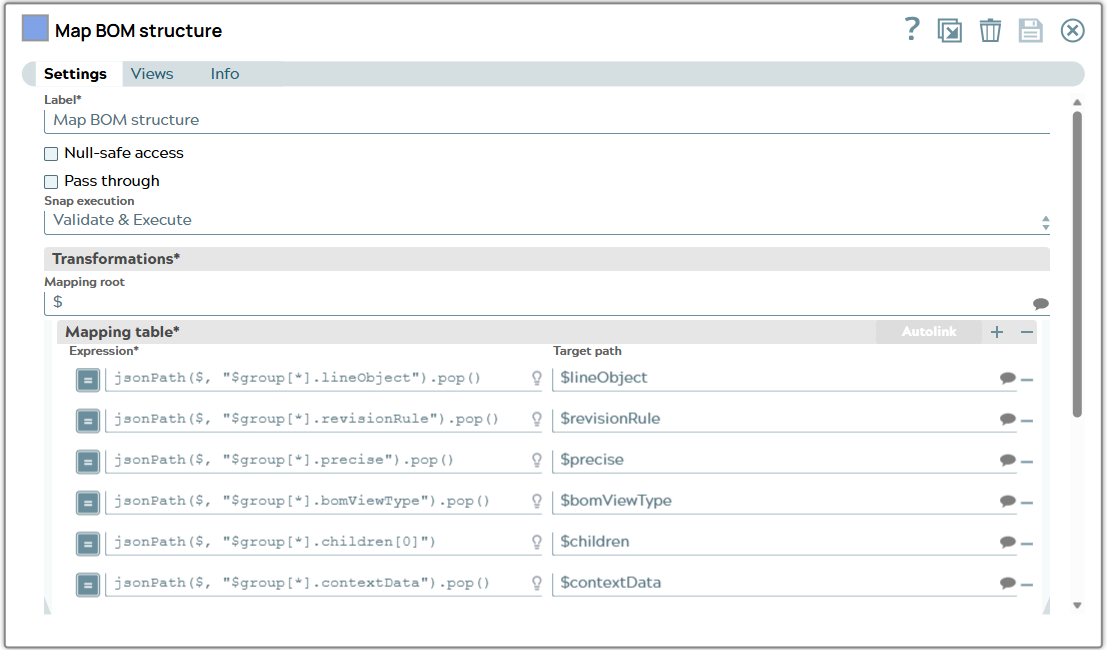
14: The next Mapper snap collects objects in group list to BOM schema.
Snap configuration | Snap output |
|---|
| [
{
"lineObject": "AWPAANKZ7hAnmD",
"revisionRule": "Latest Working",
"precise": "false",
"bomViewType": "view",
"children": [
{
"lineObject": "AiNAANKZ7hAnmD",
"lineData": {
"bl_quantity": "1"
},
"contextData": {
"child": "SL BOM Test 2"
}
},
{
"lineObject": "AuBAANKZ7hAnmD",
"lineData": {
"bl_quantity": "2"
},
"contextData": {
"child": "SL BOM Test 3"
}
},
{
"lineObject": "A2FAANKZ7hAnmD",
"lineData": {
"bl_quantity": "3"
},
"contextData": {
"child": "SL BOM Test 4"
}
},
{
"lineObject": "A_JAANKZ7hAnmD",
"lineData": {
"bl_quantity": "4"
},
"contextData": {
"child": "SL BOM Test 5"
}
}
],
"contextData": {
"head": "SL BOM Test 1"
}
}
]
|
Resulting document looks as Tc BOM Create Snap expects.
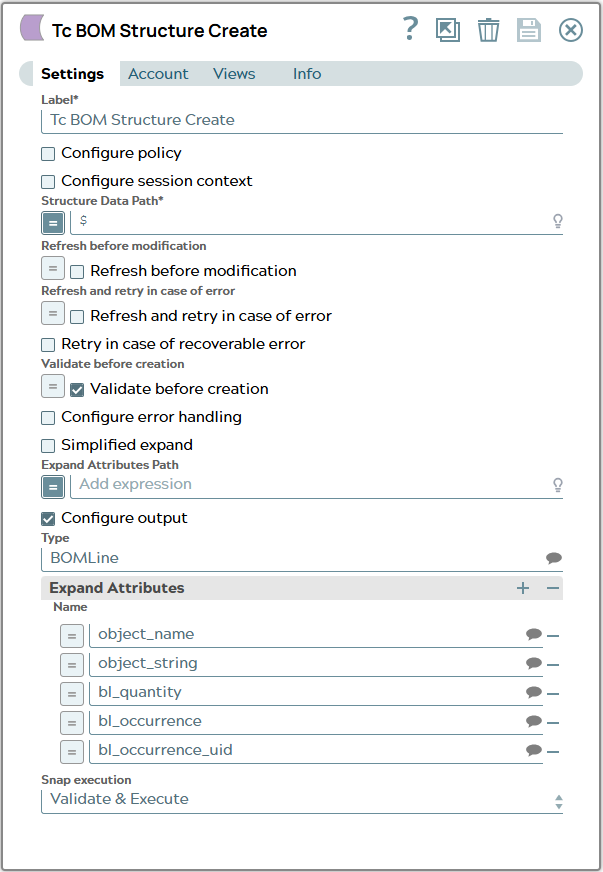
15: So all four children are in the children list. Whole document is given as input to Tc BOM Create Snap.
Snap configuration | Snap output |
|---|
| The output JSON can look like this. It shows four added children to the head object.
|
Tc BOM Create Snap execution can be successful or fail. Handling both cases to get data for filling excel file is handled similar to the use cases described before.
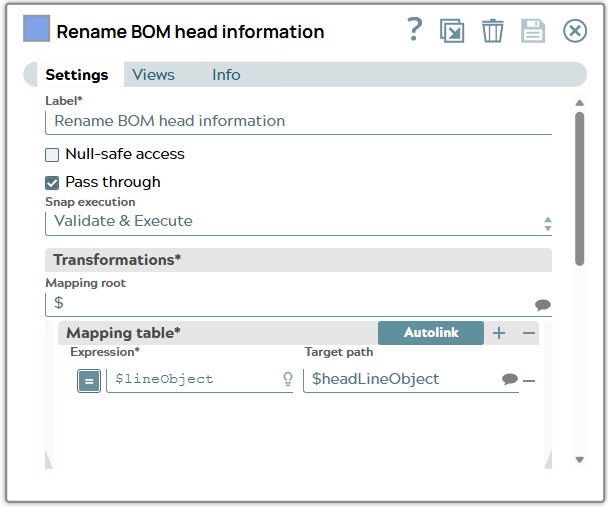
16: Success branch contains Mapper Snap, Splitter Snap and a second Mapper Snap. First lineObject of BOM head is mapped to new property “headLineObject”.
Snap configuration | Snap output |
|---|
| |
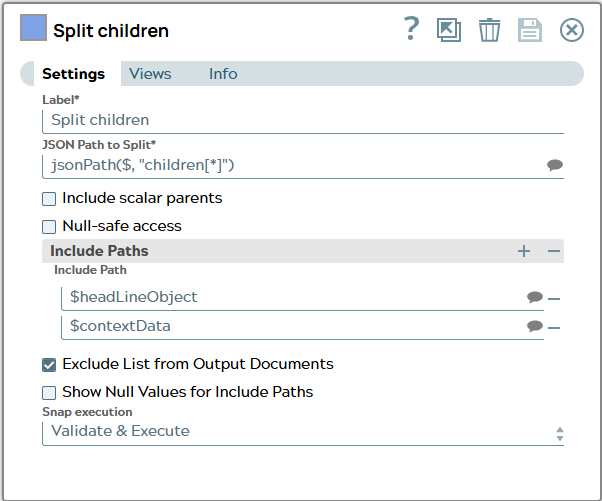
17: Splitter Snap splits children list and keeps headLineObject to each resulting document.
Snap configuration | Snap output |
|---|
| |
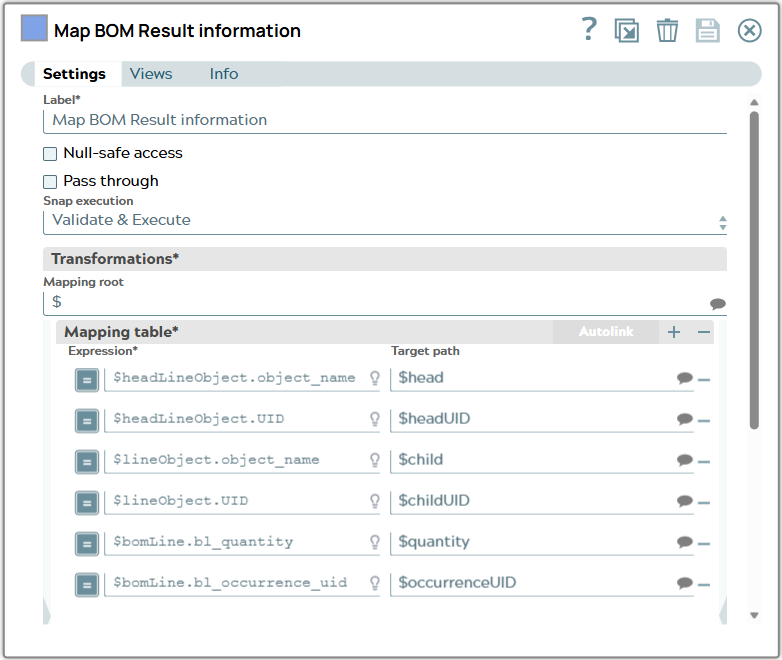
18: Each document represents one future row in excel file now and content can be mapped to column named fields.
Snap configuration | Snap output |
|---|
| |
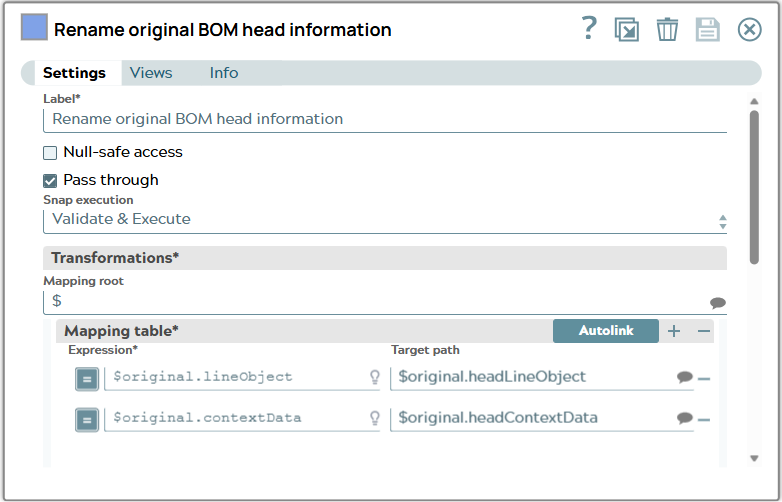
19: Branch to handle error message contains Mapper Snap, Splitter Snap and second Mapper Snap, too. First lineObject and contextData are mapped to head information.
Snap configuration | Snap output |
|---|
| |
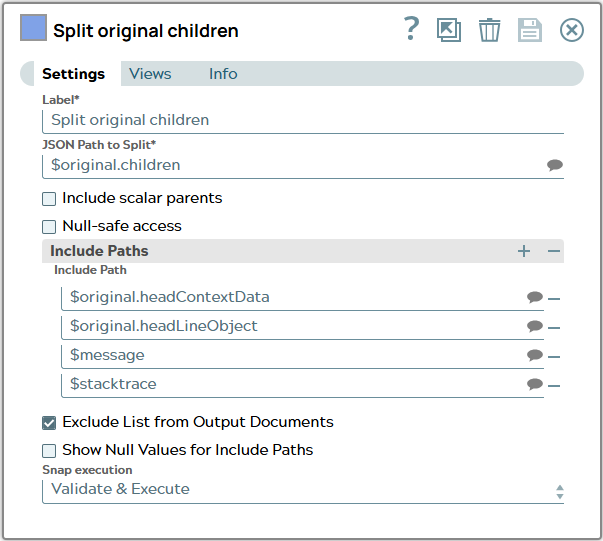
20: To get as much lines in excel as there were BOM lines children list of original message is splitted. Head information and error message are to be included in every resulting JSON document.
Snap configuration | Snap output |
|---|
| |
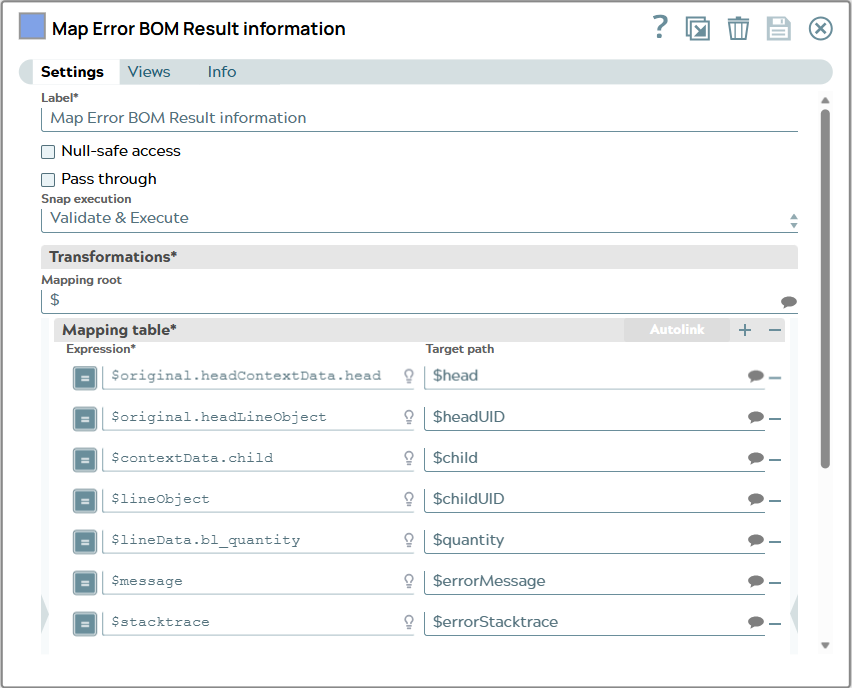
21: Each document represents one future row in excel file now and content can be mapped to column named fields. To former input information two columns are added for errorMessage and errorStacktrace.
Snap configuration | Snap output |
|---|
| |
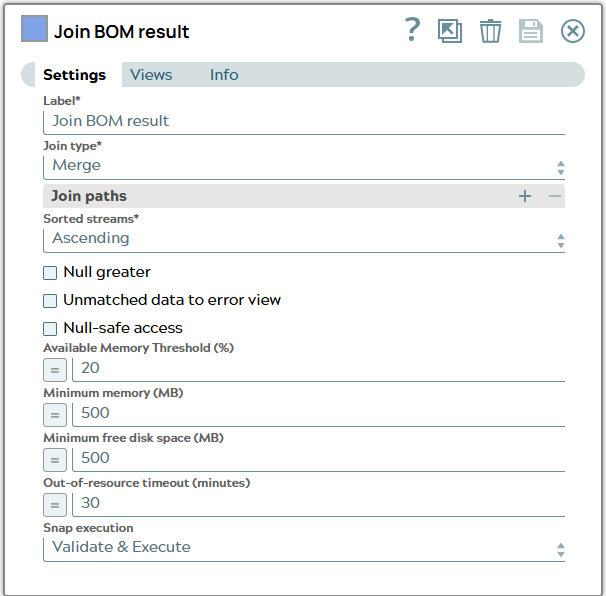
22: Both branches move together in a Join Snap.
Snap configuration | Snap output |
|---|
| |
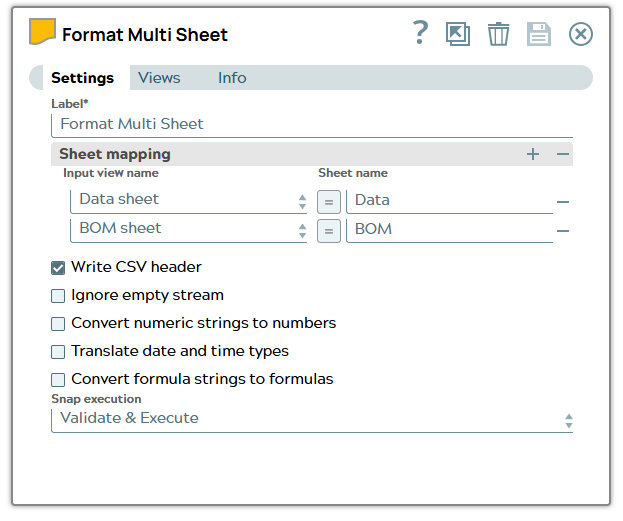
23: The Excel Formatter Snap has tow input views collecting documents with result of data processing and BOM processing. It converts the documents in XLSX format using a specified sheets and writes out binary data.
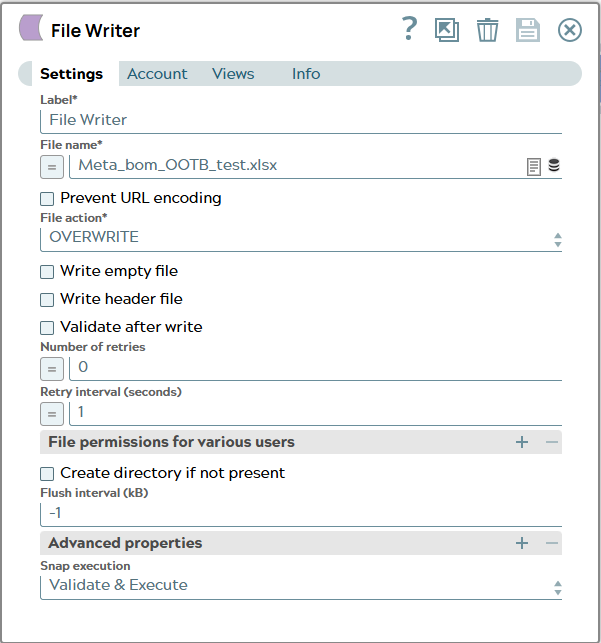
24: Last but not least the File Writer Snap is used to store the file “Meta_bom_OOTB_test.xlsx” in directory.
The whole pipeline is finished: