[
  {
    "success": "true",
    "original": {
      "content-type": "binary/octet-stream",
      "date": "Thu, 06 Aug 2026 12:50:10 GMT",
      "content-length": "64748",
      "server": "AmazonS3",
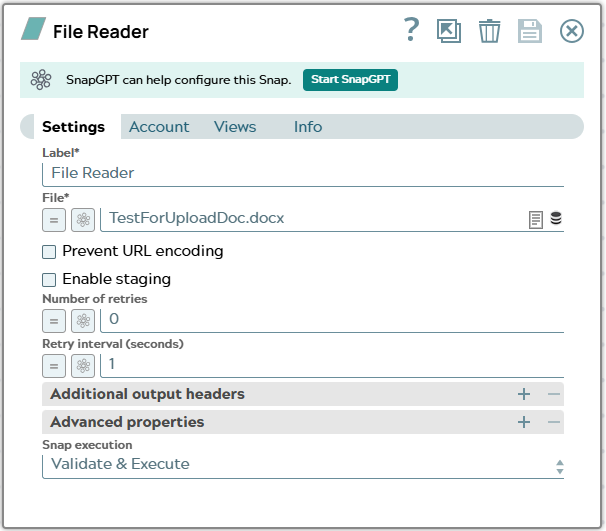
      "x-amz-meta-file_path": "Company_sandbox/projects/TC_DocumentationExamples/TestForUploadDoc.docx",
      "x-amz-server-side-encryption": "AES256",
      "x-amz-version-id": "mv.neBBVi1pRsMCJF04S.tYpCveT9ccp",
      "x-amz-meta-create_time": "2026-08-06 12:47:03.422500+00:00",
      "last-modified": {
        "_snaptype_datetime": "2026-08-06T12:47:04.000 UTC"
      },
      "x-amz-meta-file_id": "6a74824704febb0f744bf3cf",
      "x-amz-replication-status": "COMPLETED",
      "x-amz-meta-ttl": "0",
      "content-disposition": "attachment; filename=\"TestForUploadDoc.docx\"",
      "x-amz-meta-owner": "[email protected]",
      "x-amz-meta-expire_time": "2026-08-06 12:47:03.422500+00:00",
      "etag": "\"7c8e218a18c89631066602456bb3227a-1\"",
      "x-amz-request-id": "P8QABMGD0E54D1QS",
      "x-amz-meta-mimetype": "application/vnd.openxmlformats-officedocument.wordprocessingml.document",
      "x-amz-id-2": "8oBaB/tvkeOMUDLTPkqTTlxYydTjM/1Qjdc+rmRmGtsfLYnur9aYOjYBHsI6hyq9pHKso8FTIeAwbIPPRm7yNTarBYRXkNiv",
      "accept-ranges": "bytes",
      "content-location": "sldb:///TestForUploadDoc.docx"
    }
  }
]
|