


View concurrent pipeline users
Viewing avatars of users editing the same pipeline.
Viewing concurrent pipeline users is a feature that is managed via a feature flag. Contact your CSM to enable this feature for your Environment/Org. With this feature enabled, you can view the circular avatar icons (with user initials) on the top-right in the global header bar of the Designer for all other users currently viewing the same pipeline. This can alert users that someone else might be editing the pipeline. These avatars are displayed only for users who have not been idle for more than five minutes.
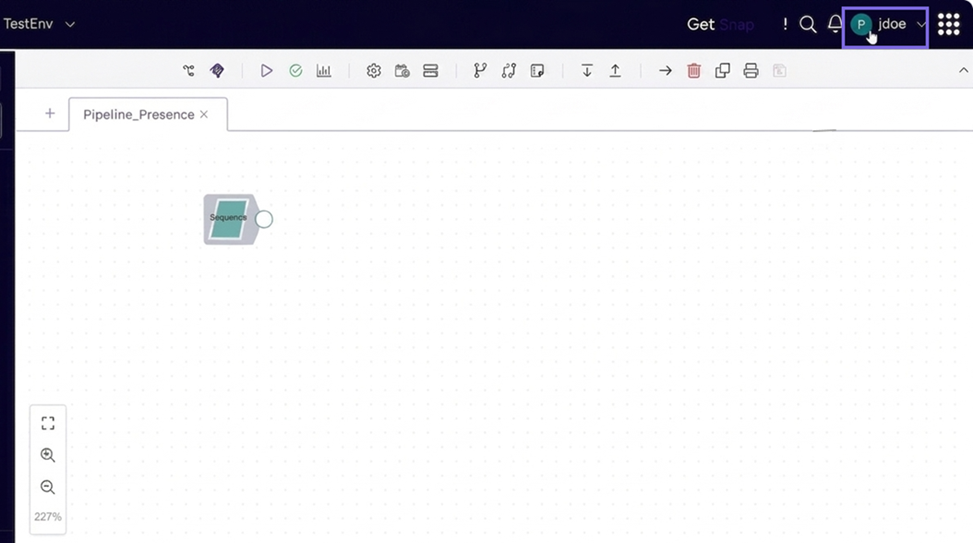
When the PIPELINE_PRESENCE feature flag is OFF (default), no user
presence icons appear in the Designer.
How does this feature work?
When you open a pipeline in the Designer, the system sends periodic heartbeats to the server. In return, it receives a list of other users currently viewing the same pipeline. Those users appear as circular initials-based icons in the top-right area of the global header (between the bell icon and the user menu).
Prerequisites
-
PIPELINE_PRESENCEfeature flag must be enabled for your Environment. Reach out to your CSM to enable the feature flag.
Known limitations
-
This feature provides presence awareness only — it does not prevent concurrent edits or provide locking.
Key features
-
Avoids conflicts: Helps you coordinate edits and avoid save conflicts.
-
Active vs. Idle ordering: User icons are displayed from most active to least active (idle). Idle users appear grayed out.
-
Idle detection: A user is marked idle to other viewers within a few seconds of leaving the pipeline (switching browser tabs or windows).
-
Pipeline tab switching: When you switch to a different pipeline tab, the previous pipeline's viewers disappear from the header and the new pipeline's viewers load.
-
Maximum visible avatars: Up to four user avatars are displayed; additional users are represented by a count indicator.
-
Automatic cleanup: If a user closes the browser tab or navigates away, their icon is removed. A TTL-based server-side cleanup handles cases where the explicit leave signal is missed (for example, browser crash).
Configurable Parameters (via Flagsmith)
The PIPELINE_PRESENCE_HEARTBEAT_INTERVAL and
PIPELINE_PRESENCE_IDLE_TIMEOUT properties control time between
heartbeats and how long an avatar appears as idle (after the user leaves the pipeline)
before it disappears from the header.
| Parameter | Description |
|---|---|
PIPELINE_PRESENCE_HEARTBEAT_INTERVAL |
Time between heartbeats to signal the user is still active on the
pipeline. You must set this value between 15-120 seconds. Default value: 60 seconds |
PIPELINE_PRESENCE_IDLE_TIMEOUT |
Duration after which an idle user's icon disappears from the
header. This value can be configured in Flagsmith.
Default value: 5 minutes |