


Use Case: Synchronizing Purchase Order from one system to SAP S/4HANA Cloud and log activity
Problem
Customers regularly place purchase orders. These orders can be for different organizations, business units, or departments, and they can be registered in different systems.
Companies often receive purchase orders from different customers for different organizations or business units, and these purchase orders are frequently registered in different systems. You must keep these systems synchronized to maintain a complete overview of the orders placed. In this use case, the purchase order is created in SAP S/4HANA Cloud.
Solution
Use the SAP S/4HANA Cloud Create Snap to transfer the purchase order data from the source system to the SAP S/4HANA Cloud instance. The Snap requires minimal configuration, and the creation details are logged to a file.

Understanding the Solution
The Pipeline reads a purchase order from a file server, parses and maps it to the SAP S/4HANA Cloud purchase order entity, creates the record, and writes the response to a file so that the creation is logged.
-
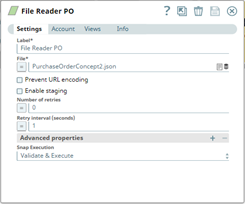
Configure the
File Reader
Snap
(File Reader PO) to read the purchase order file extracted from the
file server.
-
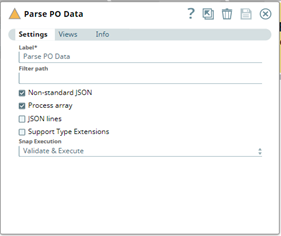
Configure the JSON Parser Snap
(Parse PO Data) to parse the data in the file.
-
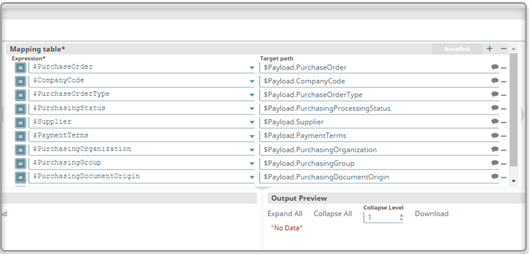
Configure the Mapper Snap
(Map Purchase Order) to extract the purchase order data that you
want, mapping each source path to its target path.
-
Configure the SAP S/4HANA Cloud Create Snap to create
the purchase order at the SAP S/4HANA Cloud instance.
The Snap uses the API object
API_PURCHASEORDER_PROCESS_SRV_0001and the entityA_PurchaseOrder.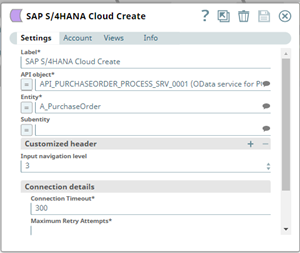
-
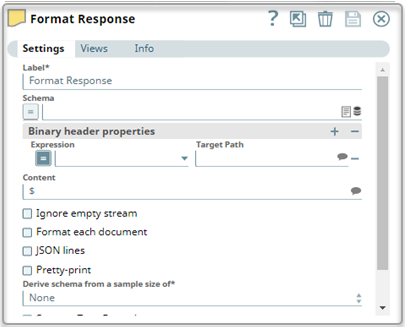
Configure the JSON
Formatter Snap
(Format Response) to read the JSON document data from its input
view, format the data, and write it as JSON binary data to its output view.
-
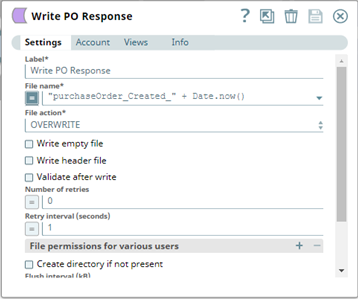
Configure the
File Writer
Snap
(Write PO Response) to write the formatted response to a file so
that the creation of the purchase order is logged.
- Download and import the SLP file into your Environment.
- Configure Snap accounts.
- Provide Pipeline parameters, if any.