


Azure Storage Account for Hadoop
Overview
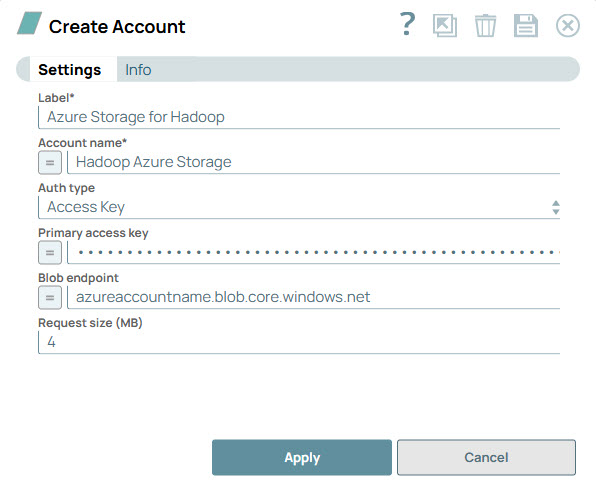
Account settings
| Field/Field set | Description | ||
|---|---|---|---|
| Label
|
Specify a unique name for the account. Default value: N/A Example: Azure Account for Hadoop |
||
| Account name
|
Specify the Azure storage account name. Default value: N/A Example: azureaccountname |
||
| Auth Type
|
Select the authorization type that you want to consider while setting up the account. Available options are:
Default value: N/A Example: SAS URI |
||
| Access Key
|
Appears when you select Access Key in the Auth Type. Specify the primary access key is associated with the Azure storage account. Default value: N/A Example: abc123DEF456ghi789JKL012mno345PQR678stu901VWX234yz567ABCD890efgh== |
||
| SAS URI
|
Appears when you select SAS URI in the Auth Type. Specify the URI containing SAS token to perform read/write operations in the Azure Storage account. Note: SAS URI is generated in the Azure
portal or from the SAS Generator Snap. Default value: N/A Example: azureaccountname.blob.core.windows.net |
||
| Blob endpoint
|
This is the Azure storage blob endpoint. Leave this property empty to use the default endpoint ("https://<storage-account-name>.blob.core.windows.net"). Default value: N/A Example: azureaccountname.blob.core.windows.net |
||