


Active Directory List Users
Overview
The Active Directory List Users Snap lists the user with the specified Distinguished Name in Active Directory.
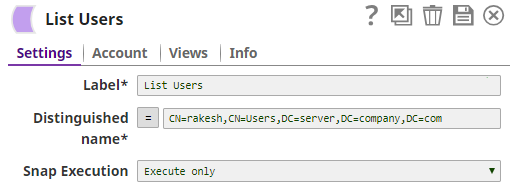
- This is a Read-type Snap.
 Works in Ultra Tasks
Supported Accounts
Prerequisites
None.
Snap views
| Type | Description | Examples of upstream and downstream Snaps |
|---|---|---|
| Input |
This Snap has exactly one document input view. Expected input: Distinguished name. |
|
| Output |
This Snap has exactly one document output view. Expected output: Lists the users in Active Directory based on the provided distinguished name. |
|
| Learn more about Error handling. | ||
Snap settings
| Field/Field set | Description |
|---|---|
Label
String |
Specify a unique name for the Snap. Modify this to be more appropriate, especially if more than one of the same Snaps is in the pipeline. Default value: Active Directory List Users |
Distinguished name
String/Expression |
Required. The LDAP API references an LDAP object by its distinguished name (DN). A DN is a sequence of relative distinguished names (RDN) connected by commas. An RDN is an attribute with an associated value in the form The typical RDN attribute types include:
This field is applicable only to existing users. If the user does not exist, create an entry using the Active Directory Create Entry Snap first. Example: You can also use special characters in the distinguished name. See using special characters in Distinguished Name. Default value: None |
Pass through
Checkbox |
Select to include the entire input data in the Snap's output. The Snap includes this data within the Default value: Not selected |
Snap execution
Dropdown list |
Choose one of the three modes in
which the Snap executes. Available options are:
|