


DynamoDB Delete Table Item
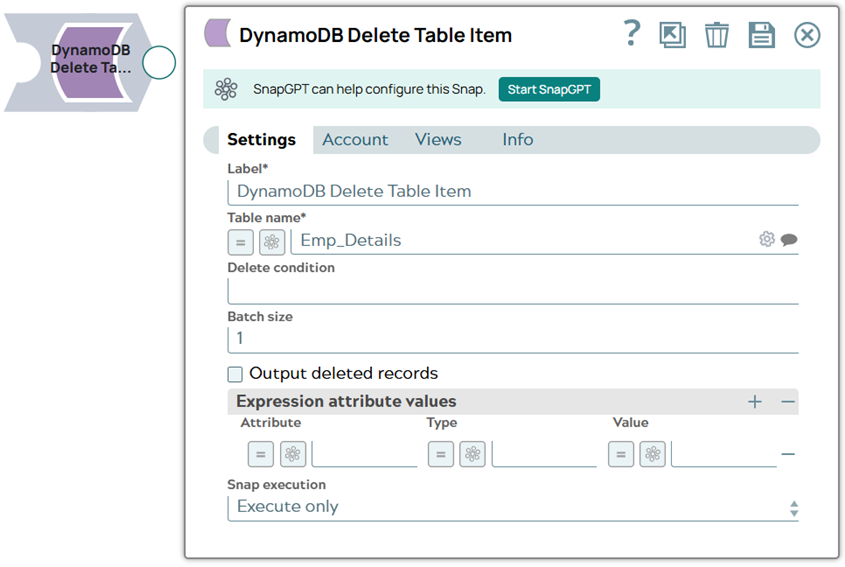
To select the items to delete with a query instead of a Delete
condition, use a longer pipeline: DynamoDB Query → Mapper → DynamoDB Delete Table Item. In the Mapper
Snap, map $yourPartitionKey to $Key.yourPartitionKey and
$yourSortKey to $Key.yourSortKey.
Supported Accounts
- This is a Write-type Snap.
 Works in Ultra Tasks
Snap views
| Type | Description | Examples of upstream and downstream Snaps |
|---|---|---|
| Input | This Snap has exactly one document input view. The table's key schema is
suggested on input view.
Example: |
|
| Output | This Snap has exactly one document output view. This Snap returns an HTTP response code 200 on success. | |
| Learn more about Error handling. | ||
Snap settings
| Field/Field set | Description | ||||||||||||
|---|---|---|---|---|---|---|---|---|---|---|---|---|---|
|
Label String
|
Specify a unique name for the Snap. Modify this to
be more appropriate, especially if there are more than one of the same Snap in the
pipeline.
Default value: DynamoDB Delete Table Item |
||||||||||||
Table name String/Expression |
Required. The name of the table to delete the data from. This
property is suggestible, which shows the list of the tables in the database. Default value: None Example: Thread |
||||||||||||
Delete condition String/Expression |
Specify a logical condition to delete the item. This field is optional and does
not pick the item to delete. It is a check that has to pass for the delete
operation to succeed (for example, delete only if
Note:
Default value: None Example deletion scenarios:
When to use each important field in this Snap:
|
||||||||||||
Batch size Integer/Expression |
Specifies the number of records to be deleted in a single request. Default value: 1 |
||||||||||||
Output deleted records Checkbox |
Specifies whether or not to display the original records in the output view.
Default value: Not selected |
||||||||||||
|
Expression attribute values |
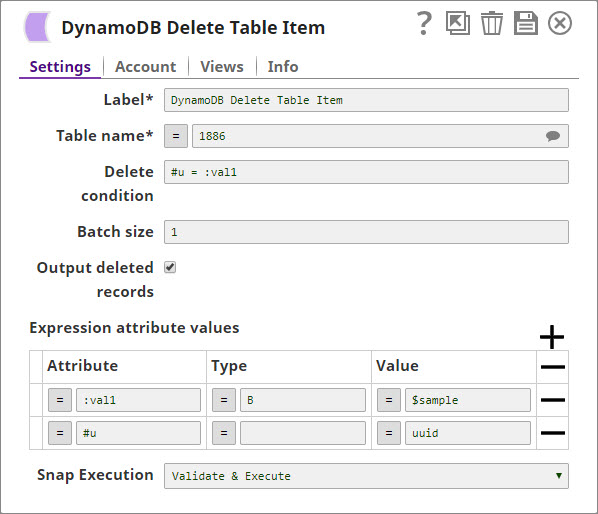
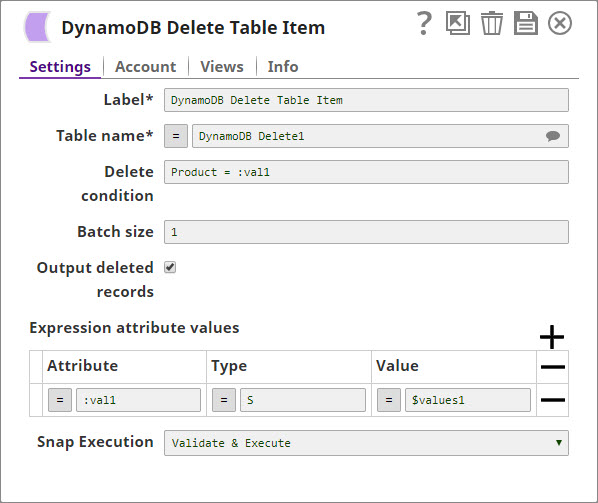
Specify the placeholders ( Example:
Note: DynamoDB reserves certain words and they are called reserved words. You must
not use reserved words as attribute names in expressions. If you must write an
expression that contains a word that conflicts with a DynamoDB reserved word, then
you can define an expression attribute name to use in the place of the reserved
word. For more information, see Expression Attribute Names. Similarly, you
cannot use certain values as attribute values in expressions and instead must
define an expression attribute name. For more information, see Expression Attribute Values.
|
||||||||||||
Attribute
String/Expression |
The expression attribute name. Begins with a # for names and
: for values. Default value: None Example:
|
||||||||||||
Type
String/Expression |
The attribute type. Blank for Expression Attribute Names. B
for binary, S for string, N for number,
BOOL for Boolean, and so on, for values.
Default value: None Example:
|
||||||||||||
Value
String/Expression |
The actual literal to be used in the delete condition. Default value: None Example:
|
||||||||||||
|
Snap execution Dropdown list
|
Choose one of the three modes in
which the Snap executes. Available options are:
Default value: Execute only |
DynamoDB Complex types
DynamoDB supports the following complex types:
| Sets |
String Set [SS] |
A value of this type contains a set of strings delimited by double quotes as follows: Pattern: Example: |
|
Number Set [NS] |
A value of this type contains a set of numbers delimited by double quotes as follows: Pattern: Example: |
|
|
Binary Set [BS] |
A value of this type contains a set of base64-encoded binary data objects delimited by double quotes as follows: Pattern: Example: |
|
|
List (L) |
A value of this type contains a set of objects. Each object further can be of any type (String, Number, String Set, Map, List etc.,). In general, the List object resembles a JSON array. Pattern: Example:
|
|
|
Map (M) |
A value of this type contains a set of key-value pairs. Keys are always strings, whereas values can be of any type (String, Number, String Set, Map, List etc.,). In general, the Map object resembles a JSON object. Pattern: {"Key1":Object1, "Key2": Object2......"Keyn": Objectn} Example: {"id":{"S":"snaplogic"}, "orgs":{"L":[{"S":"uat"}, {"S":"qa"}]}, "admins":{"L":[{"M":{"name":{"S":"a"}}}, {"M":{"name":{"S":"45"}}}]}} |
|
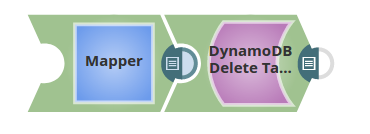
The pipeline using the Binary Set types for the Delete Table Item Snap: |
 |
|
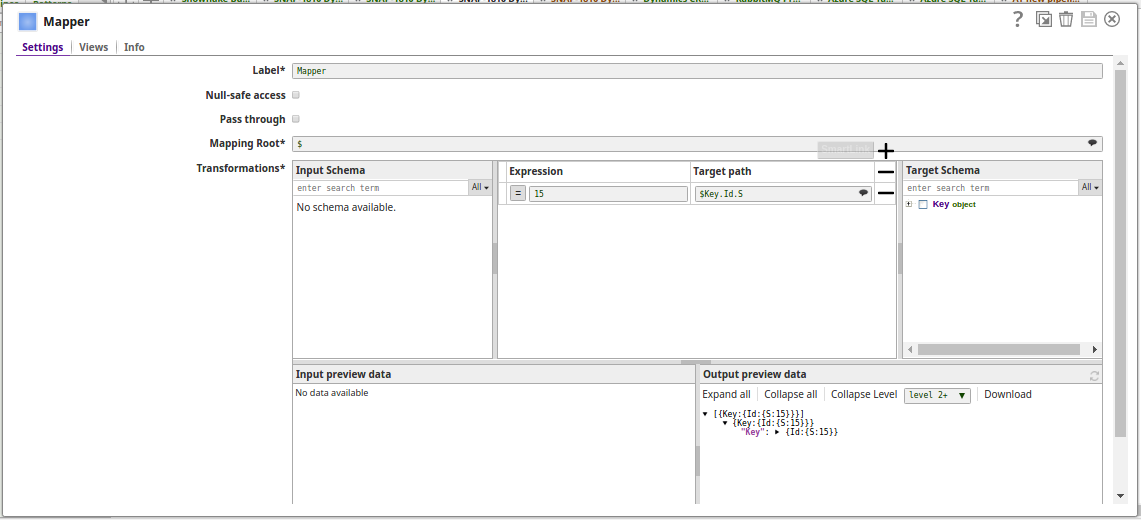 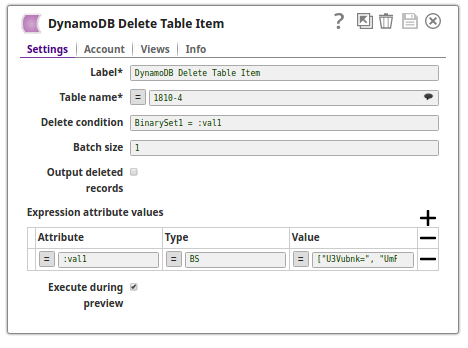 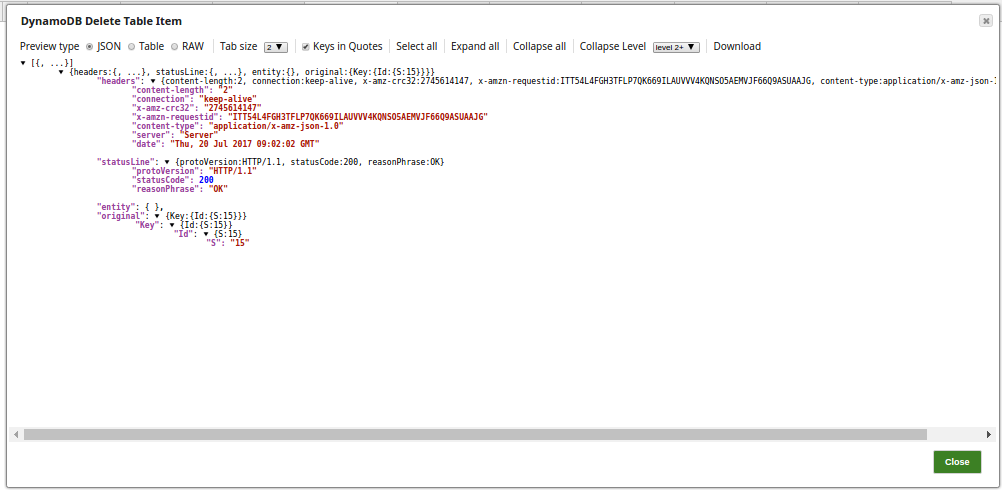 |
||
Troubleshooting
| Error | Reason | Resolution | ||||||
|---|---|---|---|---|---|---|---|---|
| NullPointerException at DynamoDBCommon.getPrimaryKey | There is a missing or incomplete Key in the input document.
|
Add a Mapper that builds the full
Key structure. For example, in a pipeline that uses the DynamoDB Scan
and DynamoDB Delete Table Item Snaps, add a Mapper Snap before the DynamoDB
Delete Table Item Snap so that your primary key is in the correct structure. If
your primary key is UserOkta and your Sort Key is
CreatedDateTime, the Mapper Snap would have the following
expressions:
|