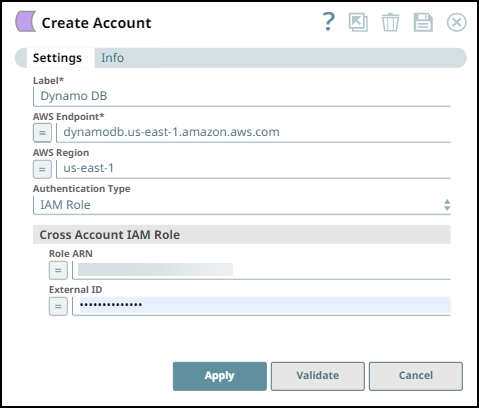
Configure the Cross-Account IAM Role in the AWS
Overview
The Cross-Account IAM Role enables a client from an AWS account to access the resources of another AWS account temporarily using the Snaps that support Cross IAM role functionality. This helps organizations or different teams in an organization to access each other's AWS accounts without compromising security by sharing AWS credentials.
Prerequisites
- Familiarity with the SnapLogic and AWS platform.
- DynamoDB Account
Key Steps
- Create a Cross-Account IAM Role and Policy in AWS Account
- Associate the IAM Policy to the Created Role
- Account Settings for Access Through SnapLogic
Create the Cross-Account IAM Role and Policy in the AWS Account
-
Log in to the AWS Management Console and navigate to IAM > Roles.
-
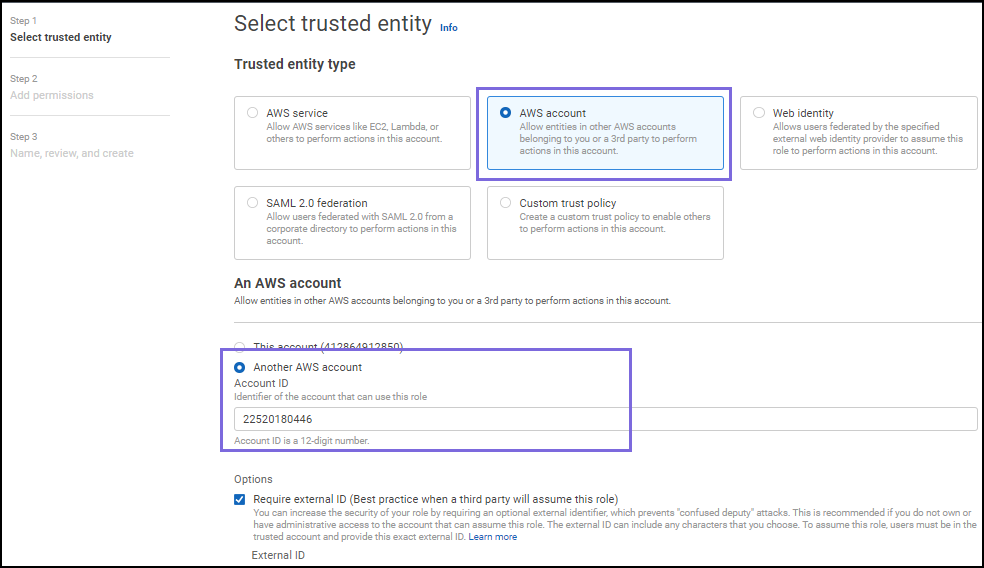
Click Create role > Another AWS Account. Specify the account ID for the other account that will access your account.
-
Enter the account number of the access seeker in the Account ID field. For more information, refer to AWS Account Identifiers.
- Optionally, add an additional security layer to authenticate for each login by checking the Options checkbox next to Require external ID.
-
Click Next: Permissions. When the Attach permission policies screen displays where you can set the permissions, select the checkbox next to the applicable policy for this role.
- Optionally, as appropriate add tags. Click Next: Tags to skip to the next screen.
-
Click Next: Review to skip to the next screen.
-
Review the information displayed and add a name for the role. Click Create role.
Learn more at AWS IAM User Guide.
Associate the IAM Policy with the Created Role
-
In the AWS console, click Users and select the username which is listed in the table.
-
On the Summary screen, select the desired user and click Add inline policy to attach the policy.
-
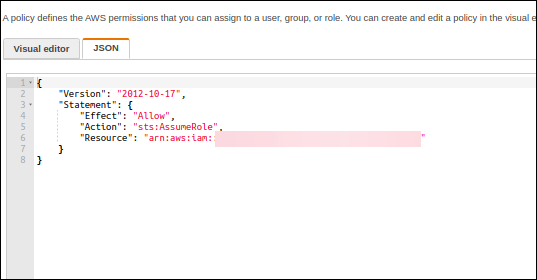
Click the JSON tab, enter the policy's details in the editor, and Click Review Policy.
-
Review the policy summary. Add a name and, optionally, a description for this policy, and click Create policy. The policy is created and can now be assigned to the Cross-account IAM role.
{
    "Version": "2012-10-17",
    "Statement": [
        {
            "Effect": "Allow",
            "Action": "sts:AssumeRole",
            "Resource": "arn:aws:iam::<userid><IAM role>"
        }
    ]
}
Account Settings for Access Through SnapLogic
Specify the details based on the DynamoDB Account scenario. The credentials should belong to the IAM policy associated with the role.