


Box Read
read a file from Box as binary data.
Overview
You can use this Snap to read a file from Box as binary data.
Support and limitations
Works in Ultra Tasks.
Snap Views
| Input/Output | Description | Examples of Upstream and Downstream Snaps |
|---|---|---|
| Input | This Snap has at most one document input view. The input is File ID and File path. | |
| Output | This Snap has exactly one binary output view and reads the file from the specified file path. |
Snap settings
Note: Learn about
the common controls in the Snap settings dialog.
| Field/Field set | Description |
|---|---|
|
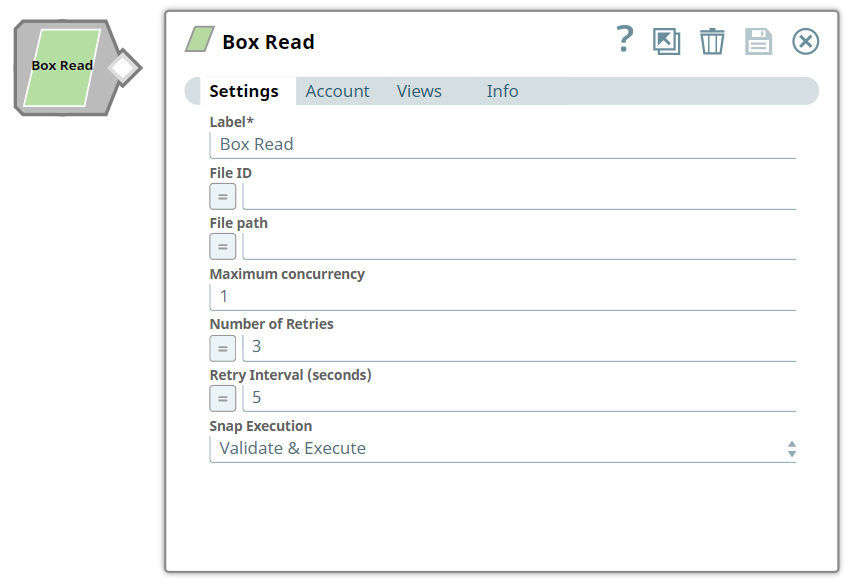
Label String
|
Required. Specify a name for the Snap. You can modify
this to be more specific, especially if you have more than one of the same Snap in
your Pipeline. Default value: Box Read Example: Box Read |
|
File ID String/Expression
|
Required. Specify the Box ID for a file to be read from
Box. Note: Due to the design of Box API, reading Box files by ID is
efficient than by using the file path, hence we recommend you to use File
ID wherever possible.
Default value: None. Example: 67970216081 or $FileID (Expression property) |
|
File Path String/Expression
|
Specify the file path of the file to be read. The file path is used if you do
not provide the File ID. Note: These characters are
(\/*?":<>|) not supported.
Default value: None. Example: folder1/folder2/file1.pdf |
|
Maximum concurrencyRequired. Integer
|
Specify the maximum number of files which can be downloaded concurrently. If
the value is more than 10, the Snap will set the value to 10 internally without
throwing an exception. Default value: 1 Example: 5 |
|
Number of retries Integer
|
Specify the number of attempts the Snap must make in case of connection failure
or timeout. Minimum value: 0 Default value: 0 Example: 3 |
|
Retry interval (seconds) Integer
|
Specify the minimum number of seconds the Snap must wait before each retry
attempt. Minimum value: 1 Default value: 1 Example: 3 Note: For existing Pipelines which have the Enable Staging
(deprecated field) checkbox selected, this Snap retries the connection once even
if the Number of Retries is zero.
|
|
Snap execution Dropdown list
|
Choose one of the three modes in
which the Snap executes. Available options are:
Default value: Execute only Example: Validate & Execute |