


GitHub File List
Overview
The GitHub File List Snap recursively indexes a repository's directory tree and outputs one metadata document per file, without reading file contents.
Use this Snap to build a file inventory or detect changes since a previous run. To
fetch file contents, chain this Snap's output to GitHub Docs Read and pass
$repository and $sha as expression field values. Pass
$head_sha from a previous execution to the Since
commit field to retrieve only added, modified, renamed, or removed files.
If more than 300 files changed in a single delta, GitHub returns all files as
added.
- This is a Read-type Snap.
 Works in Ultra Tasks
Supported Accounts
Prerequisites
None.
Snap views
| Type | Description | Examples of upstream and downstream Snaps |
|---|---|---|
| Input |
This Snap has at most one document input view. When connected, field values from the incoming document can be referenced
in expression-enabled fields using the |
|
| Output |
This Snap has one document output view. Each file is emitted as a separate metadata document. Removed files
(delta mode only) contain only |
|
| Learn more about Error handling. | ||
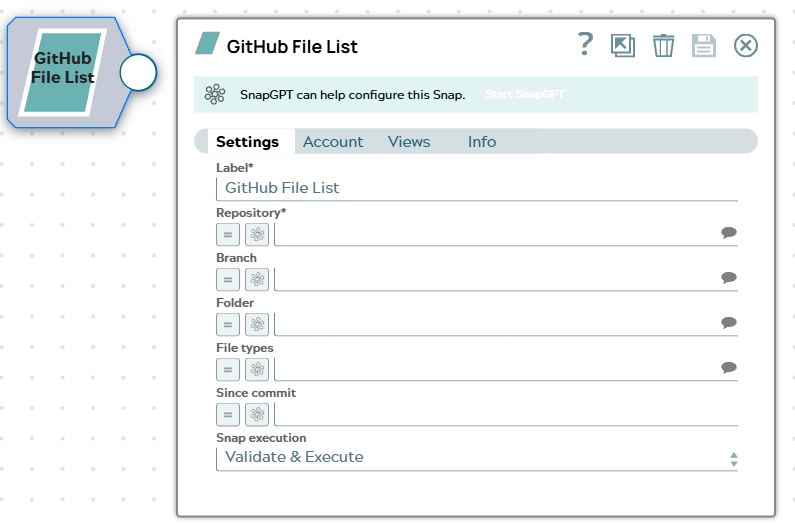
Snap settings
| Field/Field set | Description |
|---|---|
Label*
String |
Specify a unique name for the Snap. Modify this to be more appropriate, especially if more than one of the same Snaps is in the pipeline. Default value: GitHub File List |
Repository*
String/Expression |
Enter the repository to index, in
Default value: None Example: |
Branch
String/Expression |
Enter the branch name to index. Leave blank to use the repository's default branch. Default value: None Example: |
Folder
String/Expression |
Enter a relative directory path to restrict indexing to that directory and its subdirectories. Leave blank to index from the repository root. Default value: None Example: |
File types
String/Expression |
Enter a comma-separated list of file extensions to include. Only files with a matching extension are emitted. Leave blank to include all file types. Default value: None Example: |
Since commit
String/Expression |
Enter a commit SHA to retrieve only files added, modified, renamed, or
removed since that commit. Pass When more than 300 files changed since the specified commit, GitHub returns
all files with Default value: None Example: |
|
Snap execution Dropdown list
|
Choose one of the three modes in
which the Snap executes. Available options are:
Default value: Validate & execute |
Troubleshooting
| Error | Reason | Resolution |
|---|---|---|
| 404 Not Found | The branch name entered in Branch does not exist in the repository. | Verify the branch name and run the pipeline again. Leave Branch blank to use the repository's default branch. |