


HL7 Formatter
convert structured JSON documents into binary HL7 v2.5 formatted messages
Overview
Use this Snap to convert structured JSON documents into binary HL7 v2.5 formatted messages. The Snap formats the data according to the HL7 v2.5 standard, and can validate the result before writing it to the output view.
This Snap processes JSON data and transforms it into pipe-delimited HL7 v2.5 messages for integration with healthcare systems and applications.
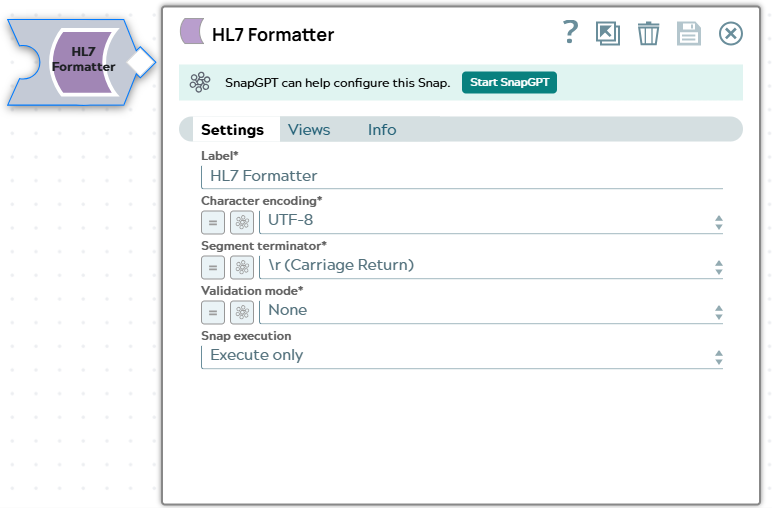
- This is a Format-type Snap.
 Does not support Ultra Tasks
Prerequisites
Valid JSON document containing HL7 v2.5 message data.
Limitations and known issues
None.
Snap views
| Type | Description | Examples of upstream and downstream Snaps |
|---|---|---|
| Input | JSON document containing valid HL7 message data. | |
| Output | Binary stream containing the formatted HL7 data. | |
| Learn more about Error handling. | ||
Examples
Snap settings
| Field/Field set | Description |
|---|---|
| Label
|
Specify a unique name for the Snap. Modify this to be more appropriate, especially if more than one of the same Snaps is in the pipeline. Default value: HL7 Formatter Example: HL7 ADT Formatter |
| Character encoding
|
Required. The character encoding scheme for the output content.
The available options are:
Default value: Example: |
| Segment terminator
|
Required. The character sequence that terminates each segment in the formatted HL7 message. This terminator enables the receiving system to identify the segment boundaries in the message. The available options are:
Default value: Example: |
| Validation mode
|
Required. The level of validation that the Snap applies to the formatted HL7 message. The available options are:
Default value: Example: |
|
Snap execution Dropdown list
|
Choose one of the three modes in
which the Snap executes. Available options are:
Default value: Validate & Execute Example: Execute only |