


PostgreSQL Multi Execute
Executes one or more SQL write statements sequentially inside a single transaction.
Overview
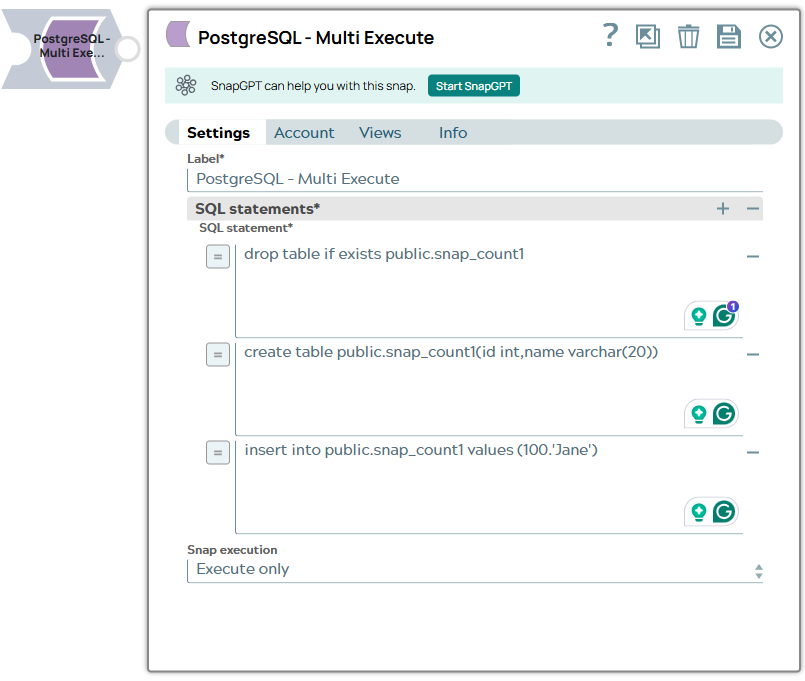
You can use this Snap to execute one or more SQL write statements sequentially inside a single transaction (BEGIN/END) for each input document. If one statement fails, all statements in that transaction are rolled back.
Note:
- If an SQL statement fails, subsequent SQL statements are not executed, and error output is passed to the error view (if you select the option Route Error Data to Error View).
- If all statements are successful, all output results are passed to the output view.
- This is a Write-type Snap.
 Works in Ultra Tasks
Known issues
-
SELECT statements are not supported.
Snap views
| Type | Description | Examples of upstream and downstream Snaps |
|---|---|---|
| Input |
|
|
| Output | One output document per input document, regardless of the SQL statements executed. | |
| Learn more about Error handling. | ||
Snap settings
Note: Learn about
the common controls in the Snap settings dialog.
| Field/Field set | Type | Description |
|---|---|---|
| Label
|
Specify a unique name for the Snap. Modify this
to be more appropriate, especially if more than one of the same Snaps is in the
pipeline. Default value: PostgreSQL - Multi Execute Example: PostgreSQL - Multi Execute |
|
| SQL Statements | Required. Define the list of SQL statements to be executed as a single transaction. | |
| SQL statement
|
Required. Specify the SQL statement to execute on the server. Default value: N/A Example:
|
|
| Snap Execution
|
Choose one of the three modes in which the Snap executes. Available options are:
Default value: Execute only Example: Validate & Execute |
|