


Azure Synapse SQL Table List
Overview
You can use this Snap to read data from Azure Synapse SQL and list tables.
- This is a Read-type Snap.
 Works in Ultra Tasks
Prerequisites
A valid Azure Synapse SQL Account with the required permissions.
Limitations
None.
Known issues
None.
Snap views
| Type | Description | Examples of upstream and downstream Snaps |
|---|---|---|
| Input |
Optional.Not used. |
None. |
| Output |
Document for each table in the database schema. |
|
| Learn more about Error handling. | ||
Snap settings
Legend:
- Expression icon (
 ): Allows using
pipeline parameters to set field values dynamically (if enabled). SnapLogic Expressions
are not supported. If disabled, you can provide a static value.
): Allows using
pipeline parameters to set field values dynamically (if enabled). SnapLogic Expressions
are not supported. If disabled, you can provide a static value. - SnapGPT (
 ): Generates SnapLogic Expressions
based on natural language using SnapGPT. Learn
more.
): Generates SnapLogic Expressions
based on natural language using SnapGPT. Learn
more. - Suggestion icon (
 ): Populates a
list of values dynamically based on your Snap configuration. You can select only one
attribute at a time using the icon. Type into the field if it supports a comma-separated
list of values.
): Populates a
list of values dynamically based on your Snap configuration. You can select only one
attribute at a time using the icon. Type into the field if it supports a comma-separated
list of values. - Upload
 : Uploads files. Learn more.
| Field/Field set | Description | ||
|---|---|---|---|
| Label
|
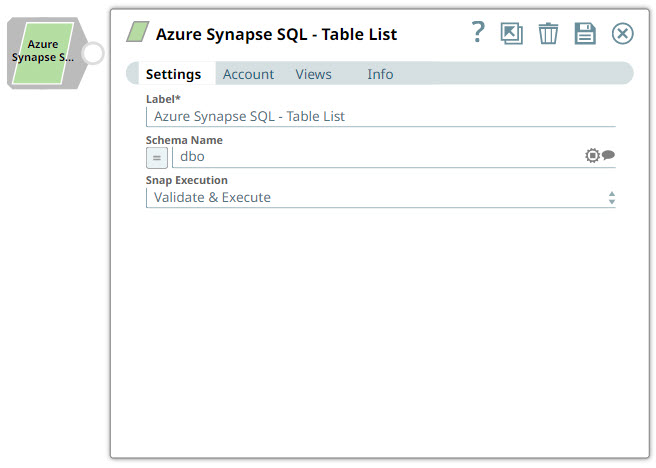
Required.Specify a unique name for the Snap. Default value: Azure Synapse SQL - Table List Example: Table_List |
||
Schema Name
String/Expression |
Required.Specify the database schema name from which to list tables. Default value: N/A Example: dbo |
||
Table Name Pattern
String/Expression |
Specify a pattern to filter table names. Use % as wildcard. Default value: % (all tables) Example: EMP% |
||
|
Snap execution Dropdown list
|
Choose one of the three modes in
which the Snap executes. Available options are:
Default value: Execute only Example: Validate & execute |
||