


Reading and Updating Inactive Records
This example demonstrates how to read one inactive Coupa supplier record and update one of its custom fields.
Download this Pipeline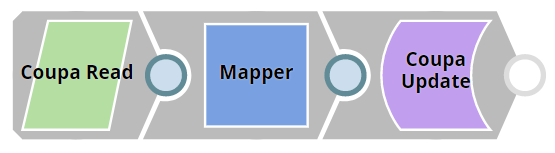
The Coupa Read Snap is configured as shown below:
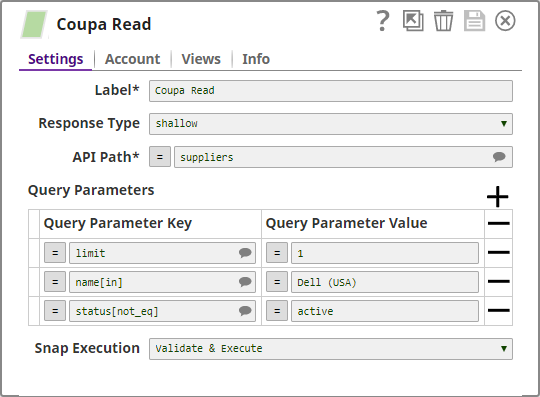
Use Query Parameters field-set to filter the records. The Snap fetches all the supplier records, if this filter is not applied.
Based on this configuration, the Snap fetches the topmost inactive record for the supplier named Dell (USA).
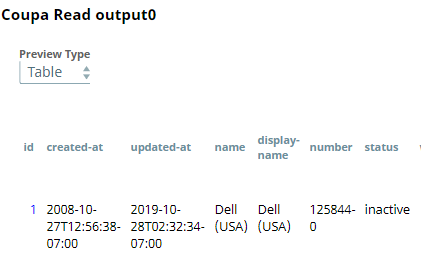
In this example, we want to update one of the custom fields in the fetched record. To update a resource record, pass the record ID to the Coupa Update Snap. To do so, use the Mapper Snap connected to both Coupa Read and Coupa Update Snap. Additionally, provide the values to be updated. For example, custom-field-5 and John Doe in this case.
This Mapper Snap is configured as shown below:

Output from the Mapper Snap:
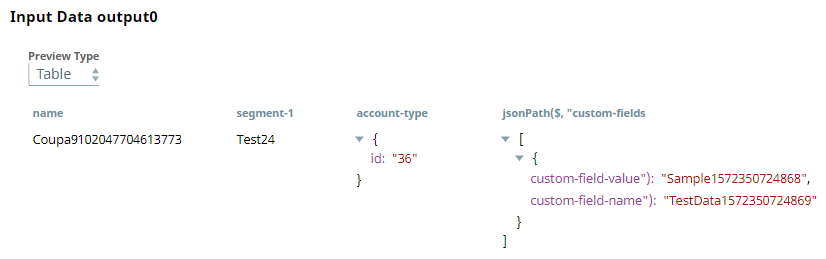
This data is passed into the Coupa Update Snap which is configured as shown below:
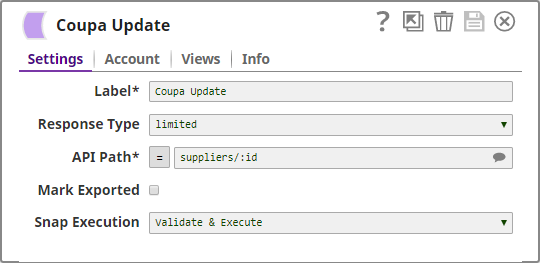
The response type is limited; therefore, only the updated data is shown in the output:

- Download and import the SLP file into your Environment.
- Configure Snap accounts.
- Provide Pipeline parameters, if any.